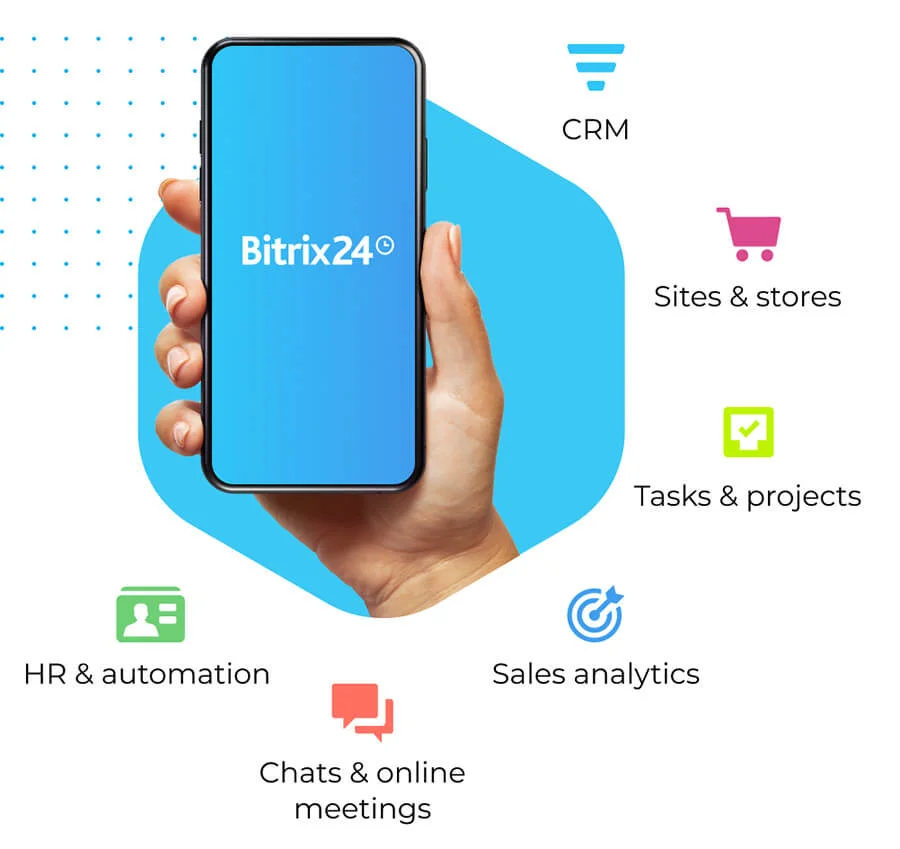
It's time to say goodbye to wait times. Bitrix24 Customer Contact Center puts the customer first allowing you to stay focused on what truly matters. Answer questions and solve problems in real time, through all channels and across different devices.
Customer service is the keystone of every business. Companies that treat their customers well build trust and loyalty in their brand. Using a task manager tool that is also a reliable client management software program means that you can get more from your tools. Using Bitrix24 gives you more features when you need them.
Bitrix24 Features
With Bitrix24 client management software, your company can stay organized and address all your client support needs. When existing and potential customers feel that a company cares, it builds trust in the brand. Providing your clients with support for your products or services is a way to show your company values them. Here are some of the most popular features of the Bitrix24 customer contact center.
Customer Contact Center
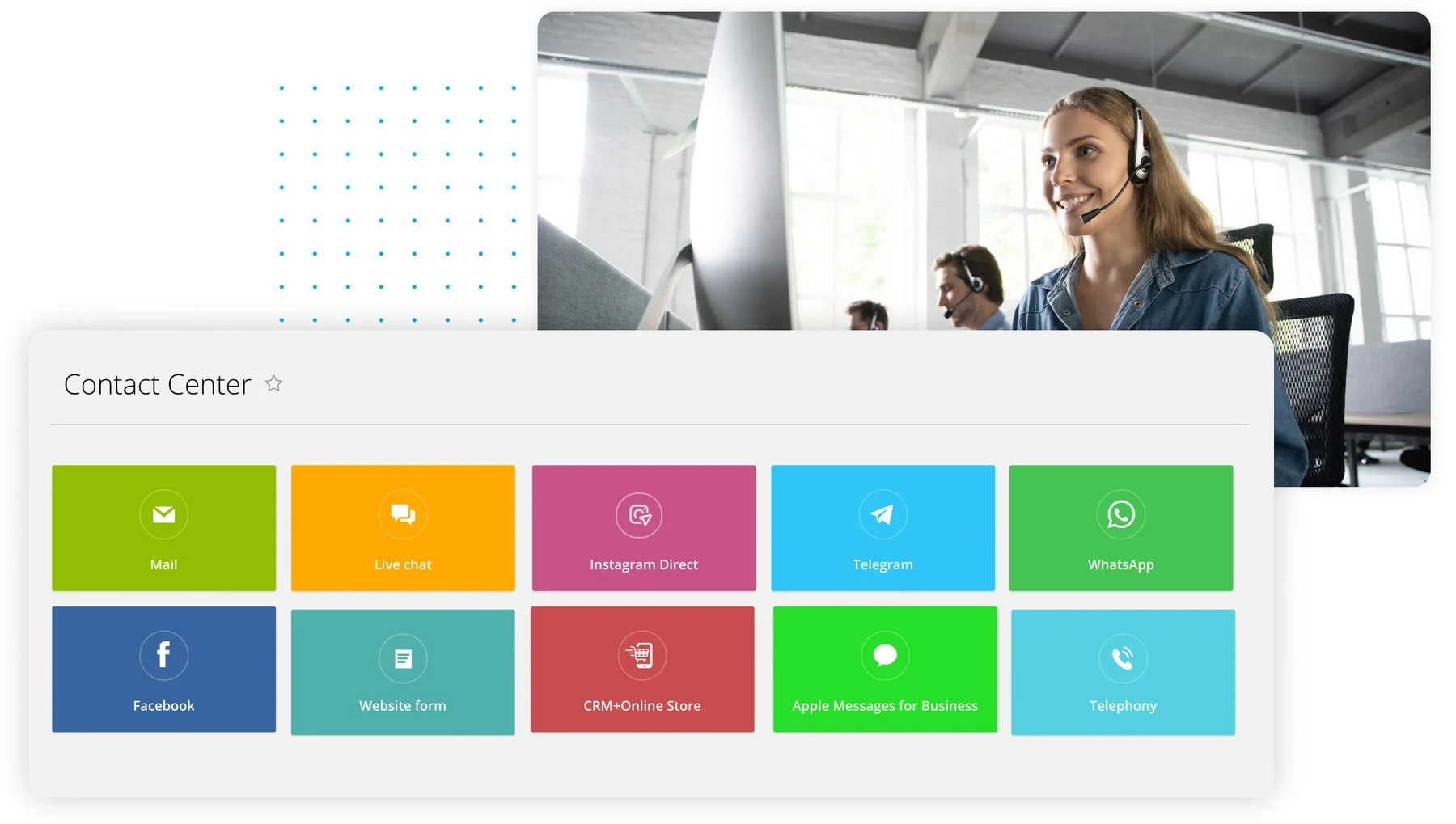
When customers call in with a problem or question, who is talking to them? Bitrix24 provides companies with a customer contact center with different options to fit their needs. If your company needs some automated customer center, we can help set that up. If you need help with your website or setting up a chat network on your homepage, we can do that too.
Integration with Social Networks
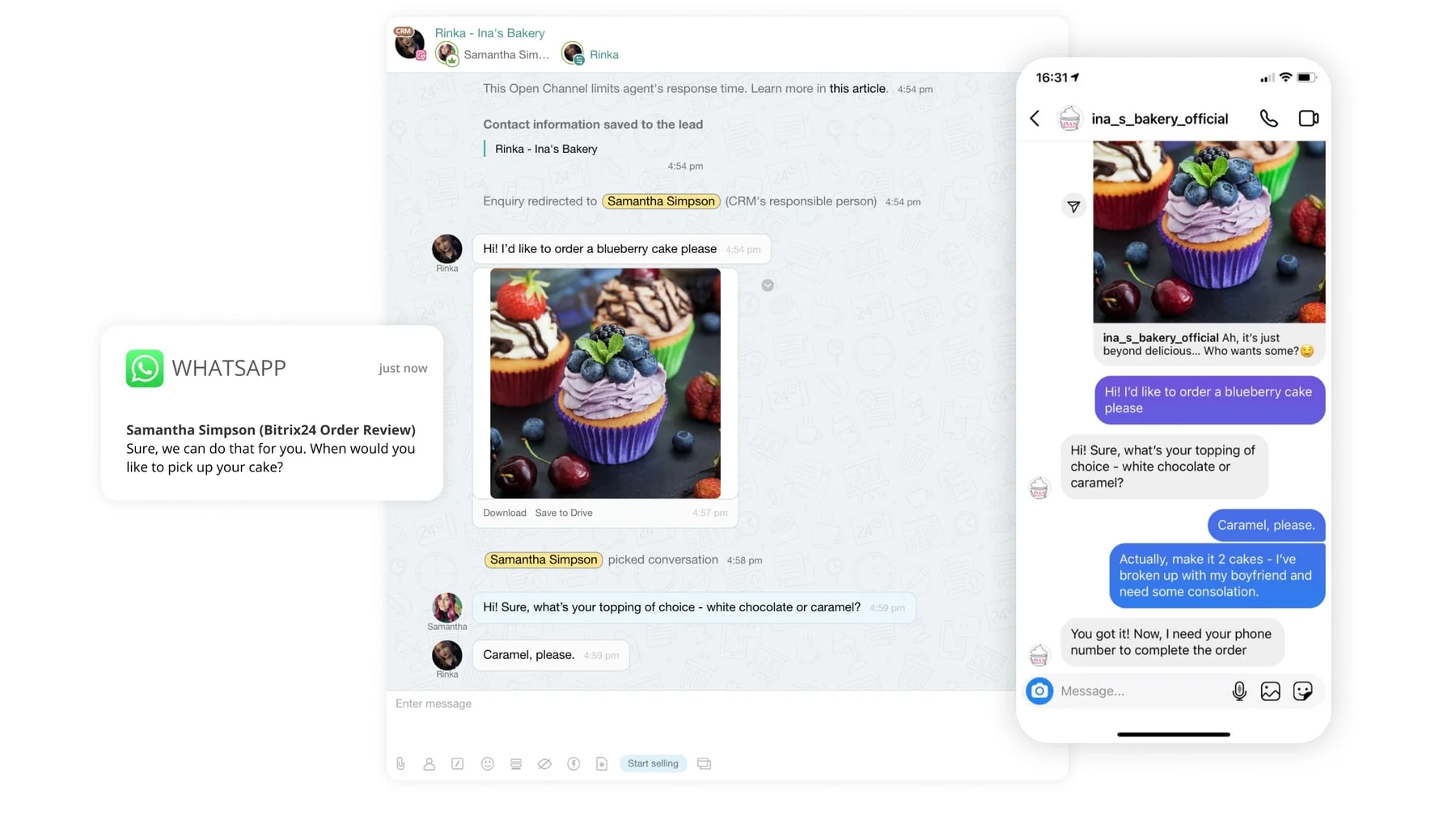
No matter what the size of the company is, customers will use social platforms to contact them. Maintaining social media profiles also gives companies a chance to get their brand name out in the world. You can connect all your social media accounts and messengers to Bitrix24 and manage them via a single dashboard.
CRM Web Forms
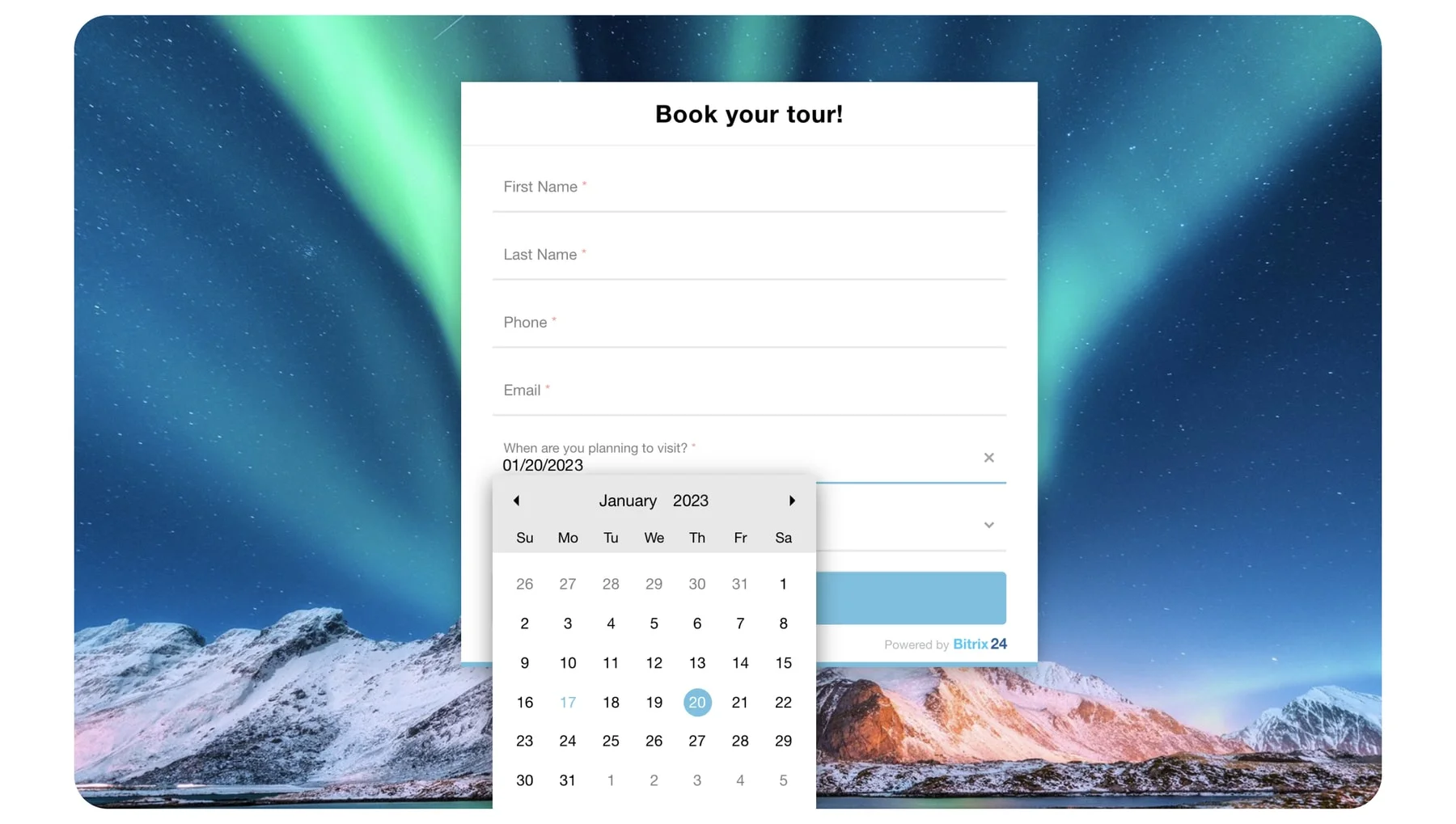
Using web forms in your CRM is a great way to capture leads and get people on your email list. With customer service, having a web form is a great way to keep in contact with customers. When they fill out a CRM web form, the company has a representative assist them to resolve their problem. These web forms are featured in Bitrix24 and are customizable to the page and your company's specific needs.
Bots and AI
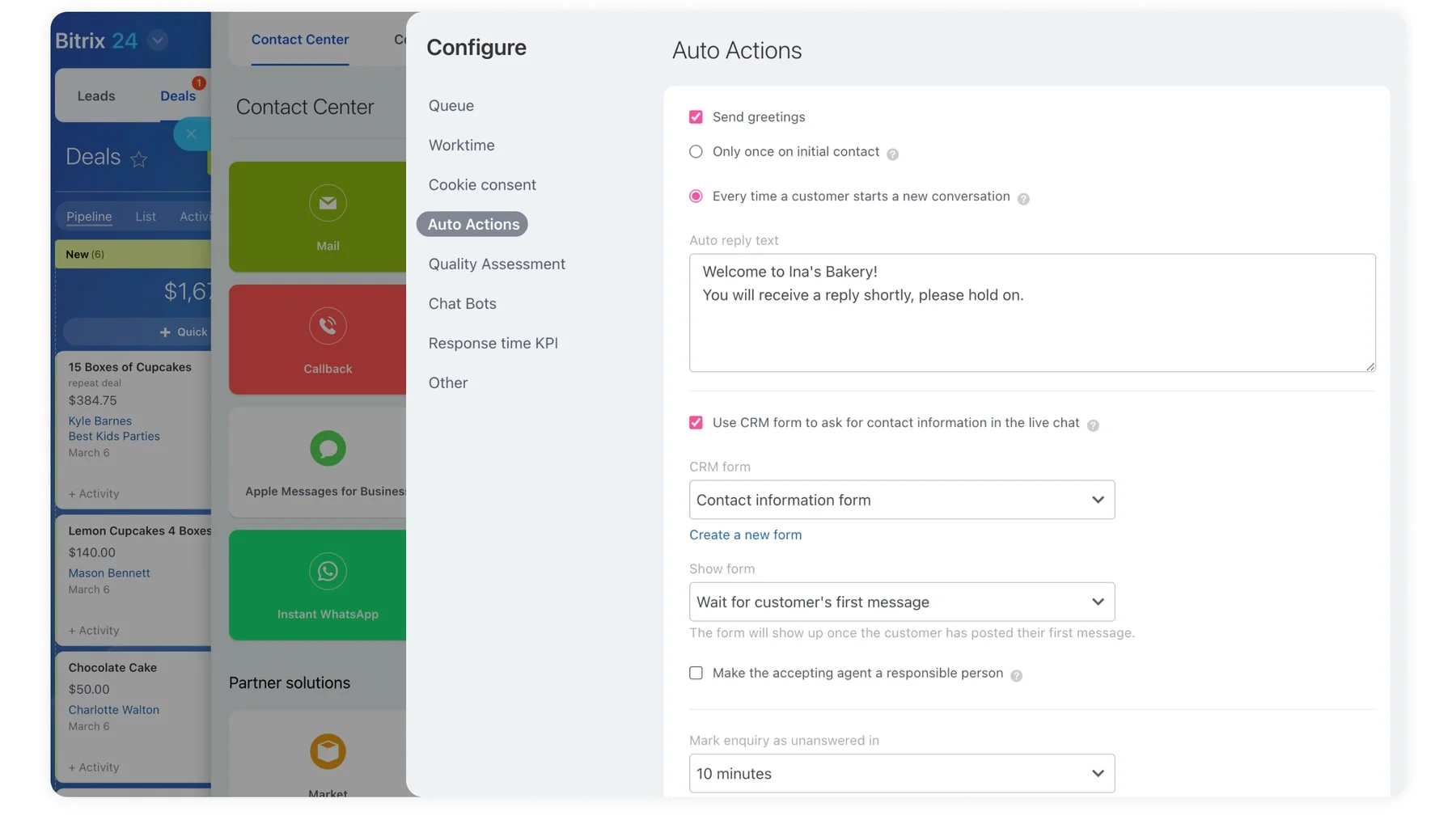
Many customers are looking for assistance around the clock. If you run an international business, you cannot stick to traditional working hours because there are people always within those hours in the world. While some companies will outsource their customer service, you can use bots and artificial intelligence (AI) too. With today's technology, they can help customers troubleshoot the most common issues with company products or services. If the problem cannot be resolved, the bot can collect their information and keep it for you to address at your earliest convenience.
Knowledge Management
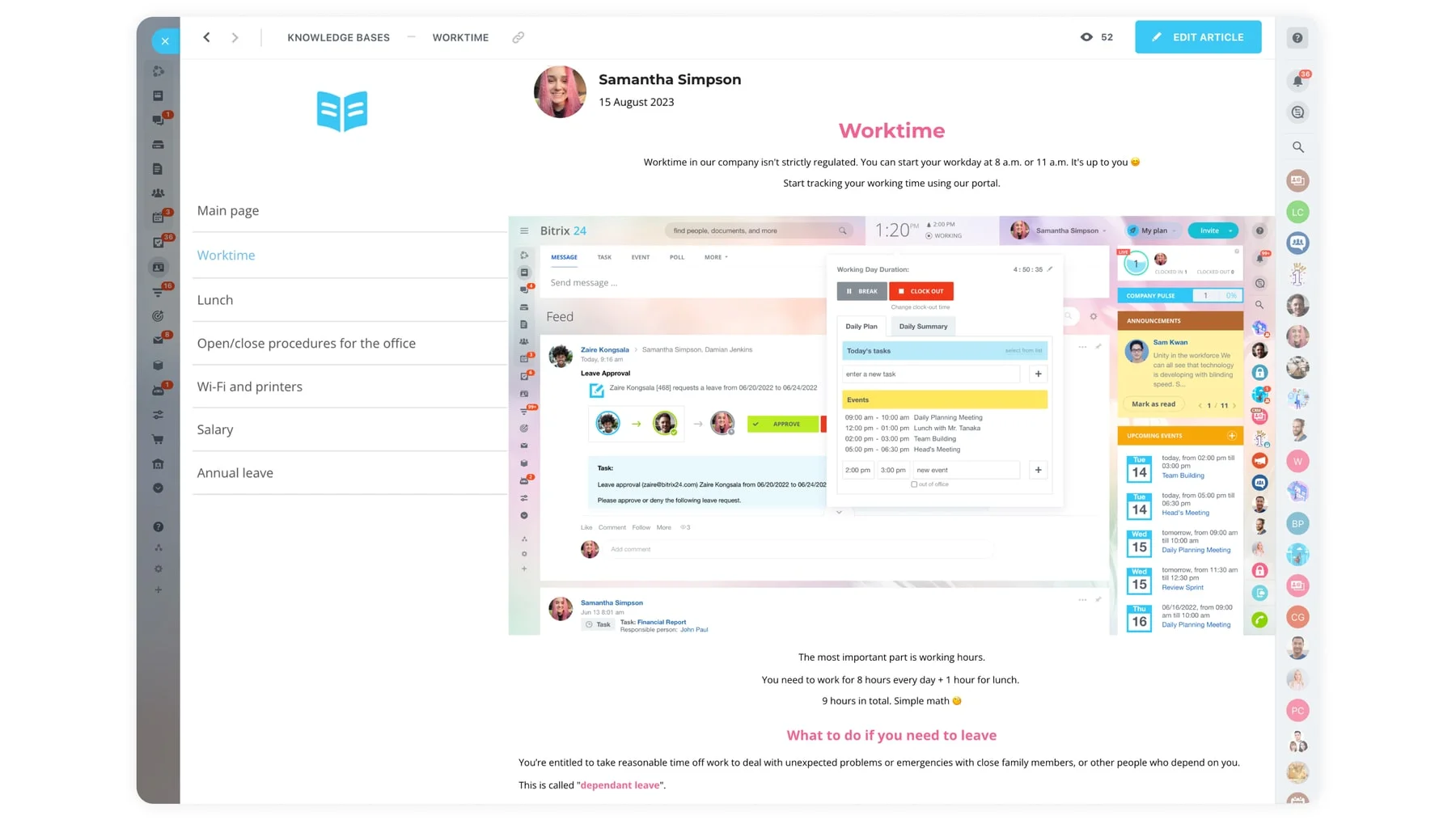
Every good client management software needs to have a place for notes. The key to having great customer service is keeping notes organized in a way that whoever is working with the customer can pull up their profile and have access to past interactions. This helps solving client problems and closing deals easier and faster.
Live Chat
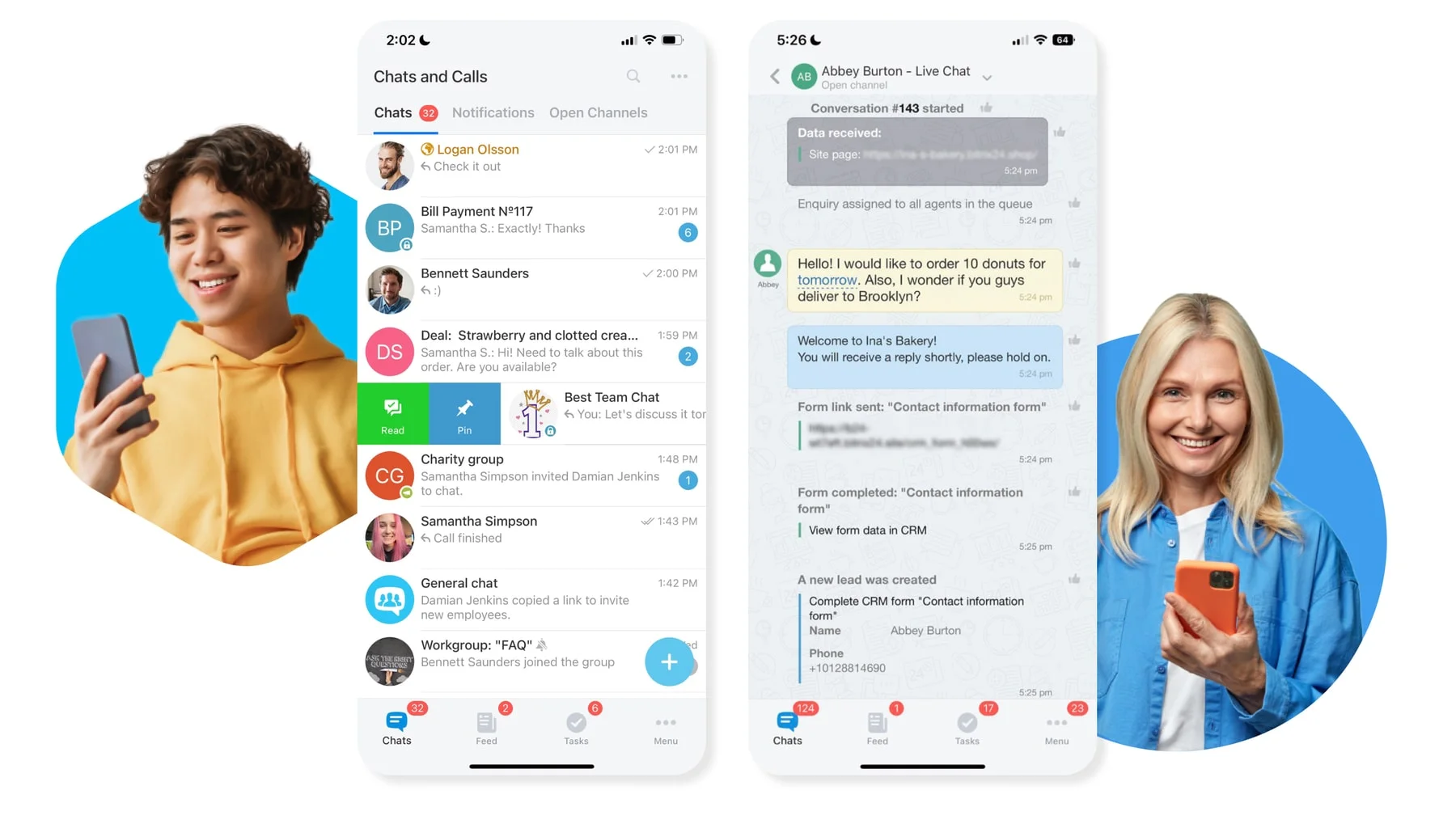
A live chat widget that can be placed on your website to provide instant support and customer service to your visitors. All the dialogs are saved in your CRM and, if it's a returning customer, the system will recognize them.
FAQ pages
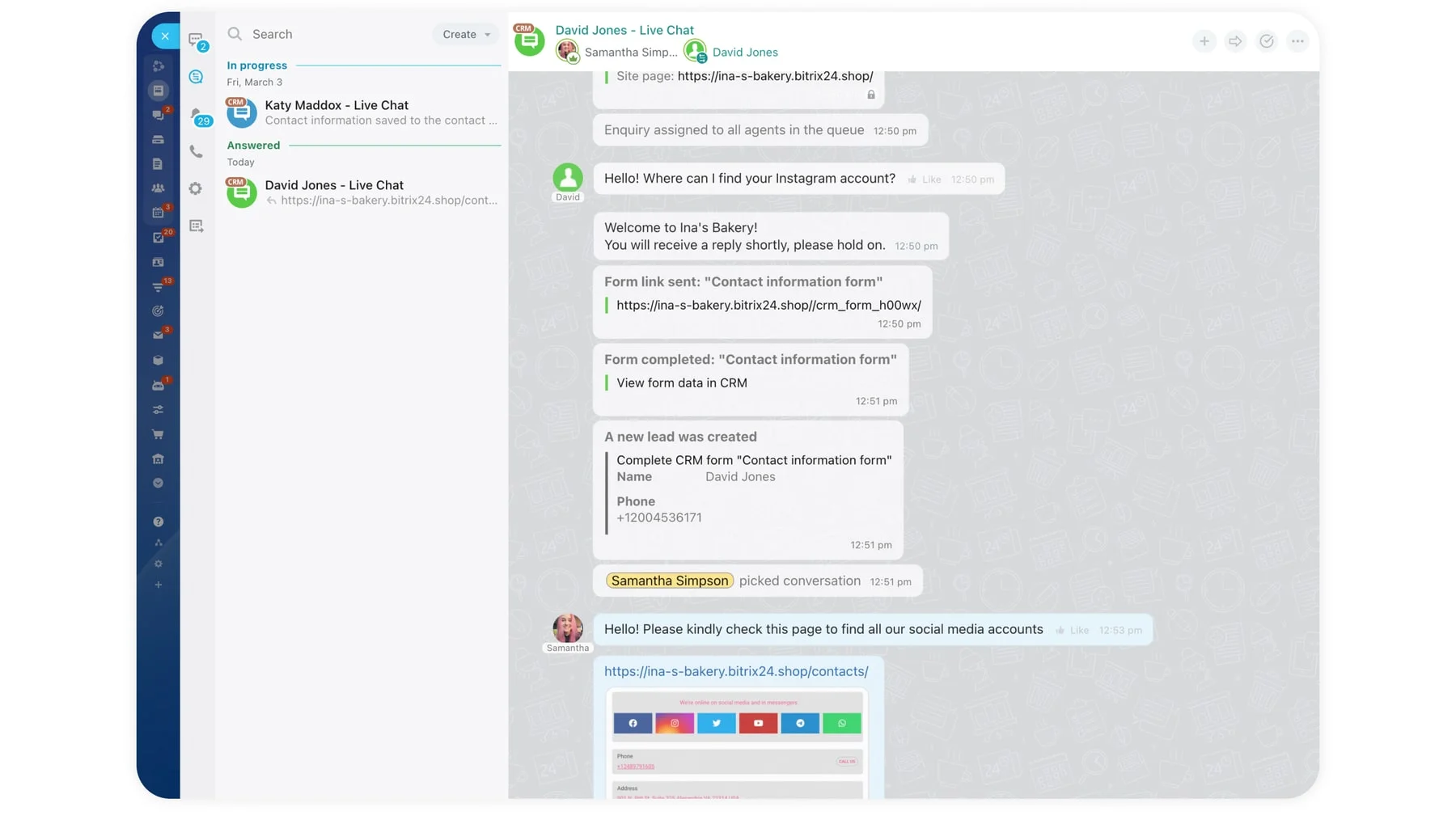
Create information pages with pre-made replies to the most frequently asked questions from your clients (Where to find you? How to pick up my order?, etc.).
Telephony
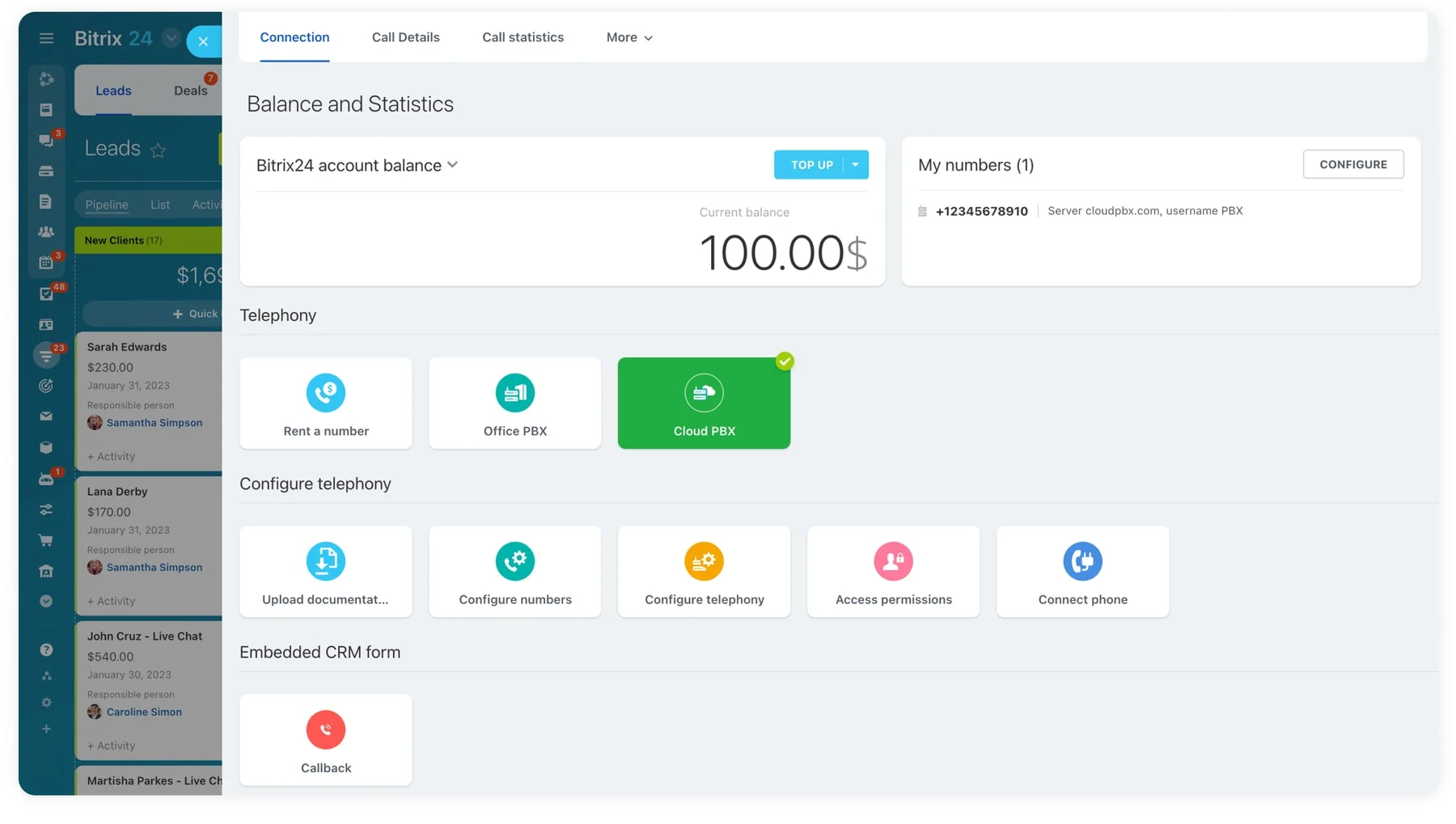
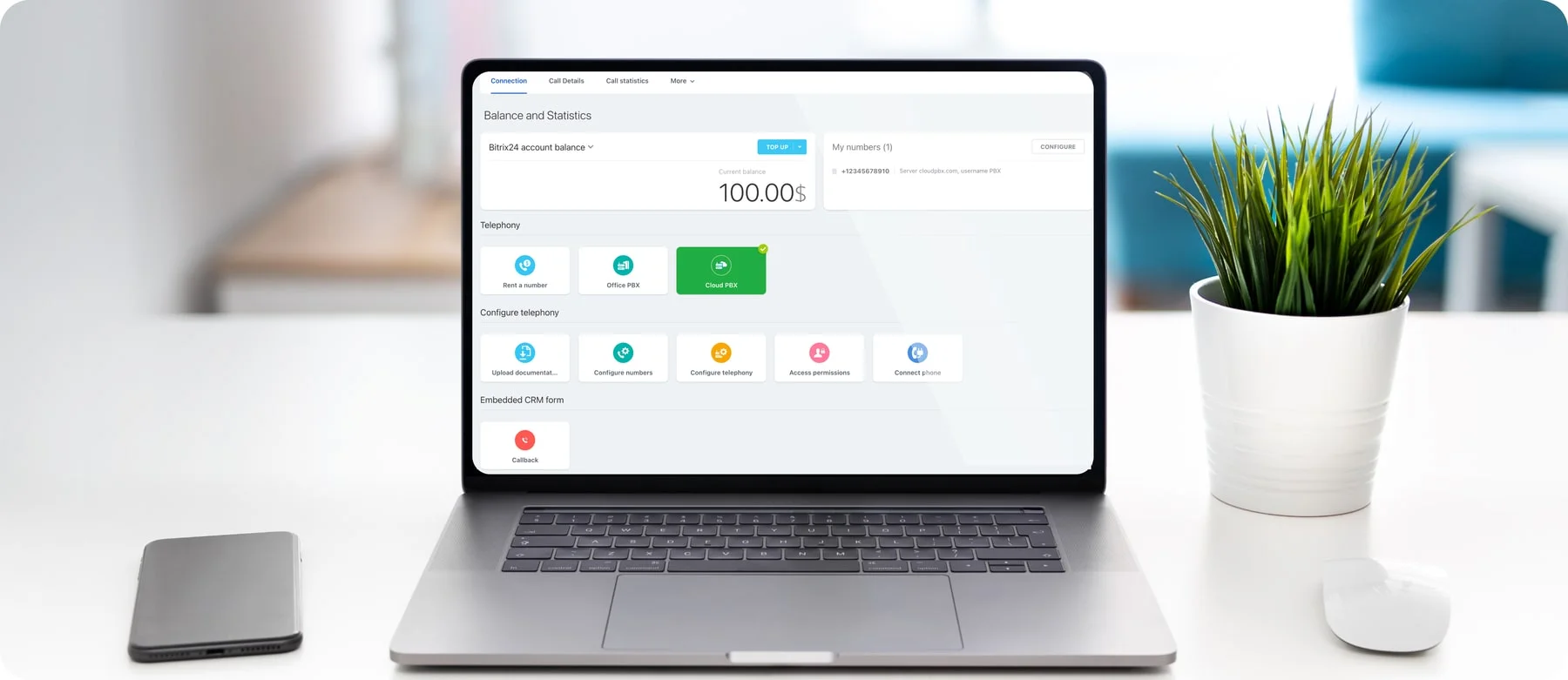
Call anywhere in the world for the price of domestic calls with Telephony. For companies that operate on a global scale, this benefit is priceless and it is a part of Bitrix24. Telephony helps companies with international locations and clients stay in contact more easily, which is the key to providing great customer service. No matter where your customers are calling from, you can easily talk for less.
Queueing and Routing
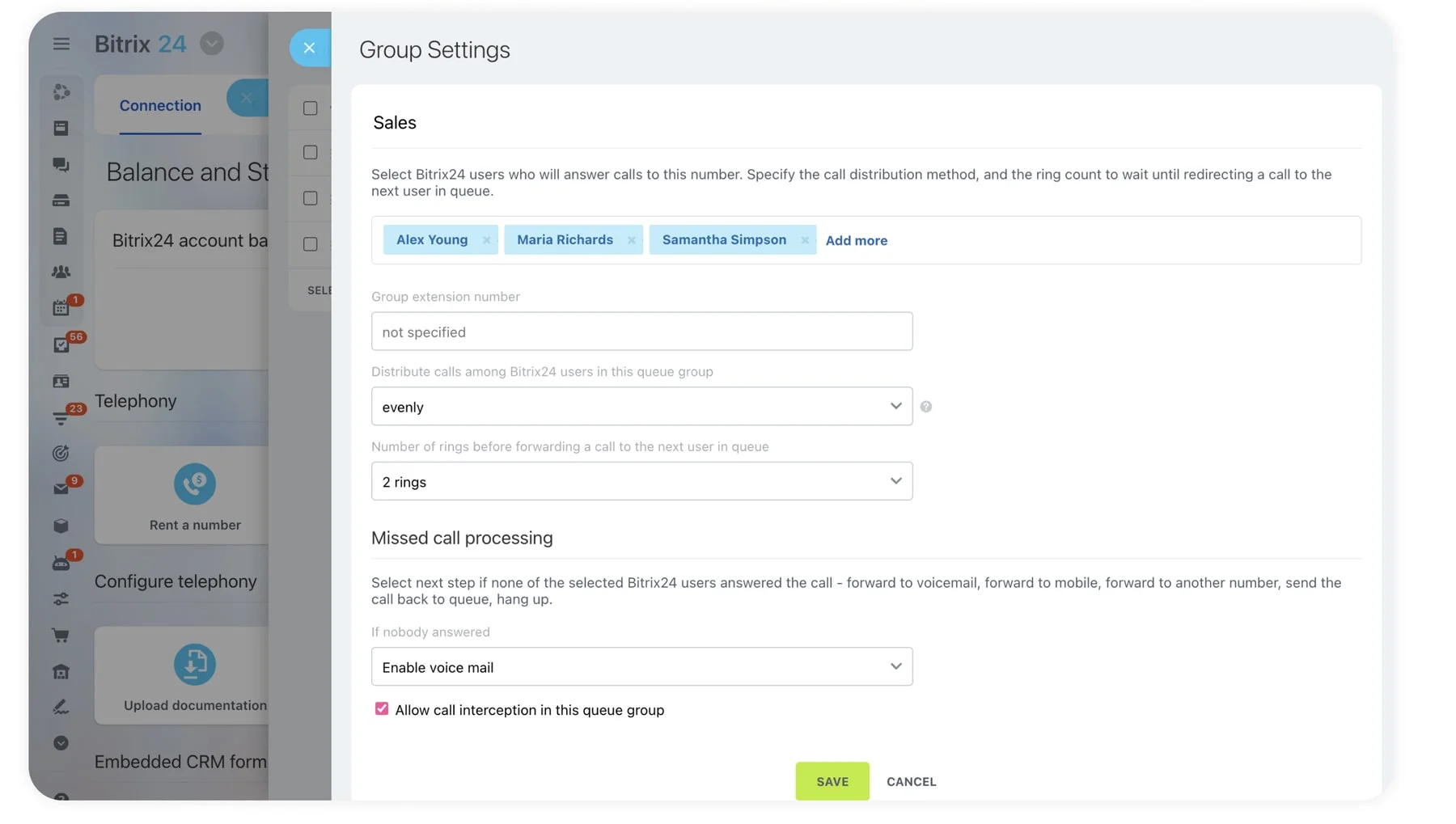
Companies that deal with multiple contacts at once know how important an efficient queueing and routing service is to keeping people happy. When someone calls in and needs to speak to a company representative for assistance, they expect to get the help quickly. Keeping people in a queue or knowing where to route their calls is the best way to provide the caller with assistance fast. Companies can also queue intelligently by prioritizing calls in a way that works best for their processes.
File Sharing & Drive
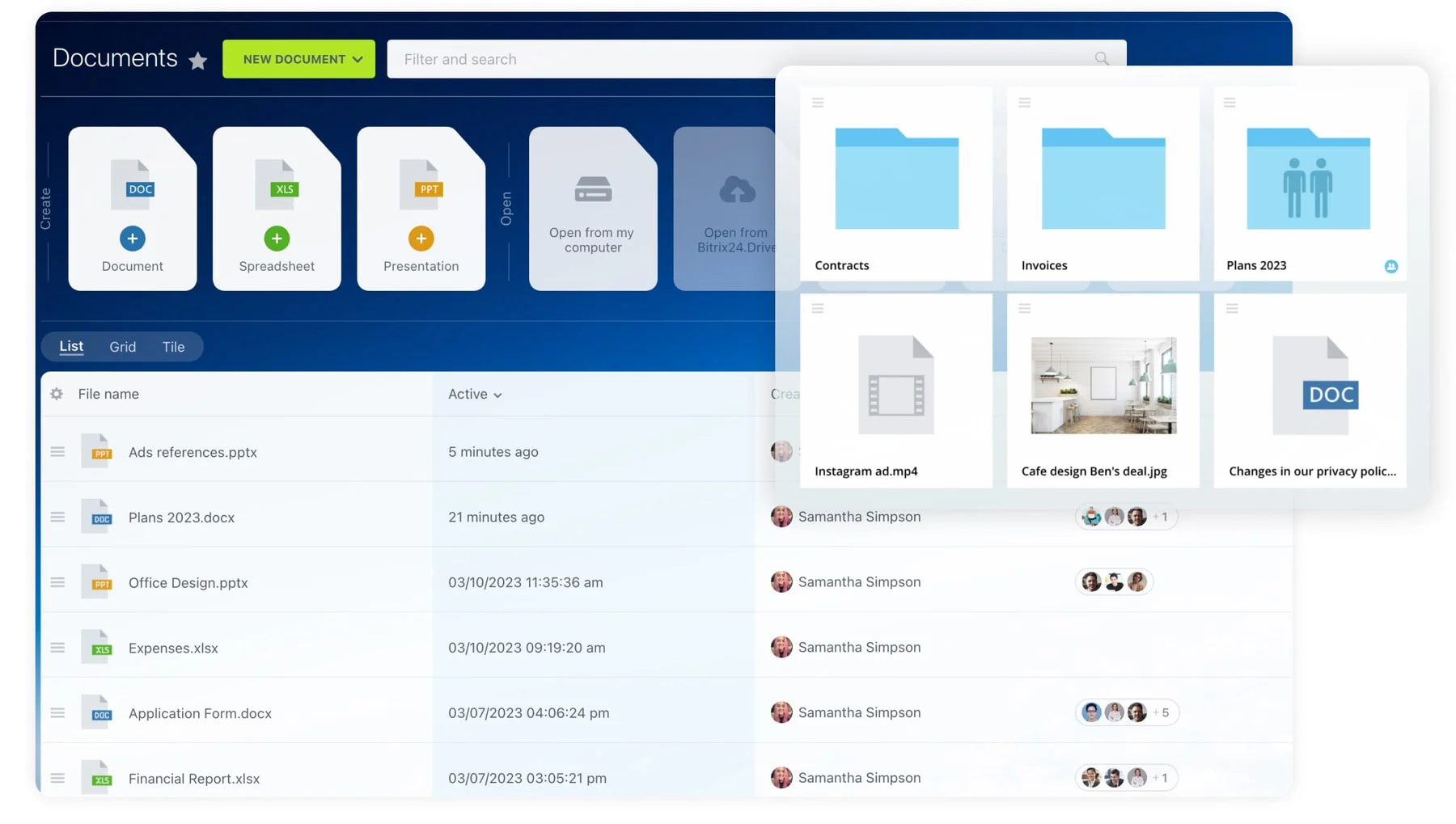
Keep all your company files together in a single, protected cloud storage and access them from anywhere with the Bitrix24 mobile app. With customizable access permissions, your company can keep all files safe and secure. Companies can also provide limited access to clients to share specific files too, creating less inbox clutter and streamlining some processes. Another benefit of file sharing and storage is that you can cut down on paper costs and filing space. Digital document files in storage are easy to search, label, and organize.
Workflow Automation
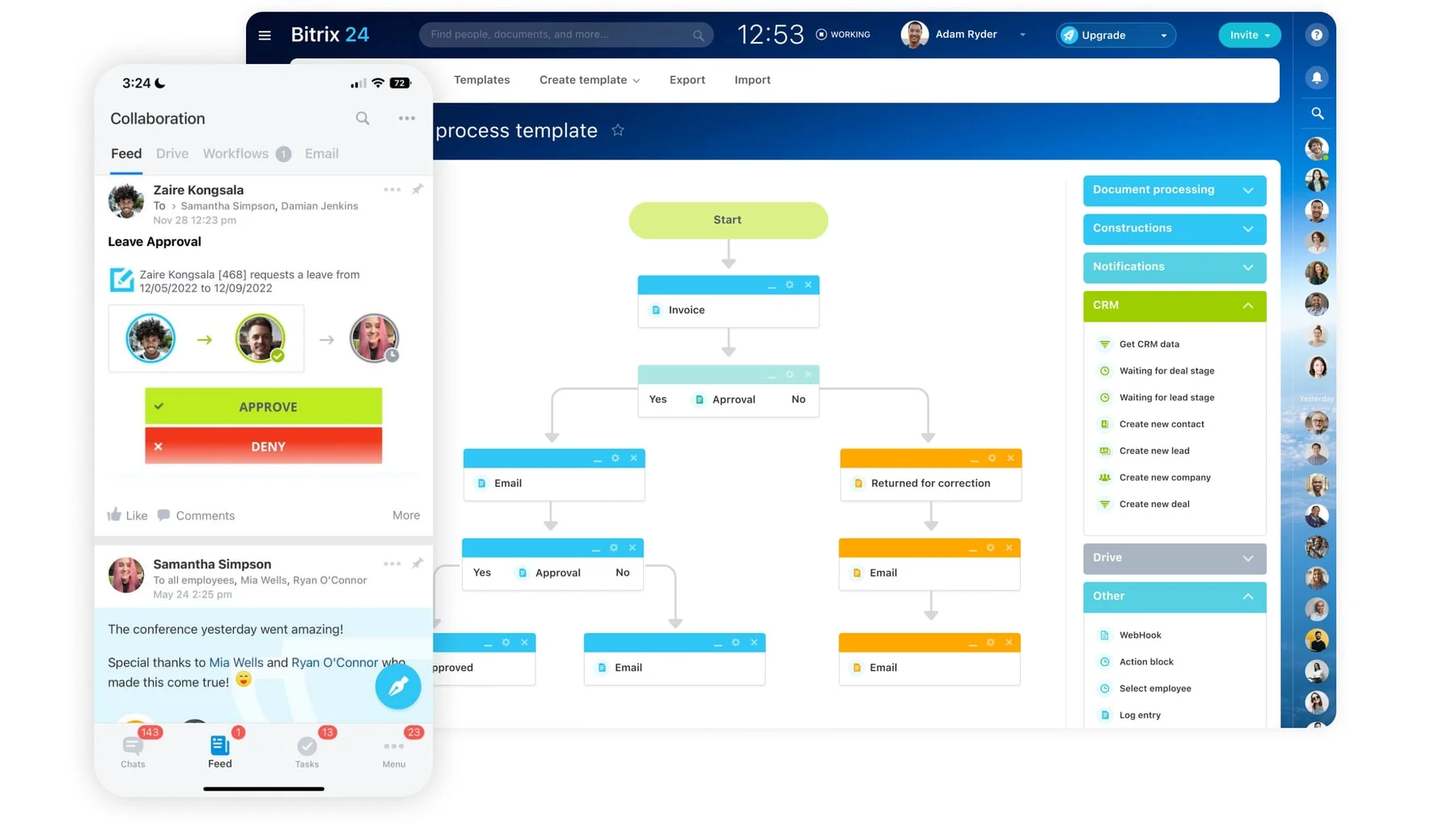
Part of customer service is knowing how to adjust to an efficient workflow. Bitrix24 provides companies with a task manager tool that boasts an automated option for adjusting workflows for employees. Managers can set a schedule for employees to handle customer service for specific blocks and then set them to automatically renew each week or month. This allows managers to know that everyone has a specific schedule worked out and they do not have to spend time each week figuring it out again.
Mobile App
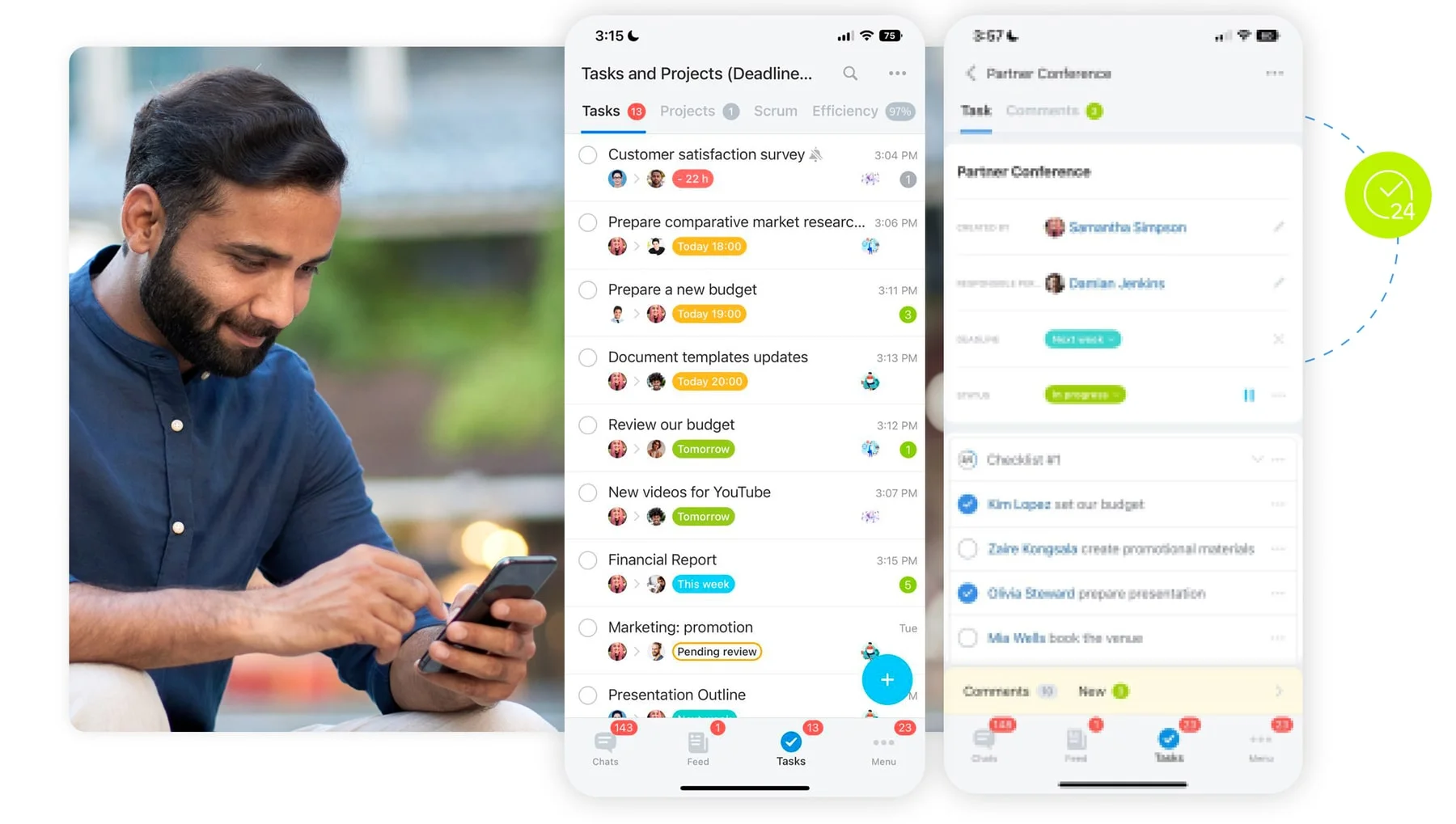
Now you can take Bitrix24 with you on the go. Our mobile app is designed to allow a user to manage work and tasks from their smartphone. This applies to customer service too. If a customer is reaching out, you have the option to respond quickly even if you are not in the office. Being flexible is key to providing superb customer service.
When customers call in with a problem or question, who is talking to them? Bitrix24 provides companies with a customer contact center with different options to fit their needs. If your company needs some automated customer center, we can help set that up. If you need help with your website or setting up a chat network on your homepage, we can do that too.
No matter what the size of the company is, customers will use social platforms to contact them. Maintaining social media profiles also gives companies a chance to get their brand name out in the world. You can connect all your social media accounts and messengers to Bitrix24 and manage them via a single dashboard.
Using web forms in your CRM is a great way to capture leads and get people on your email list. With customer service, having a web form is a great way to keep in contact with customers. When they fill out a CRM web form, the company has a representative assist them to resolve their problem. These web forms are featured in Bitrix24 and are customizable to the page and your company's specific needs.
Many customers are looking for assistance around the clock. If you run an international business, you cannot stick to traditional working hours because there are people always within those hours in the world. While some companies will outsource their customer service, you can use bots and artificial intelligence (AI) too. With today's technology, they can help customers troubleshoot the most common issues with company products or services. If the problem cannot be resolved, the bot can collect their information and keep it for you to address at your earliest convenience.
Every good client management software needs to have a place for notes. The key to having great customer service is keeping notes organized in a way that whoever is working with the customer can pull up their profile and have access to past interactions. This helps solving client problems and closing deals easier and faster.
A live chat widget that can be placed on your website to provide instant support and customer service to your visitors. All the dialogs are saved in your CRM and, if it's a returning customer, the system will recognize them.
Create information pages with pre-made replies to the most frequently asked questions from your clients (Where to find you? How to pick up my order?, etc.).
Call anywhere in the world for the price of domestic calls with Telephony. For companies that operate on a global scale, this benefit is priceless and it is a part of Bitrix24. Telephony helps companies with international locations and clients stay in contact more easily, which is the key to providing great customer service. No matter where your customers are calling from, you can easily talk for less.
Companies that deal with multiple contacts at once know how important an efficient queueing and routing service is to keeping people happy. When someone calls in and needs to speak to a company representative for assistance, they expect to get the help quickly. Keeping people in a queue or knowing where to route their calls is the best way to provide the caller with assistance fast. Companies can also queue intelligently by prioritizing calls in a way that works best for their processes.
Keep all your company files together in a single, protected cloud storage and access them from anywhere with the Bitrix24 mobile app. With customizable access permissions, your company can keep all files safe and secure. Companies can also provide limited access to clients to share specific files too, creating less inbox clutter and streamlining some processes. Another benefit of file sharing and storage is that you can cut down on paper costs and filing space. Digital document files in storage are easy to search, label, and organize.
Part of customer service is knowing how to adjust to an efficient workflow. Bitrix24 provides companies with a task manager tool that boasts an automated option for adjusting workflows for employees. Managers can set a schedule for employees to handle customer service for specific blocks and then set them to automatically renew each week or month. This allows managers to know that everyone has a specific schedule worked out and they do not have to spend time each week figuring it out again.
Now you can take Bitrix24 with you on the go. Our mobile app is designed to allow a user to manage work and tasks from their smartphone. This applies to customer service too. If a customer is reaching out, you have the option to respond quickly even if you are not in the office. Being flexible is key to providing superb customer service.
-
Customer Contact Center
-
Integration with Social Networks
-
CRM Web Forms
-
Bots and AI
-
Knowledge Management
-
Live Chat
-
FAQ pages
-
Telephony
-
Queueing and Routing
-
File Sharing & Drive
-
Workflow Automation
-
Mobile App

“Bitrix24 is a collaborative suite that connects CRM, instant messaging, collaboration, and task management into one package.”
TechRadar
Benefits of Bitrix24
Millions of companies have already found the benefits of using Bitrix24 for their customer service needs. The provided features help companies stay organized and work efficiently. Here are just some of the benefits that companies have found as they have used the Bitrix24 client management software to provide customer service:
-
Never again ask your customers to hold
-
Reduce tickets and provide real-time solutions
-
Get the entire history of client interactions at a single glance
-
Delight prospects across all channels
-
Queue and route intelligently
-
Delegate chit-chat to virtual assistants
-
Don't know all the answers? Find them with one click
-
Support your clients whenever they need it, wherever they are
If you are looking for client management software that does more for your company, give Bitrix24 a try. Many features are available for free with options to upgrade for extended features or larger companies. See a list of all available features for free on our pricing page and contact one of our product partners for specific questions.
See why customers love Bitrix24





Bitrix24 FAQ
What is Bitrix24?


Bitrix24 is an online workspace designed to be used by a group of people for sales, marketing, project management, and other activities. It features CRM, tasks, chats, online meetings, and 30+ more tools.
How do I get started with Bitrix24?
To create an account, all you need to do is enter your email address, confirm it, and that’s it! Your Bitrix24 account is ready to use.
How much is Bitrix24?
Bitrix24 has 5 membership plans:
- FREE. Unlimited users, free forever, limited functionality.
- BASIC. Up to 5 users, 69 €/mo, great for small businesses and sales teams (this plan is not available in some regions).
- STANDARD. Up to 50 users, 144 €/mo, perfect collaboration for your entire company.
- PROFESSIONAL. Up to 100 users, 289 €/mo, maximum sales and business process automation.
- ENTERPRISE. Up to 10,000 users, starting from 579 €/mo, digital transformation tools for large businesses and enterprises
Please note that all of our plans are flat-rate, which means you can keep adding more and more users within your plan limit and still pay the same amount of money per month.
What devices can I use Bitrix24 on?
You can use Bitrix24 in any browser, as a desktop app (for Windows or Mac), or as a mobile app (for iOS or Android).
Will my data be safe with Bitrix24?
As safe as can be. Bitrix24 stores data in 9 data centers and 600 servers in North America and Europe, depending on the country you are in. All of our data collecting and handling procedures are fully GDPR-compliant.
What are the access levels in Bitrix24?
Here they are:
- Employee/user. All new invited users are granted the “employee” position by default, if not set differently by the administrator.
- Head of a department. These will have extended access permissions to the account. For example, such users will see their subordinate's tasks work reports.
- Administrator: the user who has been granted administrative access to the account.
- Extranet user: marked with the Extranet icon and have limited access to your account.
What makes Bitrix24 better than 99% of other solutions on the market?
- Replaces all your current SaaS solutions
- Free forever for unlimited users
- Easy to migrate your data from other systems
- Integrated with all your favorite services and apps
- Used, loved, and trusted by 15.000.000+ organizations worldwide
- 100% flat fee: predictable costs, no per-user pricing

Enhance your Bitrix24 experience
Go beyond the standard functionality and migrate your data easily using apps, add-ons, and extensions from the Bitrix24 Market.
- 1 Integrations with WhatsApp, telephony, etc.
- 2 One-click data migration to Bitrix24.
- 3 550+ apps and solutions in the catalog













See why 15 million companies rely on Bitrix24