





.png?1772701669706)


.png?1772701669706)

- Home
- Sales and CRM
-
SarasChatBot
SarasChatBot
SarasChatBot: Smart AI & Manual Flows for Bitrix24
-
Rating5 / 5
-
Installations378
-
Developer
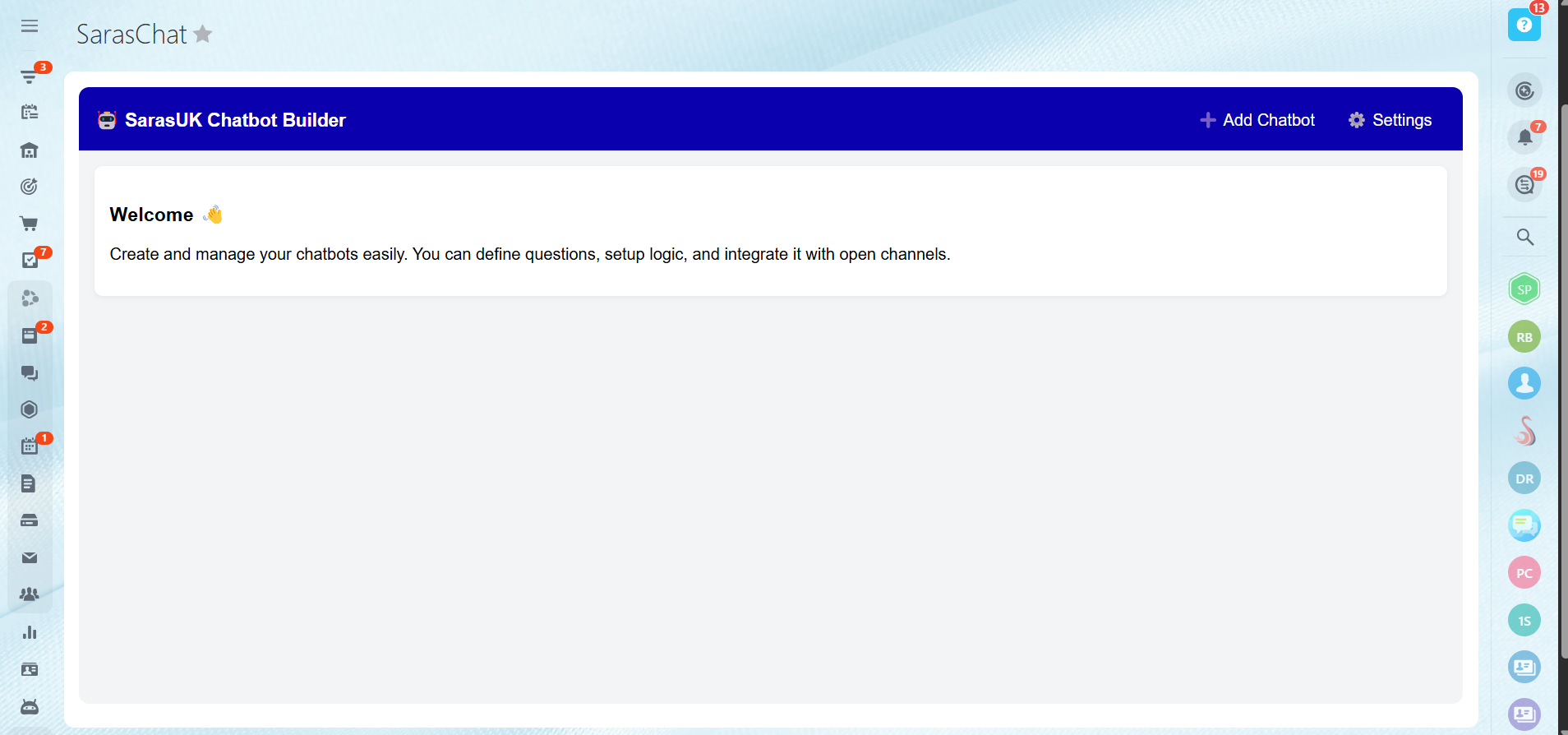
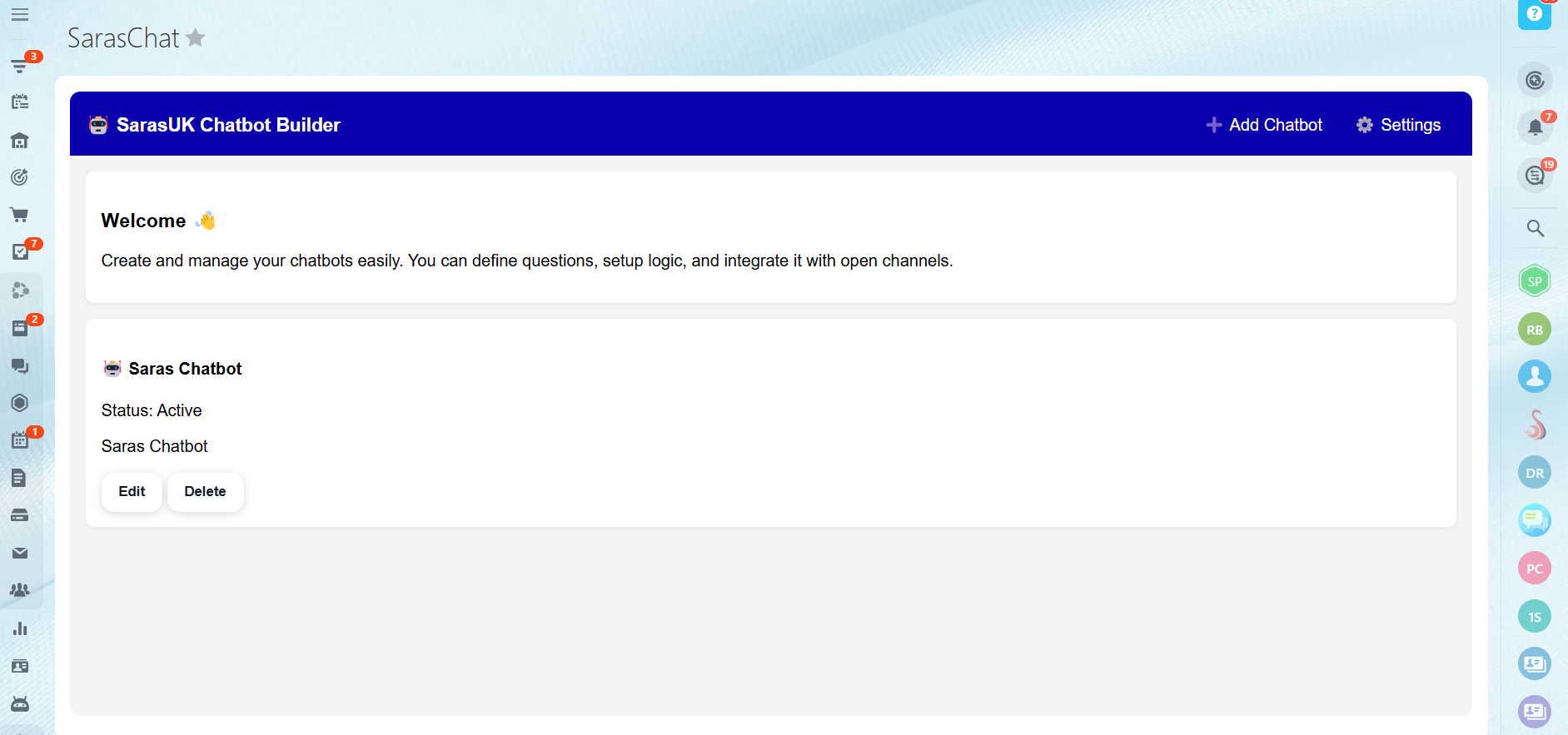
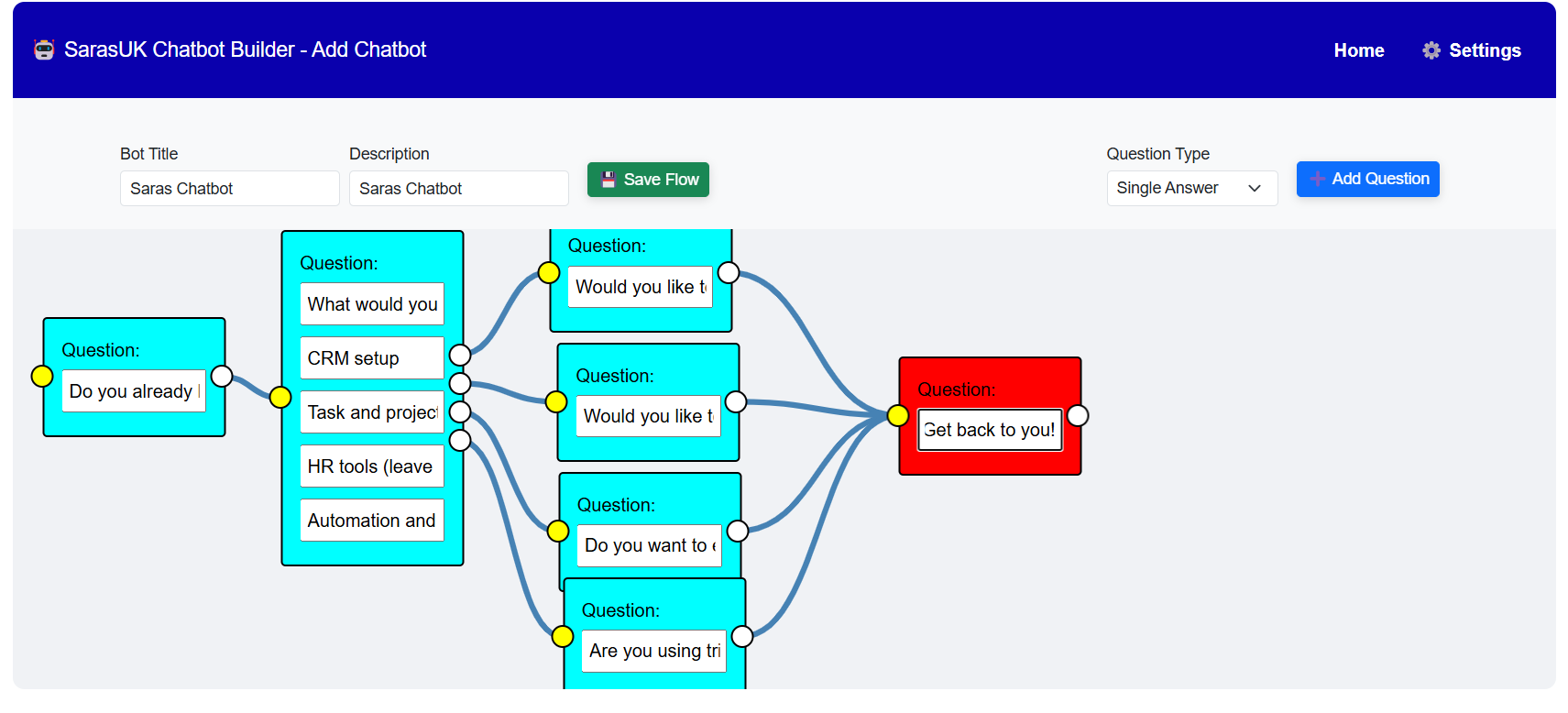
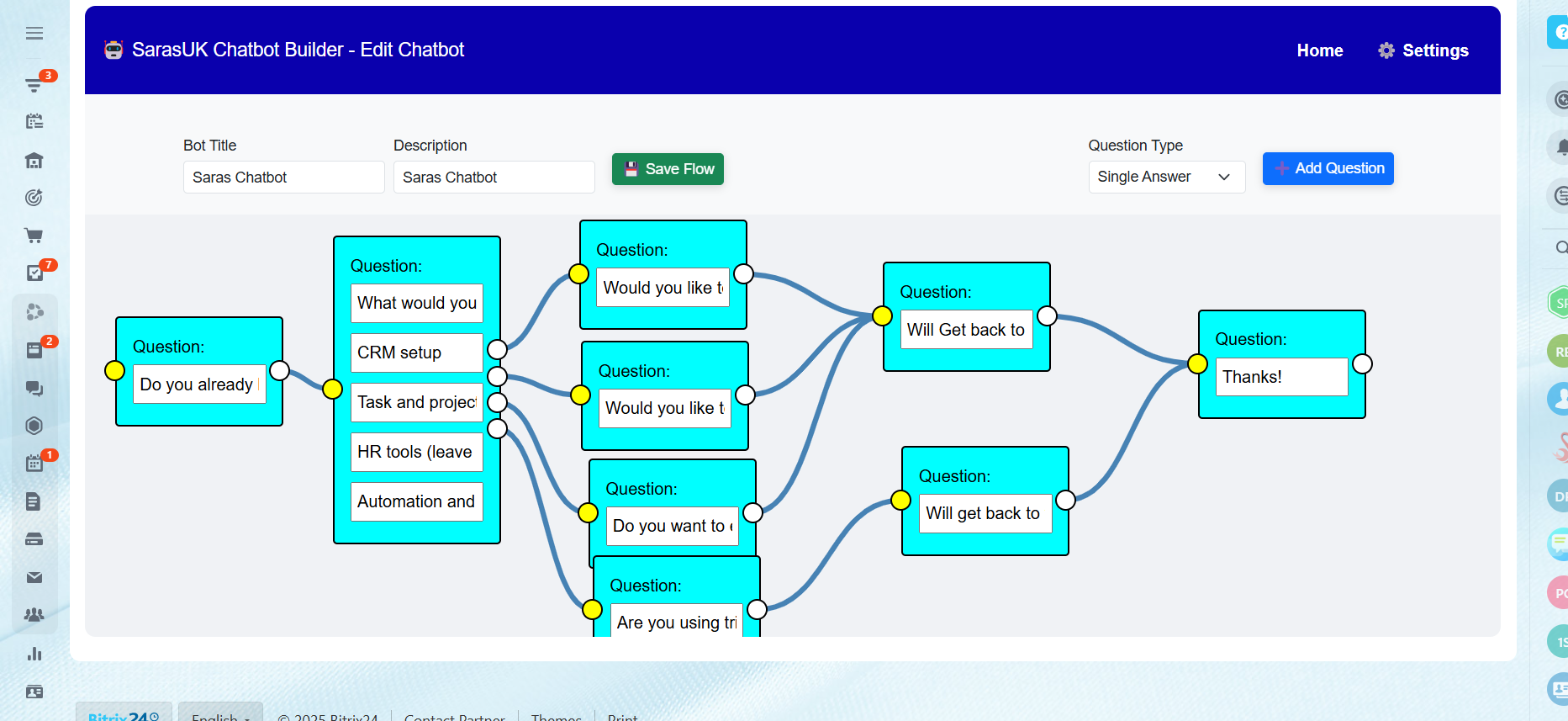
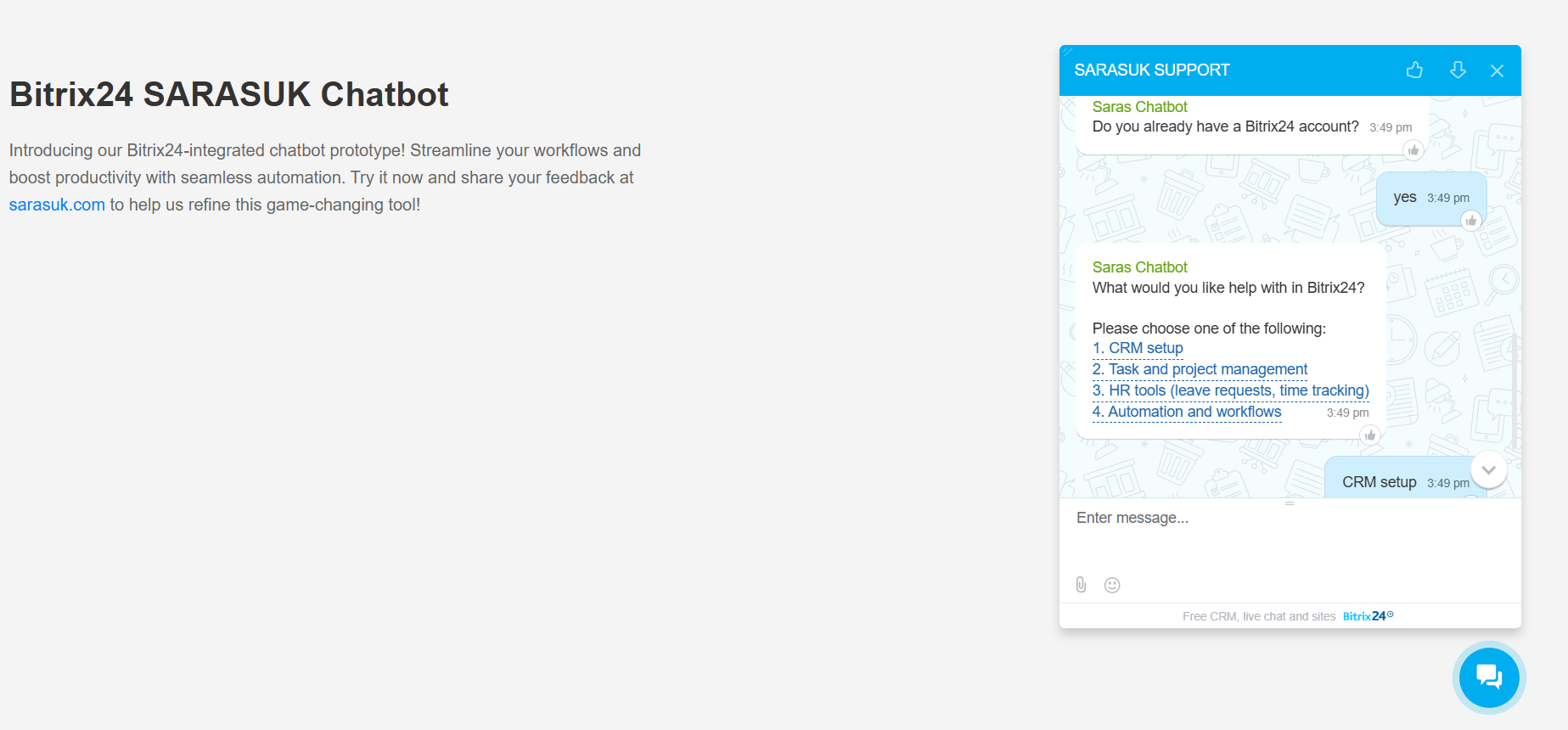
Running a business is busy enough—let SarasChatBot handle the introductions. Designed specifically for Bitrix24 Open Channels, SarasChatBot is the ultimate hybrid solution that combines the "brains" of AI with the reliability of manual chat flows. Whether you need a structured script for lead generation or an intelligent AI to answer complex customer questions, SarasChatBot works alongside your team to ensure no message goes unanswered.
Why choose SarasChatBot?The Best of Both Worlds: Use AI-powered conversations for natural, human-like support, or switch to manual flows for precise data collection and lead qualification.
Seamless Bitrix24 Integration: Built to live inside your Bitrix24 Contact Center, automatically syncing every interaction with your CRM.
24/7 Customer Delight: Reduce response times and keep your customers happy even when your team is offline.
Effortless Setup: Create multiple, customizable conversation paths tailored to your specific business needs without a single line of code.
SarasChatBot isn't just a tool; it’s a digital teammate. From automating routine inquiries to capturing high-value leads, it empowers your business to deliver consistent, personalized engagement at scale. Unlock the true potential of automated messaging and give your team the freedom to focus on what they do best: closing deals and building relationships.
Don't know how to setup? Watch the Video:
If you need assistance with SarasChatBot or have any questions, our support team is here to help!
Technical Support:
For technical issues, troubleshooting, or guidance on using SarasChatBot, please reach out to our support team via:
Email: support@sarasuk.com
Phone & WhatsApp: +91 6398716717
Live Chat: Available within the application
Navigate to Bitrix24 Market
Log in to your Bitrix24 account and go to the Market section.Search for SarasChatBot:
Use the search bar to find the "SarasChatBot" application.Install the Application:
Click the "Install" button to add SarasChatBot to your Bitrix24 workspace. Follow the on-screen instructions to complete the installation process.Permissions Setup:
After installation, configure the necessary permissions to allow your team members to manage and use the chatbot. Assign roles to control access to chat flow management.Flow Configuration:
Create and customize your chat flows within the chatbot settings. You can set up multiple chat flows to handle different scenarios and customer interactions.Connect to Open Channels:
Integrate SarasChatBot with your Bitrix24 open channels to enable automated customer interactions.
Test and Launch:
Test your chatbot flows to ensure proper functionality. Once satisfied, enable the chatbot to start interacting with customers.Monitor and Update:
Regularly monitor chatbot performance and update chat flows as needed to keep customer interactions smooth and efficient.


