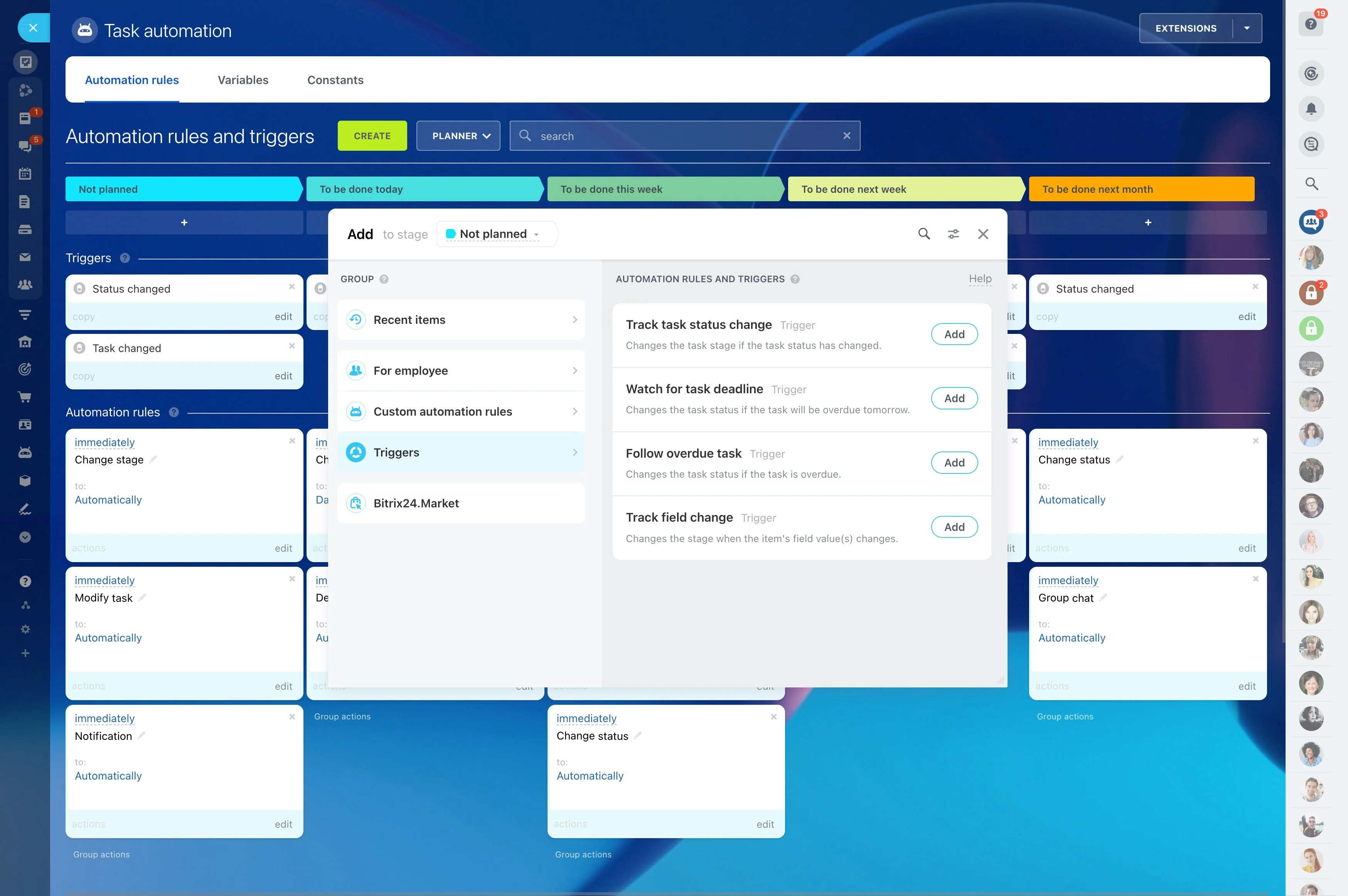
Setup logic you can keep up to date
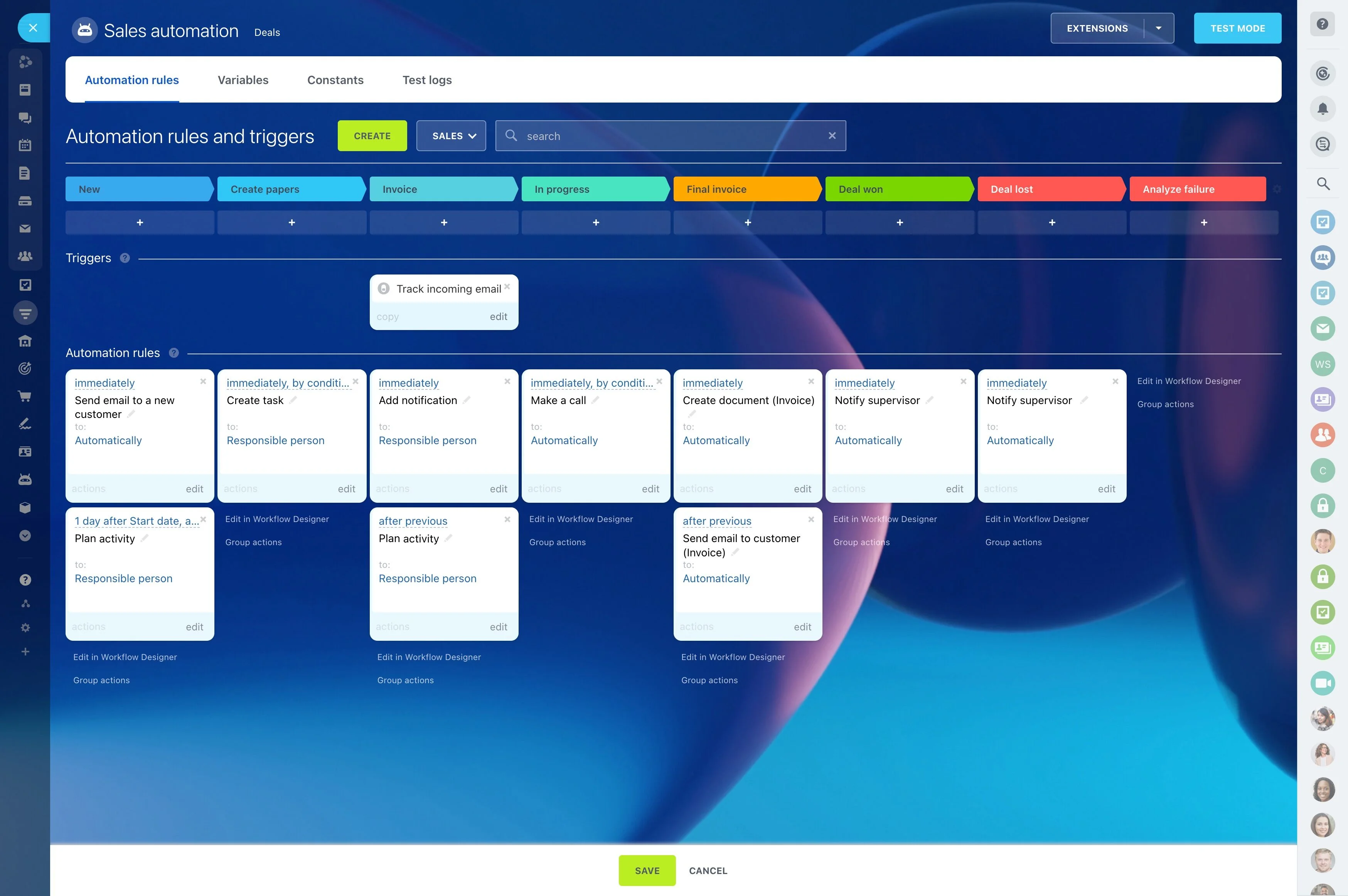
Sales handoffs usually fail in the same places: a deal changes stage, but ownership isn’t updated; an approval is needed, but nobody is prompted; a follow-up should be scheduled, but it slips. CRM workflow automation turns those repeatable moments into a defined sequence that runs when a condition is met, so the next step is clear every time.
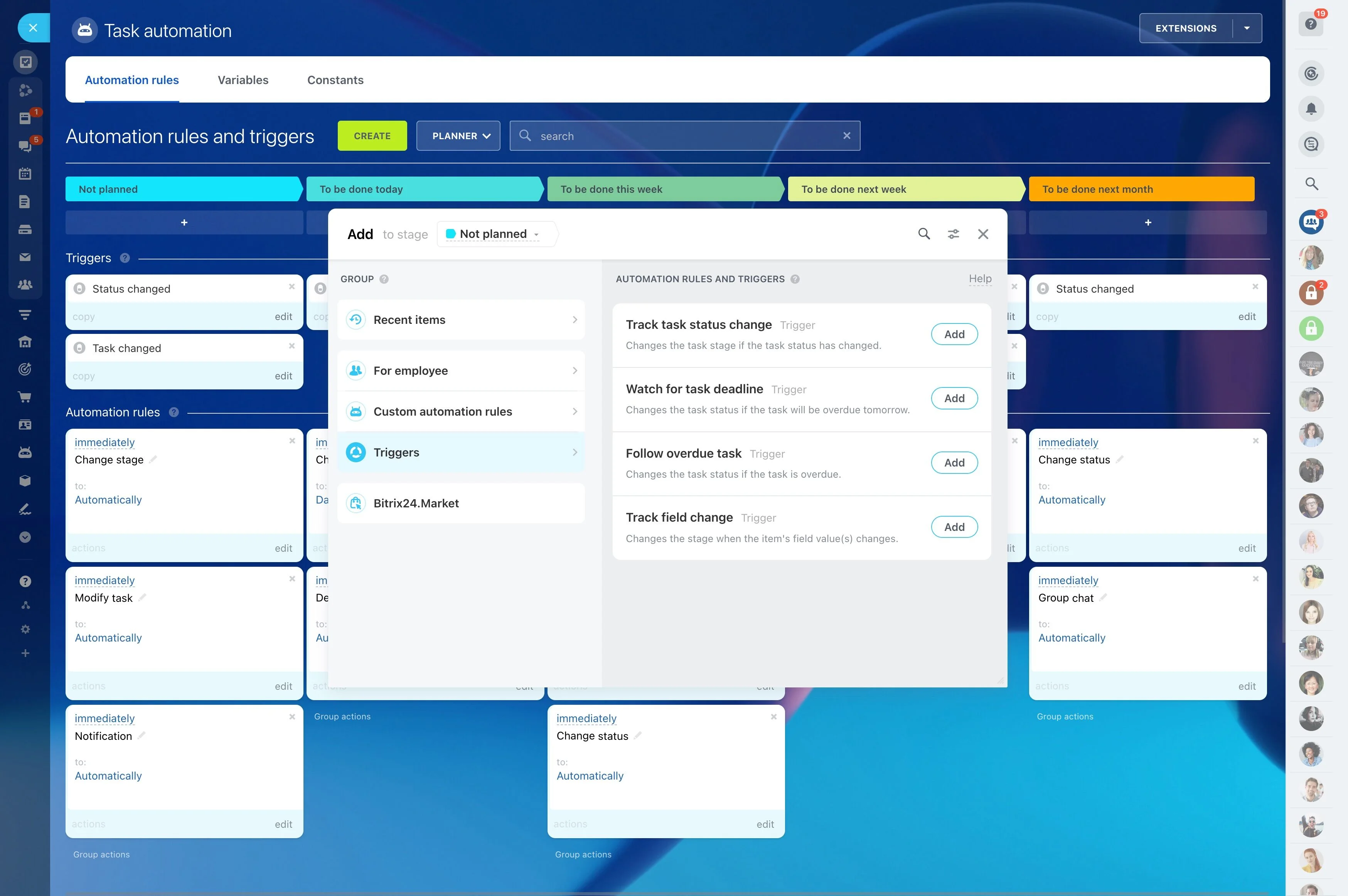
In Bitrix24, you can set up trigger-based CRM workflows around record events (like stage changes or field updates). Use them to assign owners, create required activities, request approvals for specific cases, and send targeted notifications that confirm what changed and what’s expected next. The point is measurable consistency: fewer stalled deals, faster stage transitions, and fewer “who owns this now?” questions.
- Turn stage changes into automatic assignments, activities, and approvals
- Make cross-role handoffs explicit (SDR → AE, sales → finance/legal)
- Track cycle-time and follow-up compliance to validate impact
Reporting: validate impact with a few metrics
Define success before you add more automation. Review a small set of checks regularly, such as:
- Stage-to-stage cycle time (before vs. after)
- First-follow-up time after key stages
- Overdue activities by stage
- Approval volume and approval turnaround time
Use the data to remove unnecessary steps, tighten trigger conditions, or add exceptions where deals commonly slow down.
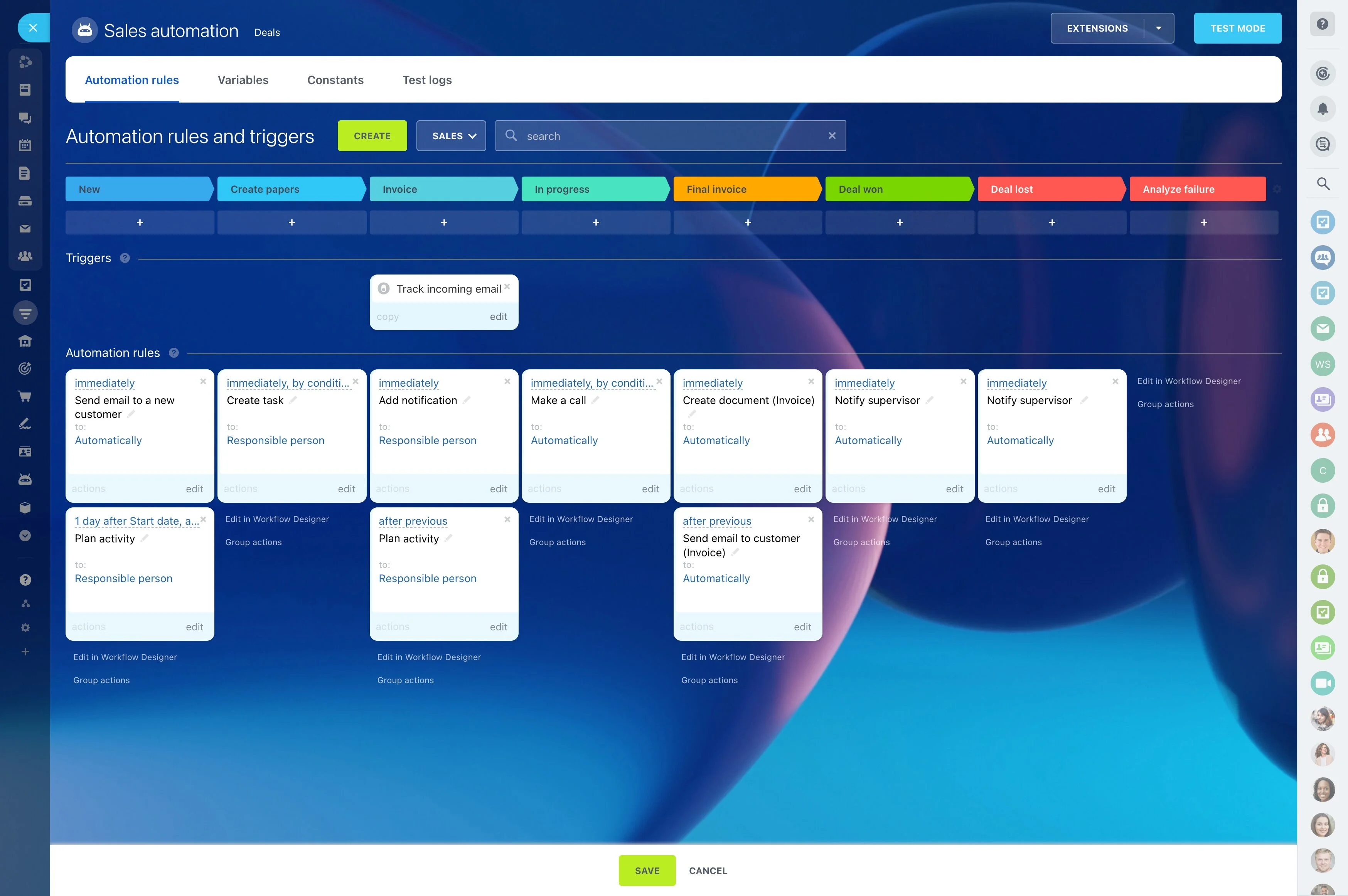
Extend automation across the CRM lifecycle
Once your deal stages and activities behave consistently, expand automation to the records your team already uses: leads, deals, contacts/companies, and post-sale handoffs. You can also standardize data capture by requiring fields at key transitions and defining clear internal expectations for follow-up timing.
The goal stays the same: controlled transitions and an obvious next action at every stage.
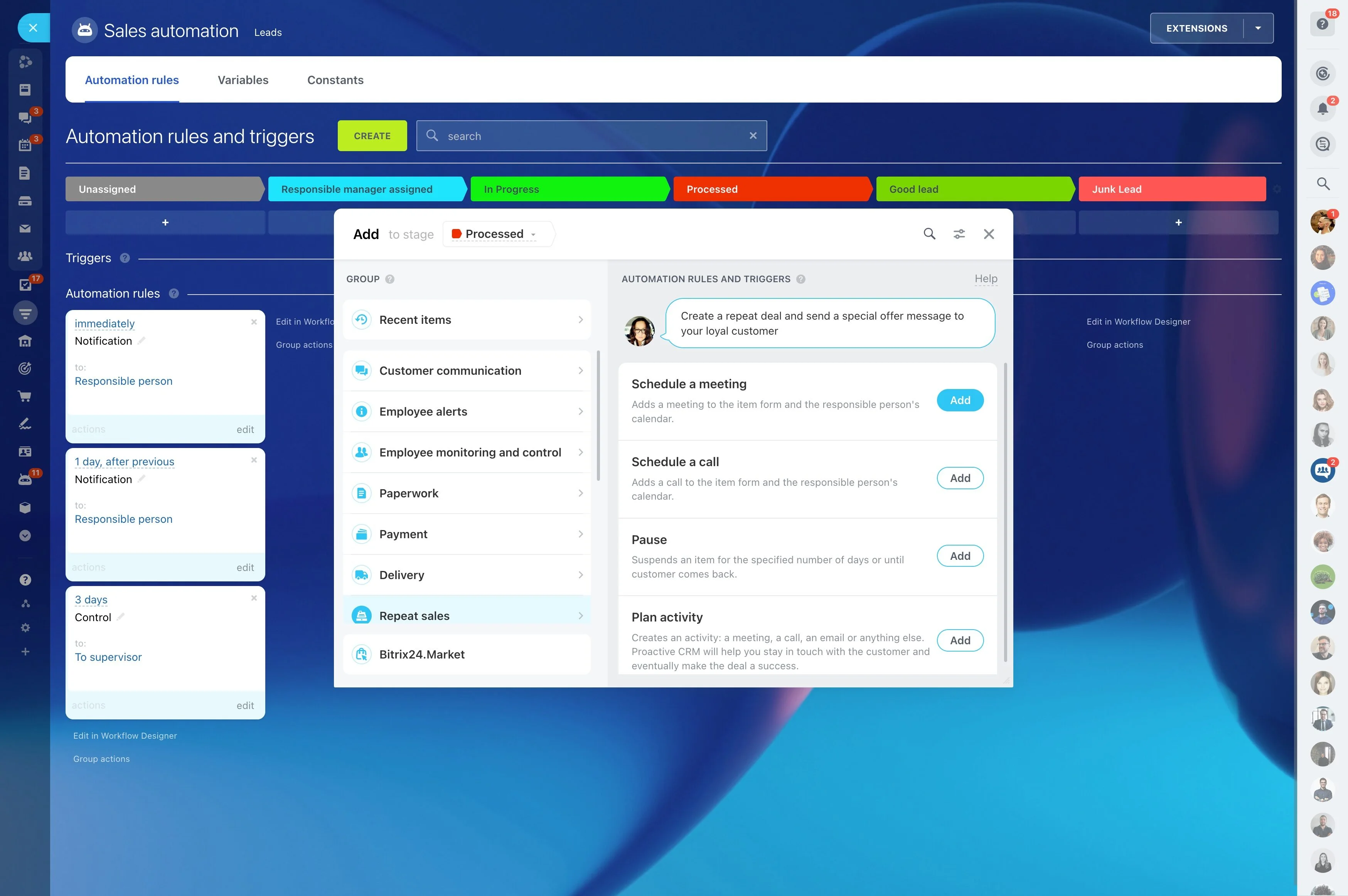
Send notifications tied to a required next step
Notifications are most useful when they go to a specific owner and point to a specific required action. Prioritize exception alerts (no activity scheduled, approval overdue, no customer response after X days) and time-based reminders that protect follow-up discipline.
Whenever possible, pair the alert with an automatic action (like creating the activity) so the message confirms what changed and what to do next.
Build a trigger-to-action workflow
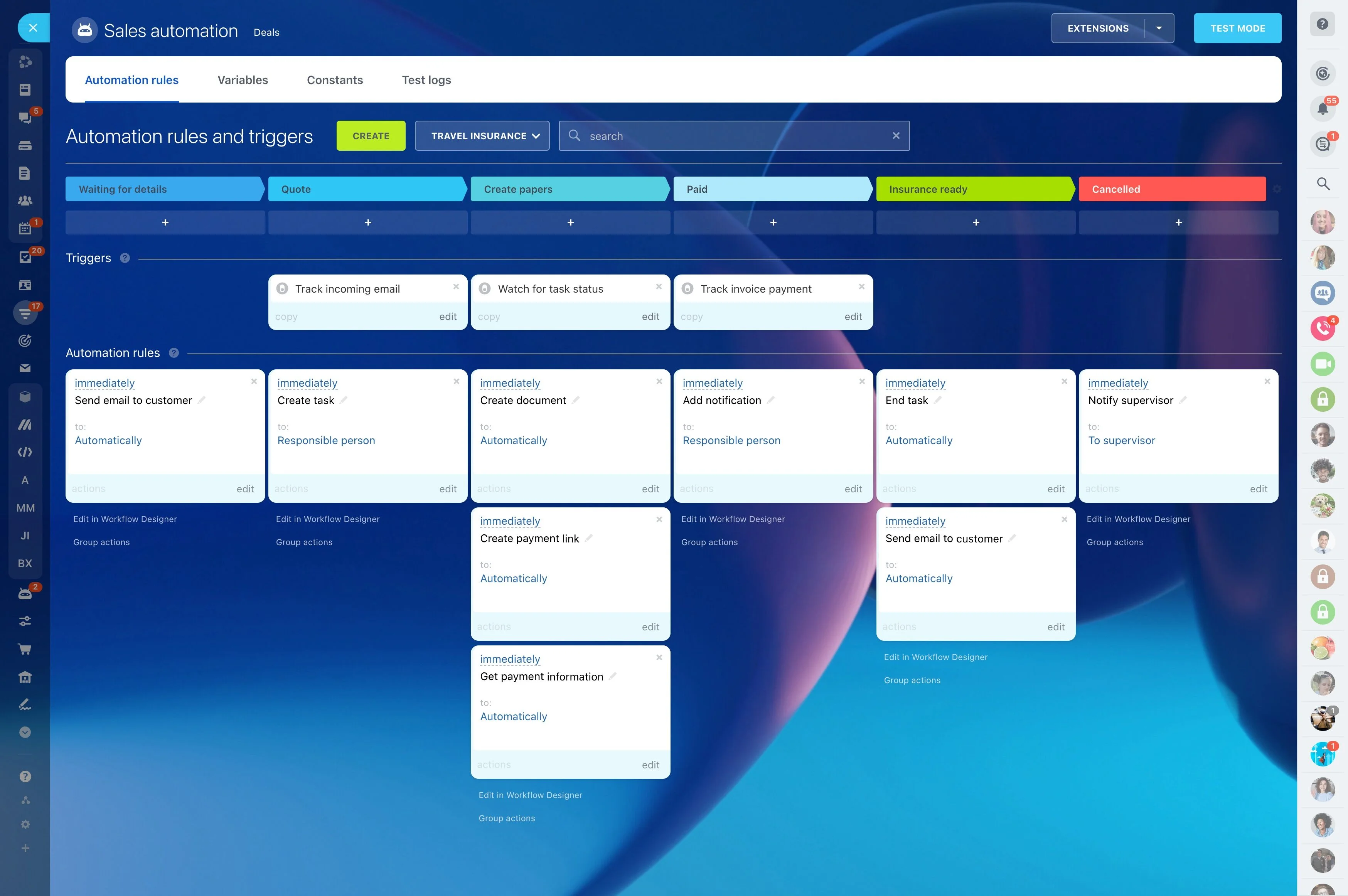
Start with the CRM events that should automatically produce work: record creation, a stage change, or a key field update. For each trigger, define a small set of actions (assignment, activity, notification, approval) and a clear end state that indicates the record is ready for the next stage.
Short, reliable workflows are easier to maintain and easier to audit when your pipeline changes.
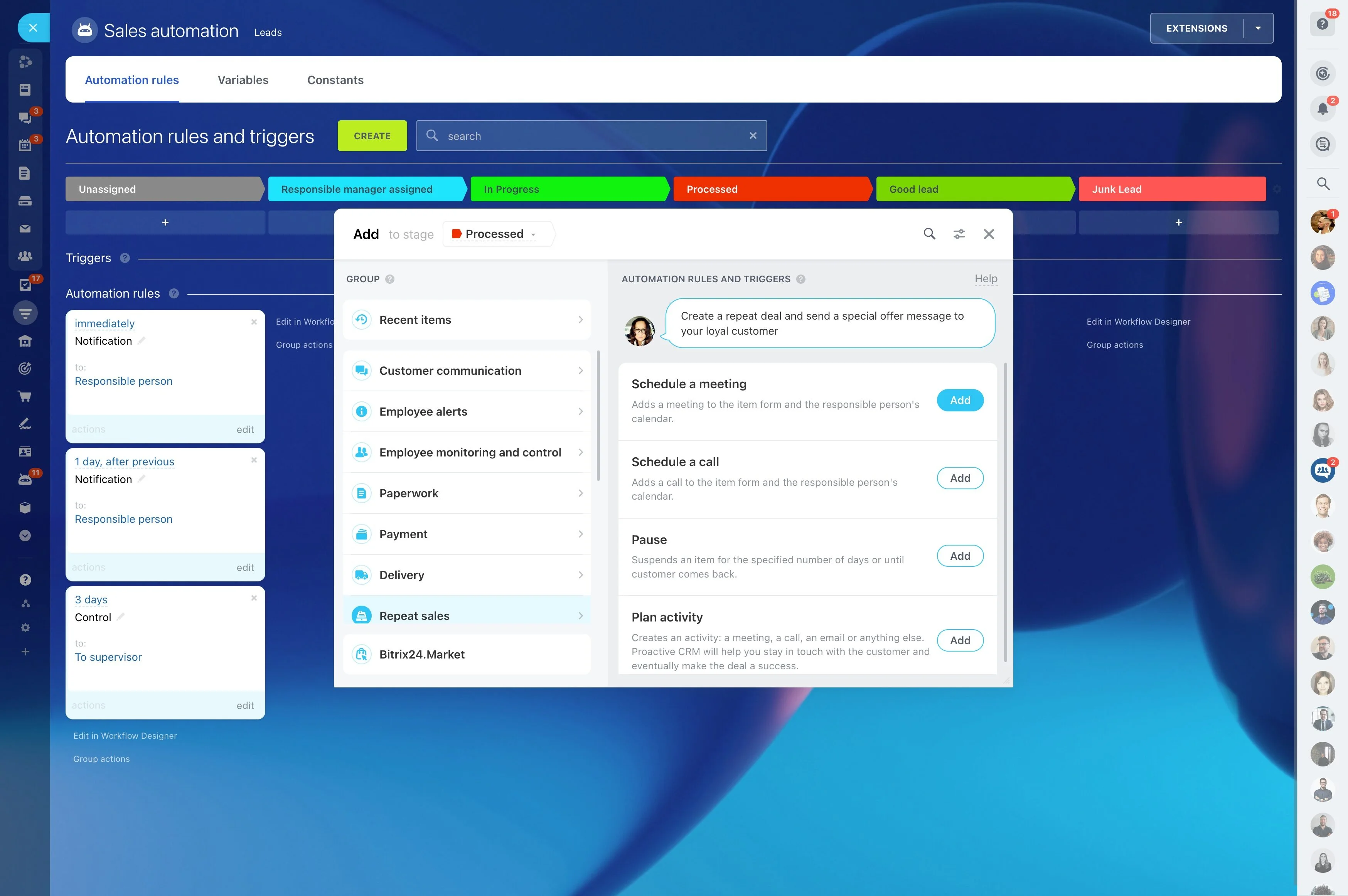
Example: stage change that enforces follow-up
Trigger: A deal moves to “Proposal sent”.
Actions:
- Assign the deal to the account executive responsible for follow-up
- Create a follow-up activity due in 48 hours
- Notify the deal team that the proposal is out and a touch is scheduled
- For high-value deals, require an approval before the next stage
Outcome to track: time from “Proposal sent” to first follow-up, share of deals with an on-time follow-up activity, and approval turnaround time for controlled deals.
Automate ownership, routing, and approvals
Use CRM workflow automation to make responsibility unambiguous at every stage. Assign records based on conditions you already use to run the business (stage, source, region, segment), route approval requests to the right role, and block stage progression when a required check hasn’t been completed.
This reduces stalls during high-friction handoffs, especially when multiple teams touch the same deal.
Setup logic you can keep up to date
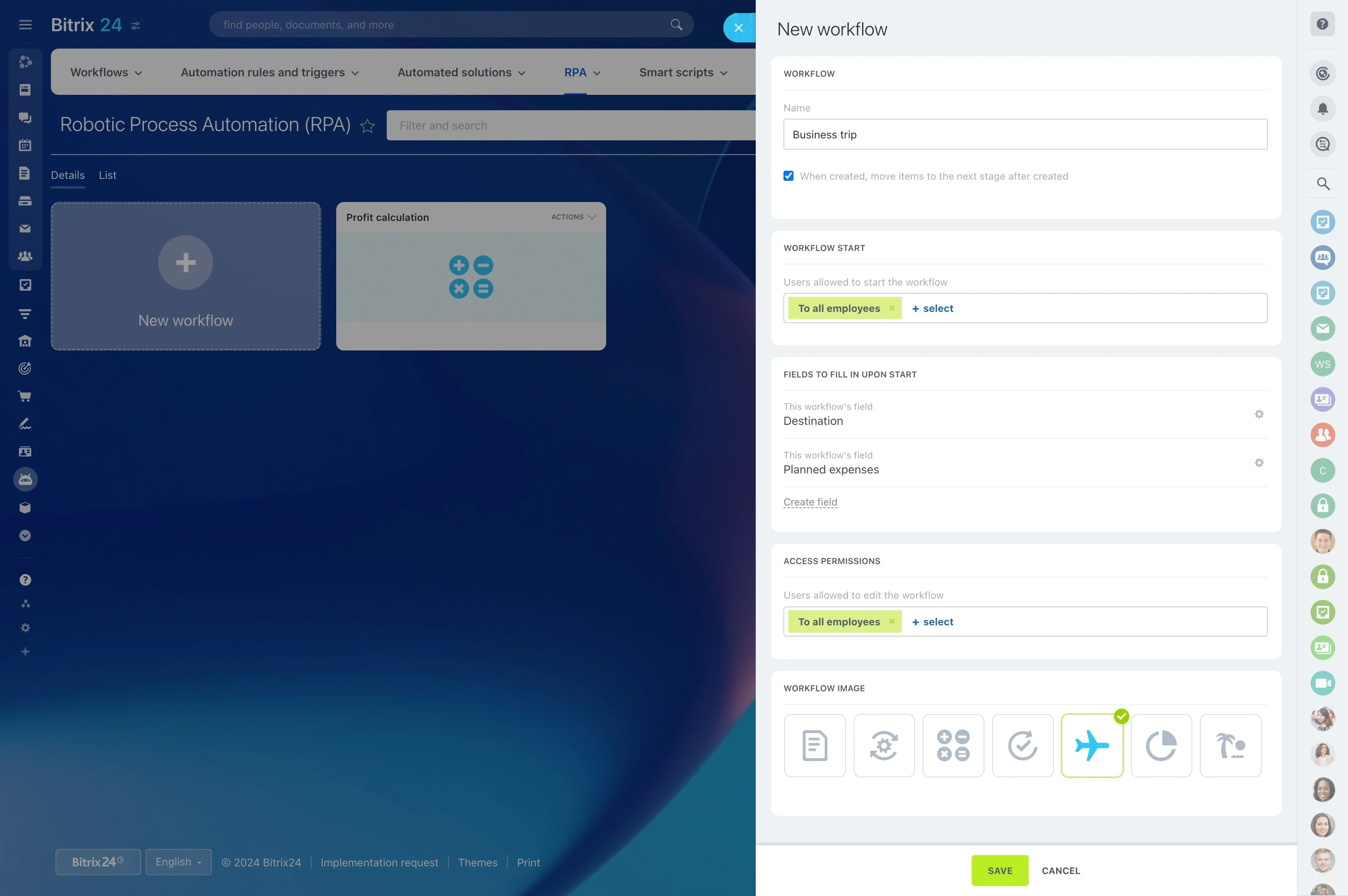
Start with rules you can explain and maintain. A practical sequence is:
- Choose one stage where work is repeatable.
- Automate only the actions that must happen every time.
- Add a conditional branch for edge cases (e.g., high-value, special terms, certain regions).
- Review results, refine triggers, then expand to additional stages.
Permissions: control who can change workflows
Treat CRM workflows like process governance. Decide who can create or modify automation rules, who can bypass approvals, and who can edit fields that trigger actions. Limit changes to process owners (often CRM admins or sales ops) and keep a simple record of what each workflow is intended to do.
When you update stages or key fields, review related automations so rules don’t silently break.