AI NPS and Survey Builder: Know Your Score and What Drives It
Collect feedback with Bitrix24 CRM Forms, calculate NPS and CSAT exactly in code, and let AI group hundreds of comments into themes like “slow delivery” or “helpful support”. Follow up with detractors right from the client card.
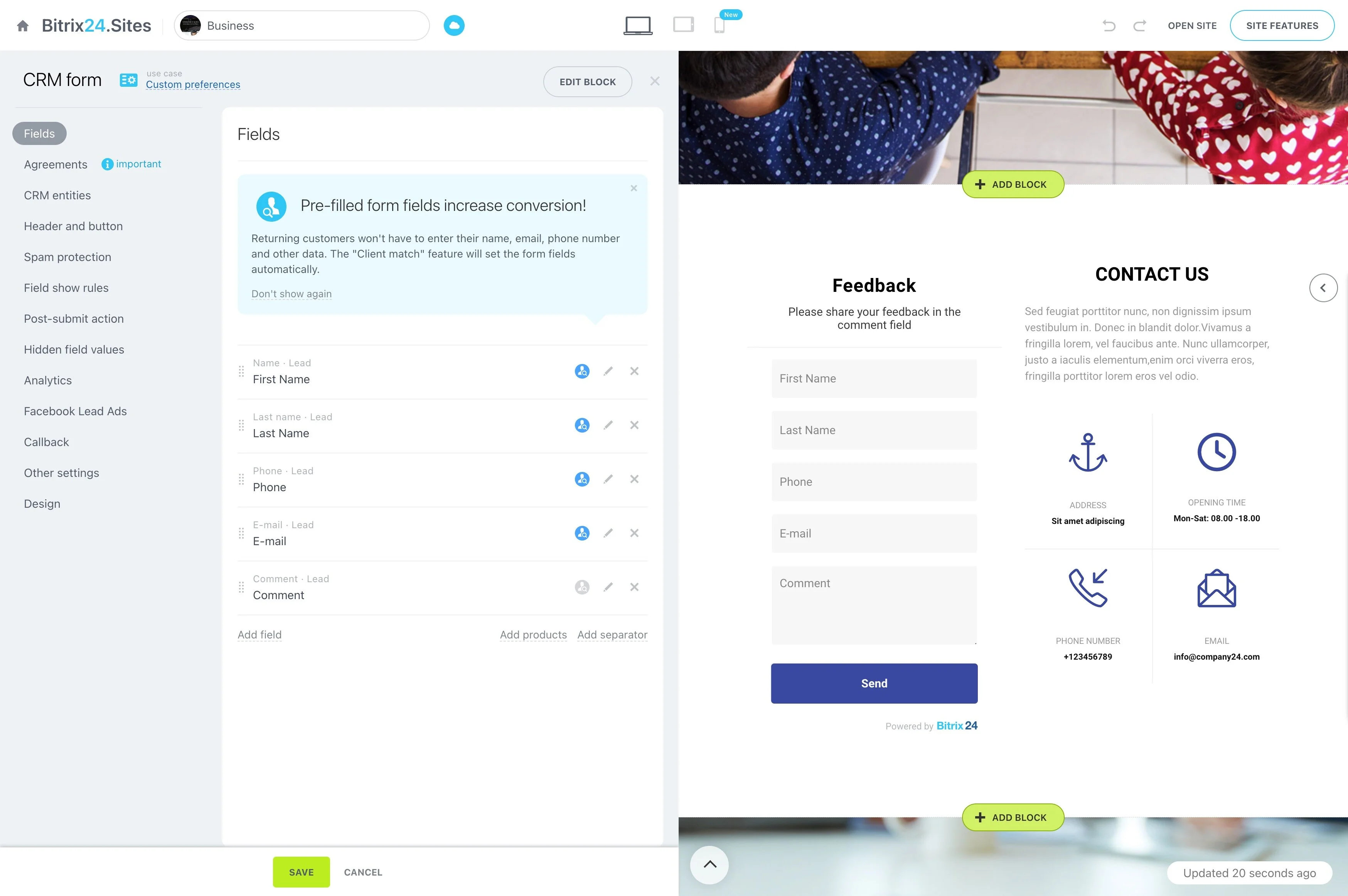
Calculating NPS is easy; reading hundreds of comments to understand it is not. With Alaio Vibecode, you can build a survey tool that collects answers through CRM Forms, does the math, and turns comments into themes your teams can act on.
- Collect feedback linked to CRM contacts.
- Calculate NPS, CSAT, and trends.
- Cluster comments into named themes.
- Share a one-screen summary with every team.
Insights, Not Spreadsheets
One clear summary gets read; a raw export does not.
- Overall score, trend, and distribution on one screen.
- Top praise and complaint themes.
- A monthly digest posted to chat or the Feed.
Numbers in Code, Themes With AI
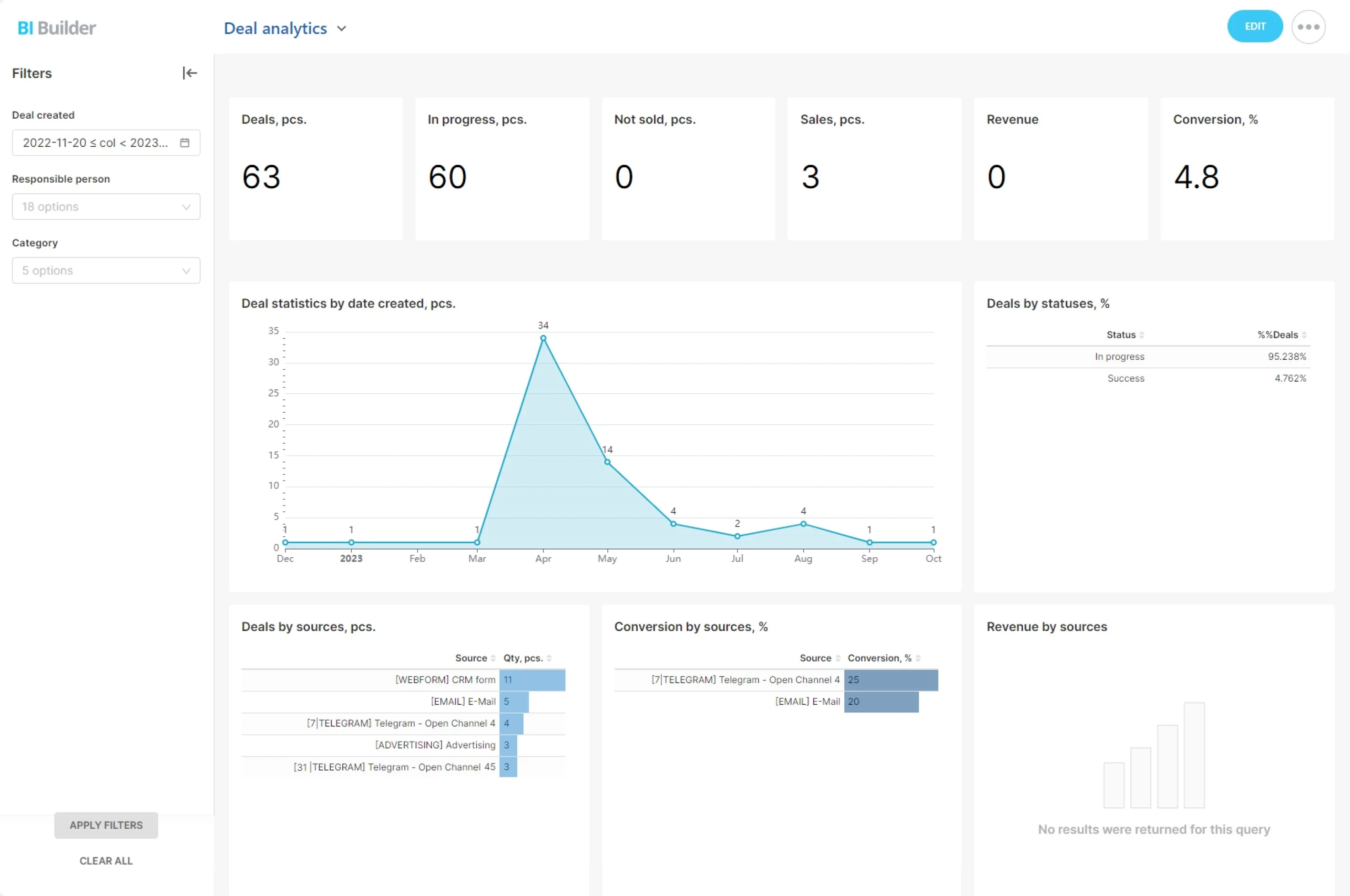
Scores must be exact, while comments need understanding. The app splits the work accordingly — like Vibecode's ready-made CSAT Pulse prompt.
- Calculate NPS, averages, and trends from raw responses.
- Group comments into themes like slow delivery or helpful support.
- Show counts and example quotes for each theme.
Feedback Linked to Real Clients
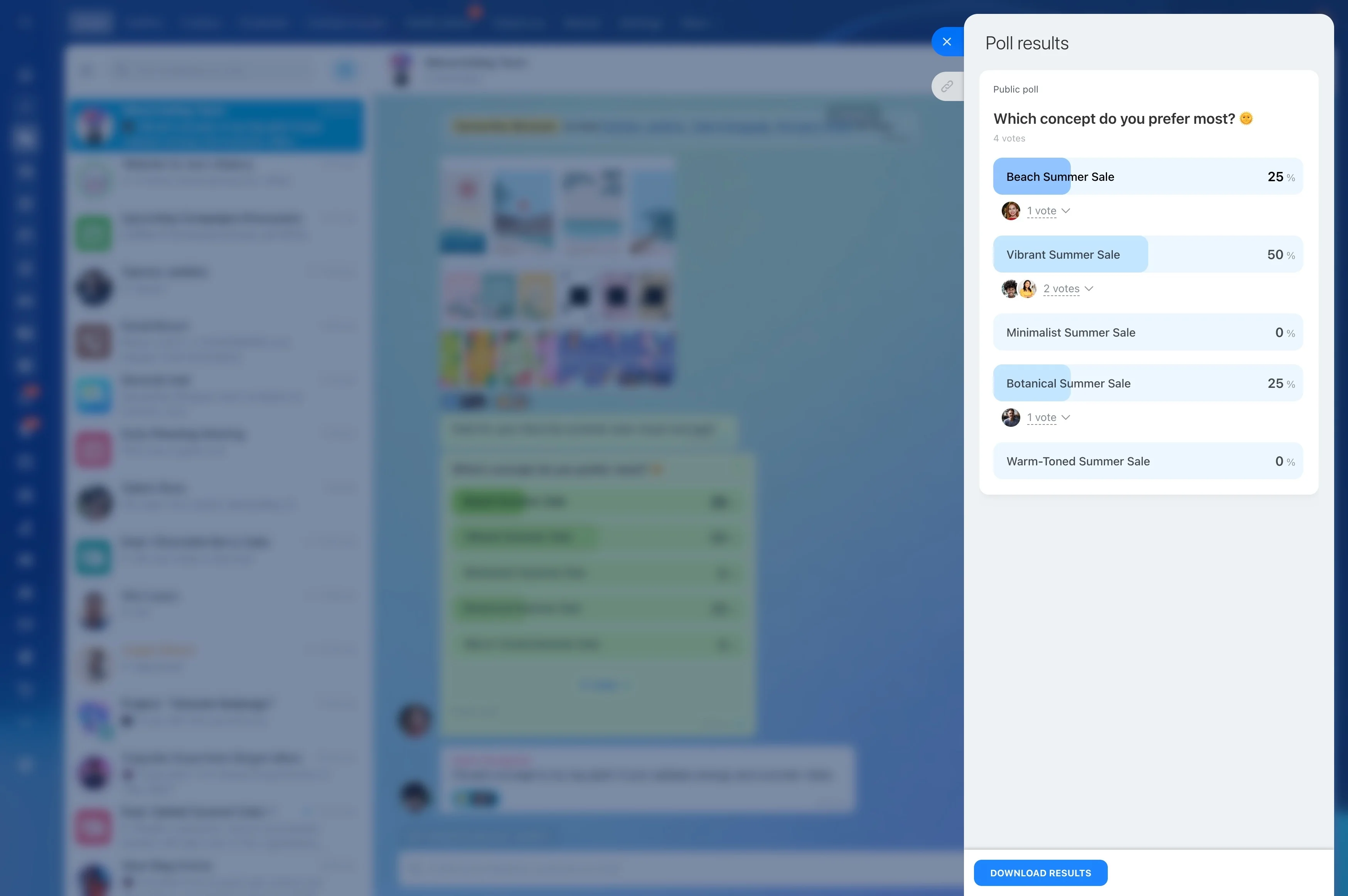
Responses collected through CRM Forms connect to contacts and deals.
- See NPS by segment, product, or account manager.
- Follow up with detractors personally.
- Create a task for low scores with automation rules.
Employee Surveys Too
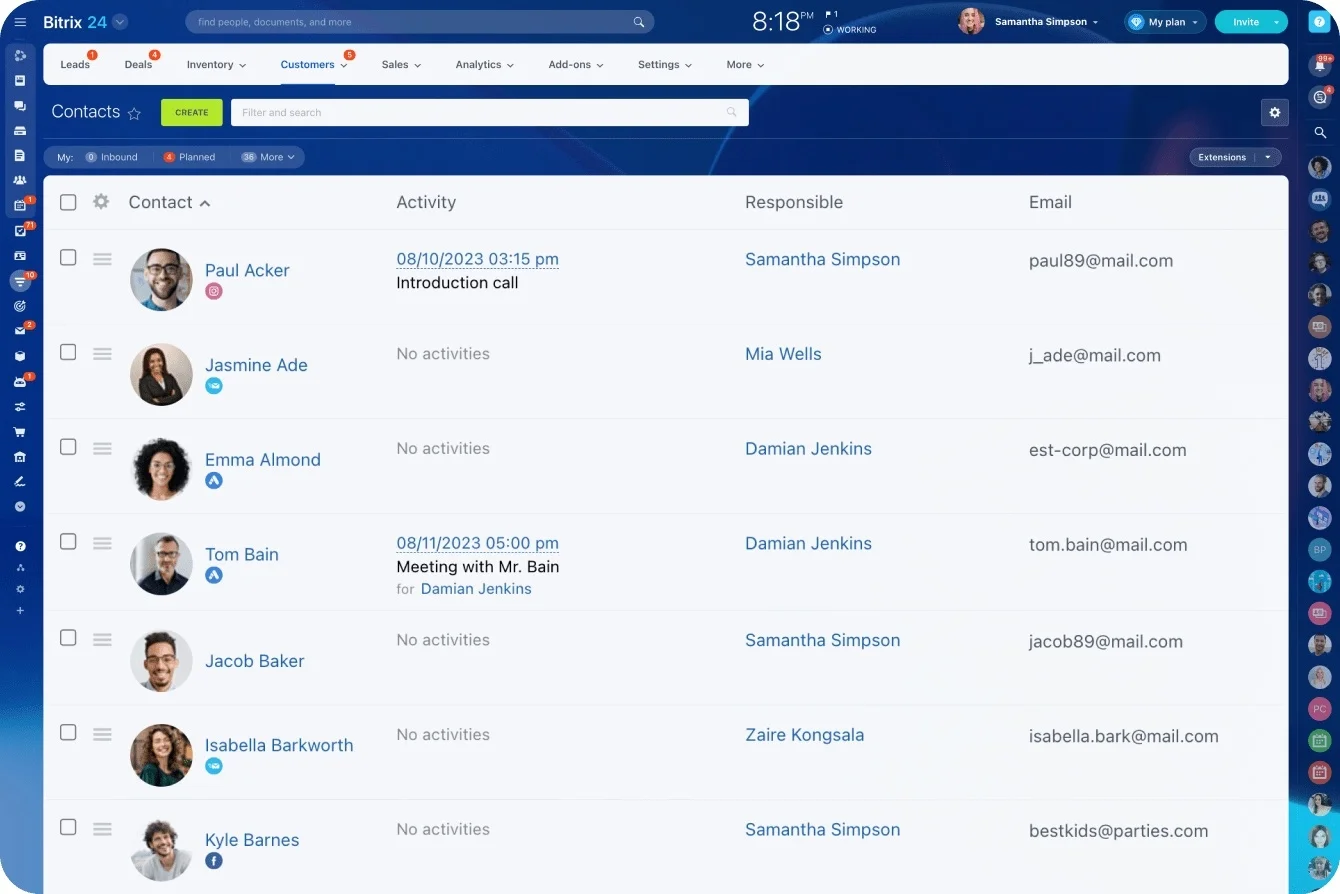
The same approach works for engagement and onboarding feedback.
- Collect answers in Bitrix24 Lists or a form inside the app.
- Keep internal surveys anonymous where appropriate.
- Show results only for groups large enough to protect privacy.
Build the NPS Tool With Vibecode
Describe your survey and the summary you need, or start from Vibecode's ready-made NPS Customer Surveys solution.
1. Create an API key with CRM access in Vibecode.
2. Describe it: "Read our NPS form responses, calculate NPS by month, and cluster comments into themes."
3. Check themes against a sample of comments.
4. Adjust the summary in plain language.
Feedback Stays in Your Account
Your feedback stays in your Bitrix24 account.
- CRM Forms are part of Bitrix24.
- Vibe+ plans include the Vibecode API and built-in AI models within your monthly AI allowance.
- Vibecode is in AI Beta, so plans and pricing may change.
For more information about Bitrix24, head over to our training courses.
We also have a great YouTube channel that covers every aspect of Bitrix24, from sales and planning to document management and company internal communication tools.
To download the self-hosted edition of Bitrix24 that can be installed on your own server and give you access to open source code, please visit the Bitrix24 Self-Hosted page.
Be sure to check out other Bitrix24 tools:
Customer Service
15.000.000+ organizations have chosen Bitrix24