New: Video Call Recordings From Desktop App

There is no doubt that having your meetings, discussions & screen demonstrations recorded can come in handy in particular situations. From now on video call recordings are available in Bitrix24. Note: you need to update Bitrix24 desktop app beforehand and click the record button during a video call.
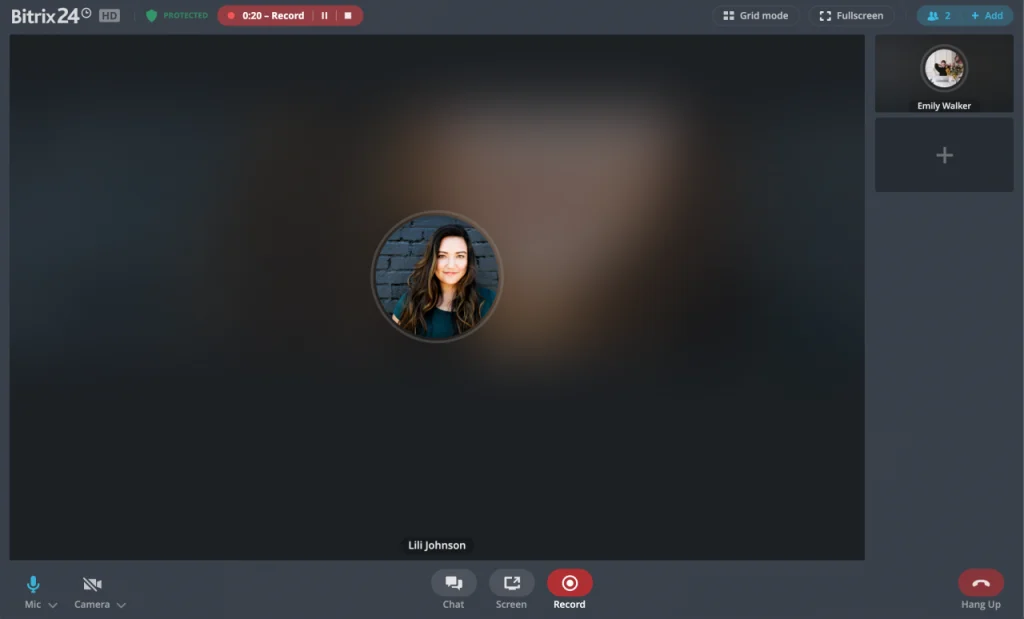
You can record audio, video of the active window and a demonstration of your colleagues' screen. When the call or recording ends, the video file is saved locally & you will be able to share it with all participants in the call chat.
There are some plan limits to consider though. On Free plan, calls recording, using of backgrounds and screen sharing are available only for the first 100 successful calls with duration longer than 30 seconds. If you want to have unlimited recordings – consider Bitrix24 commercial plans. There are no limits on call recording, using of backgrounds and screen sharing.