Update products by importing CSV files
1 min
4035
Updated: December 29, 2020
Updated: December 29, 2020

Dear Bitrix24 users,
We understand that while working in your CRM, you may sometimes need to update dozens or even hundreds of products. So, if you do need to update your product database, you won't have to do it manually, as we offer you a quick and easy way to do so - by importing an already updated CSV file.
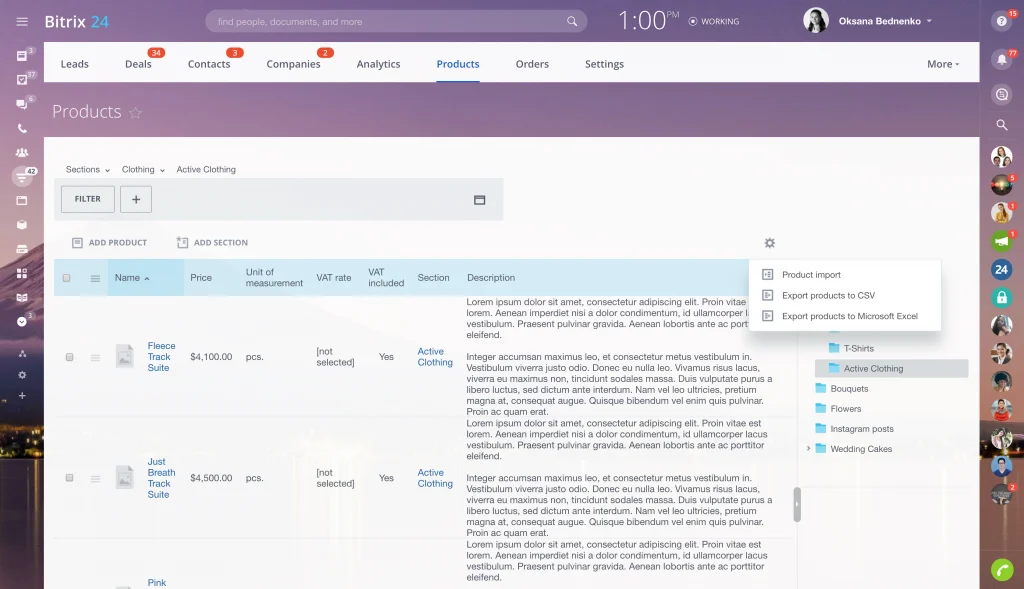
Please see this article for detailed information and instructions.
Happy product database management,
Your Bitrix24 team
We understand that while working in your CRM, you may sometimes need to update dozens or even hundreds of products. So, if you do need to update your product database, you won't have to do it manually, as we offer you a quick and easy way to do so - by importing an already updated CSV file.
Please see this article for detailed information and instructions.
Happy product database management,
Your Bitrix24 team