Supercharge Team Collaboration: Discover the New Bitrix24 Messenger Features

Updated: June 11, 2026
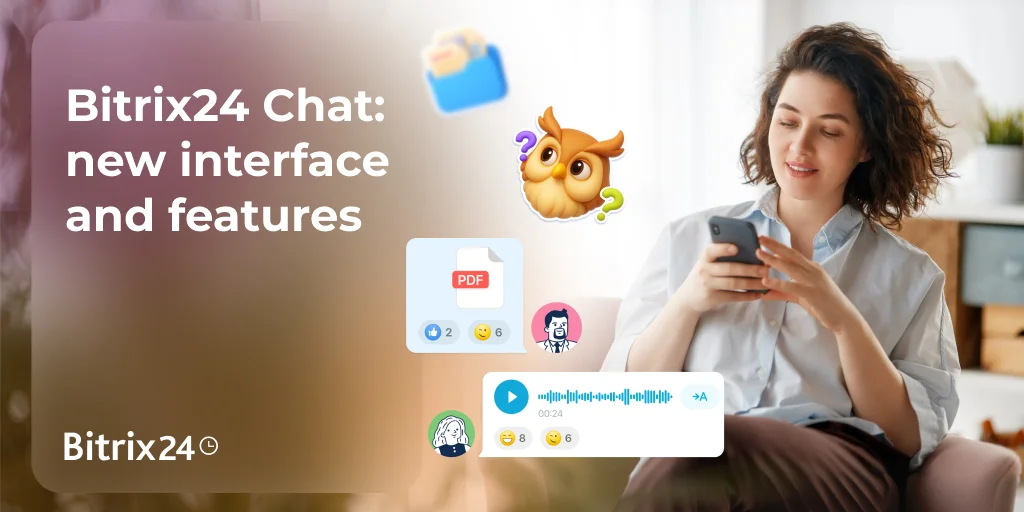
In today's dynamic digital workplace, effective team collaboration is the cornerstone of success. Businesses are constantly seeking innovative ways to enhance communication efficiency, streamline workflows, and boost overall productivity. At Bitrix24, we understand these critical needs, and we're thrilled to announce a suite of powerful new features for our Messenger, designed to transform how your team connects, shares, and achieves goals. These updates are engineered to make your daily interactions smoother, more organized, and incredibly efficient, leveraging the power of an AI-powered workspace to keep you ahead.
Our commitment to continuous improvement means we're always listening to your feedback and evolving our platform. The latest enhancements to Bitrix24 Messenger are a direct response to the demands of modern teams, offering intuitive tools that simplify complex communication challenges. From managing message overload to ensuring everyone is on the same page, these new capabilities are set to redefine your internal communication strategy and drive greater operational efficiency.
We've packed Bitrix24 Messenger with intelligent updates that directly address common pain points in team communication. These features are the additions aimed at making your digital transformation journey smoother and more effective. Let's dive into how these innovations will empower your team:
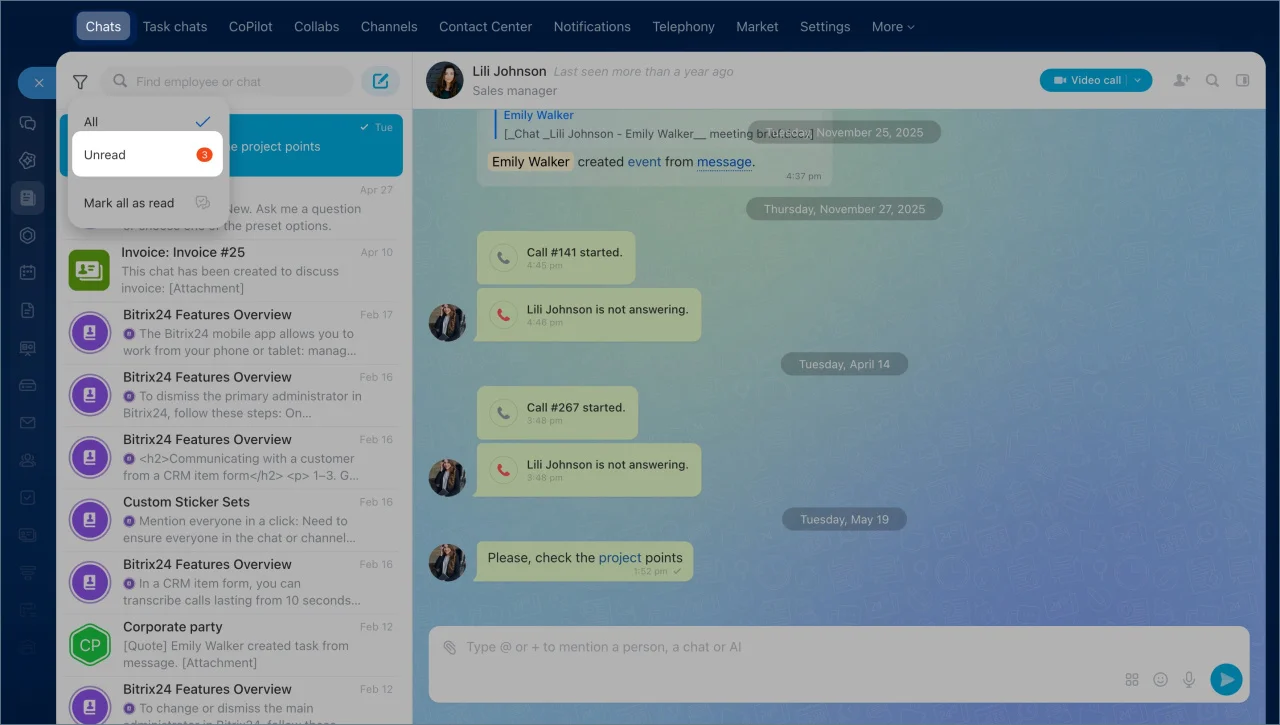
But we didn't stop there. We know that sometimes you just need a fresh start. With a single click, you can now mark all unread messages as read, instantly clearing your notification queue and giving you a clean slate. This is particularly useful after a busy period or when returning from a break, ensuring you can quickly catch up without feeling overwhelmed. This feature comes in handy for workflow automation within your communication channels, ensuring that your attention is always directed where it's most needed.
This feature is about fostering a more responsive and interactive environment. By directly addressing individuals or specific project chats, you can accelerate decision-making, clarify tasks, and keep conversations focused. It's an essential tool for effective project management and ensuring that critical information is disseminated efficiently across your team. The ability to mention specific chats also streamlines cross-functional communication, a key aspect of modern business process optimization.
Switching between folders is intuitive and fast, thanks to the new tabs at the top of your chat list. This feature is a boon for remote work and distributed teams, providing a clear, personalized overview of your communication landscape. It transforms a potentially chaotic chat list into a highly organized system, allowing you to maintain focus and respond promptly to urgent matters, no matter where you are. This level of organization is vital for maintaining operational efficiency and ensuring seamless team collaboration across all devices.
Security and control are also paramount. If circumstances change, you can easily revoke access by clicking Change. Bitrix24 will then create a new link, rendering the old one inactive. This robust access control ensures that only authorized personnel can participate in sensitive discussions, maintaining data security and compliance within your digital workplace. This feature is particularly beneficial for managing external collaborators or temporary project teams, providing flexibility without compromising security.
These new Messenger features are strategic tools designed to empower your team with superior communication efficiency and productivity. By integrating these innovations into your daily routine, you'll experience a more organized, responsive, and ultimately more successful team collaboration environment. Bitrix24 is committed to providing an AI-powered workspace that evolves with your needs, helping you navigate the complexities of modern business with ease.
Ready to experience the future of team communication and unlock unparalleled productivity?
Explore these powerful new Messenger features and more by visiting our official website: Bitrix24.
To learn more about these exciting new features and get step-by-step instructions on how to set them up for your team, check out our detailed guide: Bitrix24 Chat: New Interface and Features.
Join the thousands of businesses already leveraging Bitrix24 to achieve their strategic objectives. Your enhanced AI-powered workspace awaits!
Our commitment to continuous improvement means we're always listening to your feedback and evolving our platform. The latest enhancements to Bitrix24 Messenger are a direct response to the demands of modern teams, offering intuitive tools that simplify complex communication challenges. From managing message overload to ensuring everyone is on the same page, these new capabilities are set to redefine your internal communication strategy and drive greater operational efficiency.
Elevate Your Communication Game: What's New in Bitrix24 Messenger?
We've packed Bitrix24 Messenger with intelligent updates that directly address common pain points in team communication. These features are the additions aimed at making your digital transformation journey smoother and more effective. Let's dive into how these innovations will empower your team:
1. Unread Filter: Conquer Message Overload with Precision
Are you tired of sifting through countless chats to find the ones that actually require your attention? The new Unread filter is your ultimate solution for communication efficiency. This intelligent feature allows you to instantly view only those chats with new messages, cutting through the noise and letting you focus on what truly matters. No more endless scrolling or missed important updates. For busy professionals, this means significant time savings and reduced cognitive load, contributing directly to higher productivity.But we didn't stop there. We know that sometimes you just need a fresh start. With a single click, you can now mark all unread messages as read, instantly clearing your notification queue and giving you a clean slate. This is particularly useful after a busy period or when returning from a break, ensuring you can quickly catch up without feeling overwhelmed. This feature comes in handy for workflow automation within your communication channels, ensuring that your attention is always directed where it's most needed.
2. Mentions: Direct Your Message, Drive Action
In a bustling digital workplace, clarity in communication is paramount. The new Mentions feature ensures your messages reach the right people or groups, prompting immediate attention and action. Simply press + or @ in the message field, and you can easily mention an employee or an entire chat. This functionality is crucial for team collaboration, as it eliminates ambiguity and ensures accountability. When you mention someone, they receive a direct notification, making it nearly impossible for important messages to be overlooked.This feature is about fostering a more responsive and interactive environment. By directly addressing individuals or specific project chats, you can accelerate decision-making, clarify tasks, and keep conversations focused. It's an essential tool for effective project management and ensuring that critical information is disseminated efficiently across your team. The ability to mention specific chats also streamlines cross-functional communication, a key aspect of modern business process optimization.
3. Chat Folders in the Mobile App: Organize Your Conversations On-the-Go
For teams constantly on the move, staying organized is key. Our new Chat folders feature, exclusively available in the mobile app, brings unparalleled organization to your mobile communication. You can now effortlessly organize your chats into custom folders, such as separate folders for different projects, departments, or client communications. This means your mobile messenger can be as structured and efficient as your desktop version, enhancing mobile productivity and ensuring you can find any conversation in seconds.Switching between folders is intuitive and fast, thanks to the new tabs at the top of your chat list. This feature is a boon for remote work and distributed teams, providing a clear, personalized overview of your communication landscape. It transforms a potentially chaotic chat list into a highly organized system, allowing you to maintain focus and respond promptly to urgent matters, no matter where you are. This level of organization is vital for maintaining operational efficiency and ensuring seamless team collaboration across all devices.
4. Invite Link for Group Chats: Seamless Onboarding and Access Control
Expanding your team or starting a new project often involves adding new members to various group chats. The new Invite link for group chats feature simplifies this process dramatically. Now, you can easily copy a unique link and send it to coworkers, allowing them to join the relevant group chat instantly. This eliminates the need for manual additions and ensures a smooth onboarding experience for new team members, contributing to faster team integration and workflow automation.Security and control are also paramount. If circumstances change, you can easily revoke access by clicking Change. Bitrix24 will then create a new link, rendering the old one inactive. This robust access control ensures that only authorized personnel can participate in sensitive discussions, maintaining data security and compliance within your digital workplace. This feature is particularly beneficial for managing external collaborators or temporary project teams, providing flexibility without compromising security.
These new Messenger features are strategic tools designed to empower your team with superior communication efficiency and productivity. By integrating these innovations into your daily routine, you'll experience a more organized, responsive, and ultimately more successful team collaboration environment. Bitrix24 is committed to providing an AI-powered workspace that evolves with your needs, helping you navigate the complexities of modern business with ease.
Ready to experience the future of team communication and unlock unparalleled productivity?
Explore these powerful new Messenger features and more by visiting our official website: Bitrix24.
To learn more about these exciting new features and get step-by-step instructions on how to set them up for your team, check out our detailed guide: Bitrix24 Chat: New Interface and Features.
Join the thousands of businesses already leveraging Bitrix24 to achieve their strategic objectives. Your enhanced AI-powered workspace awaits!