7 Steps to Create a Real Estate Closing Workflow That Keeps Every Deal on Track


A real estate closing workflow - also called a transaction closing process or deal-to-close pipeline - is the structured sequence of tasks, document handoffs, and sign-offs that moves a property transaction from accepted offer to recorded deed. When this workflow breaks down - and it breaks down often - closings get delayed, buyers get frustrated, and agents spend their evenings chasing signatures instead of prospecting. The difference between teams that close on schedule and teams that scramble comes down to one thing: whether they have a repeatable real estate closing workflow or just a collection of habits and hope.
Key Insights: What You Need to Know About Real Estate Closing Workflows
- Real estate closing workflow defined: A structured process covering every task, document, and approval needed between an accepted offer and a recorded deed - replacing scattered emails and memory-based follow-ups.
- Closing checklist as foundation: Converting a won deal into a real estate closing checklist creates a single source of truth, preventing anything from slipping through the cracks during the transaction.
- Document ownership matters early: Assigning who is responsible for each document - title commitment, survey, lender disclosures - prevents the "I thought you had it" problem that derails timelines.
- Milestone-based deadlines beat calendar dates: Tying tasks to transaction milestones (inspection complete, appraisal received) keeps the real estate closing workflow adaptive rather than rigid.
- Centralized document storage saves closings: Keeping files attached to the deal record - not buried in email threads - means anyone on the team can find what they need without asking.
- Automated reminders reduce manual chasing: Setting up automated sign-off reminders cuts the back-and-forth and keeps every stakeholder accountable, eliminating the need for constant follow-up.
- Pre-closing audits catch problems early: Running a structured review two to three days before closing day catches missing documents, unsigned disclosures, and funding gaps before they become emergencies.

What Is a Real Estate Closing Workflow (and Why Most Teams Wing It)
WHAT: A real estate closing workflow is the end-to-end process that governs every action item, document exchange, and approval between a ratified contract and a completed property transfer.
WHO: Agents, transaction coordinators - the administrative professionals who manage paperwork, deadlines, and communication between all parties - title companies, lenders, attorneys, buyers, and sellers all participate - each with distinct responsibilities and deadlines.
WHEN: The workflow activates the moment an offer is accepted and runs through closing day, typically spanning 30 to 60 days for residential transactions.
OUTCOME: A closed transaction with all documents executed, funds disbursed, and the deed recorded - on time, with no last-minute surprises.
That definition sounds clean. Reality is messier. Most real estate teams manage their closings through a patchwork of email threads, sticky notes, mental checklists, and the occasional shared spreadsheet that the listing agent created but nobody else updates after week one. The agent knows what needs to happen, the transaction coordinator has a version of the timeline, and the title company operates on its own schedule. Nobody has a unified view of where things stand.
Scattered documents create the first crack. The buyer's pre-approval letter lives in one email thread, the inspection report in another, and the HOA documents in a folder the listing agent shared three weeks ago. When someone needs a specific file - and they always do, usually at the worst possible time - the search begins. This isn't a minor inconvenience. Closing day document tracking falls apart when files are spread across inboxes, cloud drives, and text message attachments with no central index.
Missed deadlines create the second crack. Real estate transactions run on contractual timelines - inspection periods, financing contingencies, and title review windows. Missing one deadline can trigger a cascade of problems, from contract amendments to outright termination. Without a structured system for real estate transaction management, these dates live in the agent's head or on a paper calendar that doesn't send reminders.
Unclear ownership creates the third crack. When five or more parties are involved in a transaction, the question of "who is responsible for this?" gets answered differently depending on who you ask. The agent assumes the title company ordered the survey. The title company assumes the agent's office handles that. The buyer's lender needs it by Friday. Nobody ordered it. These gaps typically surface a week or two into the transaction, when a lender or title officer requests the missing item on a deadline, and by then, the timeline is already compromised.
Teams that wing it can still close deals. They close them with stress, overtime, and the occasional near-miss that everyone agrees to forget about. A real estate closing workflow removes that volatility and replaces it with a process that works the same way every time, regardless of which agent is running the deal.
Real Estate Deal Saver Kit: 12 Hidden Risks That Kill Closings (and How to Catch Them Early)
Enter your email address to get a comprehensive, step-by-step guide

7 Steps to Build a Bulletproof Real Estate Closing Workflow
Building a real estate closing workflow doesn't require expensive software or a complete operational overhaul. What it requires is a decision to stop improvising and start documenting the steps your team already takes, then layer in accountability, automation, and visibility. These seven steps cover the full arc from accepted offer to closing day.
Step 1: Convert the Won Deal Into a Closing Checklist
The moment a deal moves to "under contract," it should trigger a real estate closing checklist - not next week, not when someone remembers, but immediately. This checklist becomes the master record of everything that needs to happen before closing.
Your checklist should include every document, every approval, every milestone, and every responsible party. Think of it as a project plan for a single transaction. Title search ordered. Inspection scheduled. Earnest money - the buyer's good-faith deposit that shows commitment to the purchase - deposited. Lender disclosures sent. Each item gets a line, an owner, and a deadline.
Starting from a template saves time. Most residential transactions follow a predictable pattern, so building a reusable checklist template means you're not recreating the wheel for every deal. Customize it for transaction type - cash purchases skip the lender items, short sales add bank approval steps, and commercial deals carry their own set of requirements.
The goal at this step is simple: capture everything in one place before the momentum of a new deal distracts everyone from the operational details.
Step 2: Assign Document Ownership Early
Every document in a real estate transaction belongs to someone. Not "the team" - a specific person. The listing agent handles the seller's disclosures. The buyer's agent coordinates the preparation of the inspection report. The title company produces the commitment. The lender manages the appraisal and loan documents.
Defining this ownership at the start of the transaction - not halfway through when something is overdue - eliminates confusion. Property closing task management only works when each task has a name next to it. Ambiguity is what causes things to fall through.
Map out your document responsibility matrix once. For each document type, identify the default owner and a backup. When a new deal starts, confirm these assignments and communicate them. This ten-minute conversation at contract ratification saves hours of scrambling later.
Step 3: Set Up Milestone-Based Deadlines
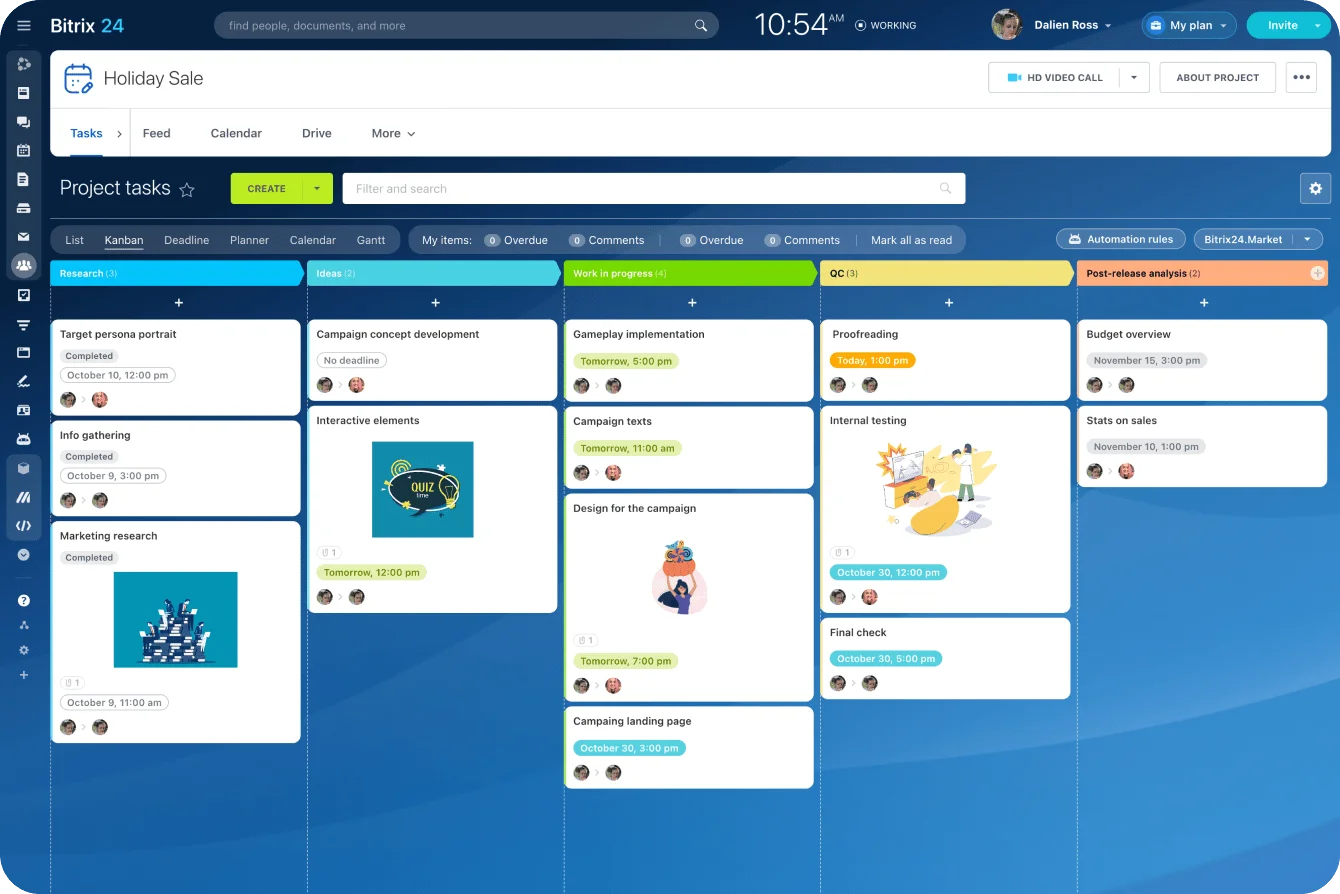
Calendar dates matter in real estate - contract deadlines are contractual obligations. But the internal workflow should track milestones, not just dates. A milestone-based approach ties each task to the preceding event, creating a chain of dependencies that adapts as timelines shift.
For example: "Order survey" doesn't just have a date. It triggers after "title commitment received." "Schedule final walkthrough" triggers after "lender clear to close issued." This dependency mapping means that when one milestone moves, downstream tasks adjust automatically.
Your real estate deal workflow becomes more resilient this way. Delays happen - an appraisal takes longer than expected, the seller needs extra time to vacate - and a milestone-based system absorbs those changes without requiring a manual review of every remaining deadline.
Set these milestones at the start of the transaction and update them as the deal progresses. The structure keeps everyone oriented toward what needs to happen next rather than what was supposed to happen yesterday.
Step 4: Keep Documents in Context (Not in Email)
Email is where documents go to get lost. A title commitment arrives as an attachment, gets forwarded to two people, and then lives in three separate inboxes with no version control. When someone needs it a week later, they search their email, find two versions, and aren't confident which is current.
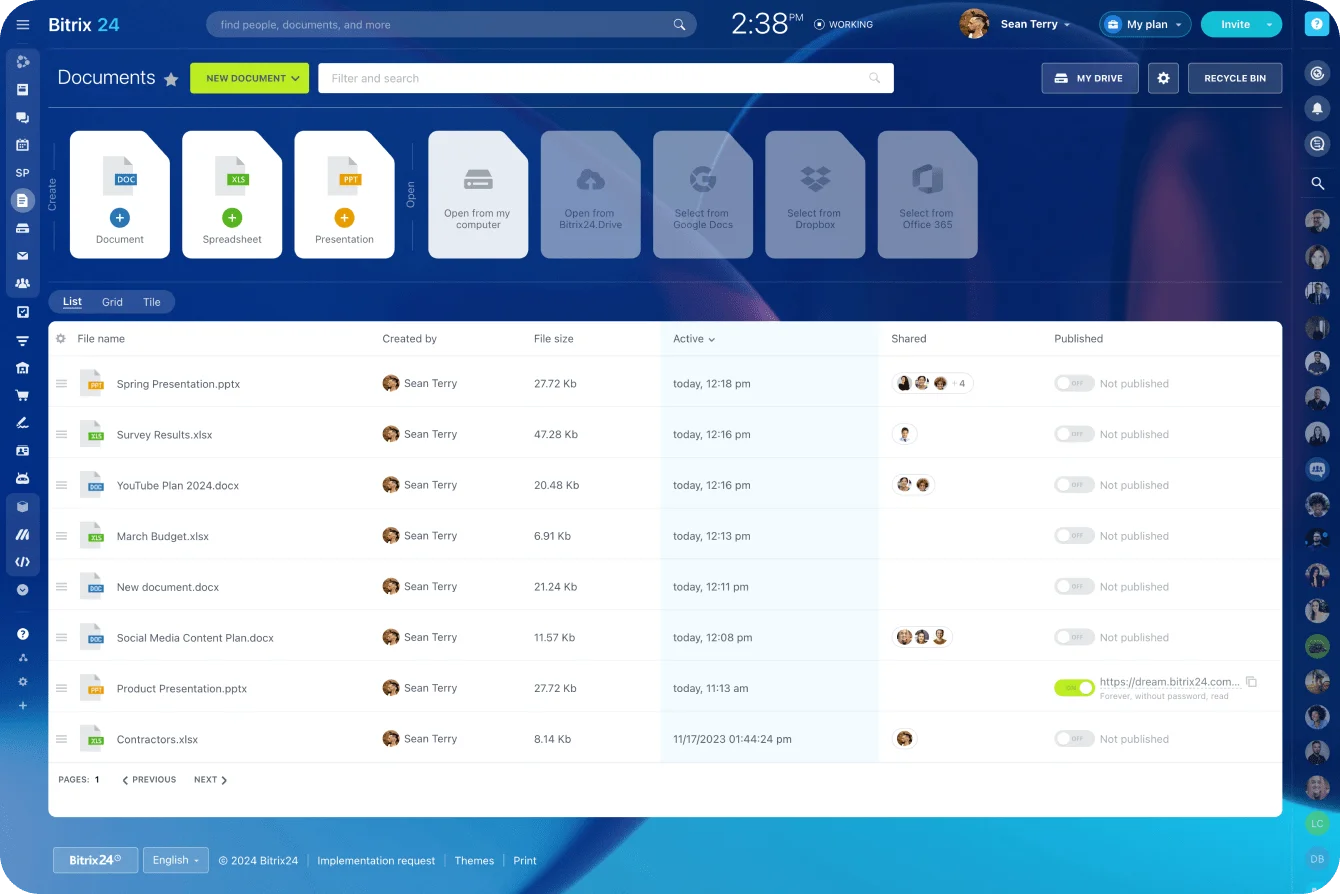
Real estate document management demands a central location where files are attached directly to the deal record. When the survey arrives, it is stored in the deal's document folder. When the lender sends updated disclosures, they replace the previous version in the same location. Anyone working on the deal can access the current file, making "can you resend that?" emails unnecessary.
This approach transforms closing-day document tracking from a scavenger hunt into a simple lookup. The title company needs the buyer's ID? It's in the deal folder. The lender needs the executed amendment? Same place. No digging through threads, no forwarding chains, no "I think Jennifer has the latest version."
Keep your documents where your deal lives, and you eliminate an entire category of closing delays.
Step 5: Automate Sign-Off Reminders
Manual follow-up is the most time-consuming part of managing a closing. Calling the lender for status updates, emailing the buyer about outstanding documents, or texting the title company about the settlement statement - the final accounting of all charges, credits, and funds for both buyer and seller - adds up fast, especially when an agent is managing multiple transactions simultaneously.
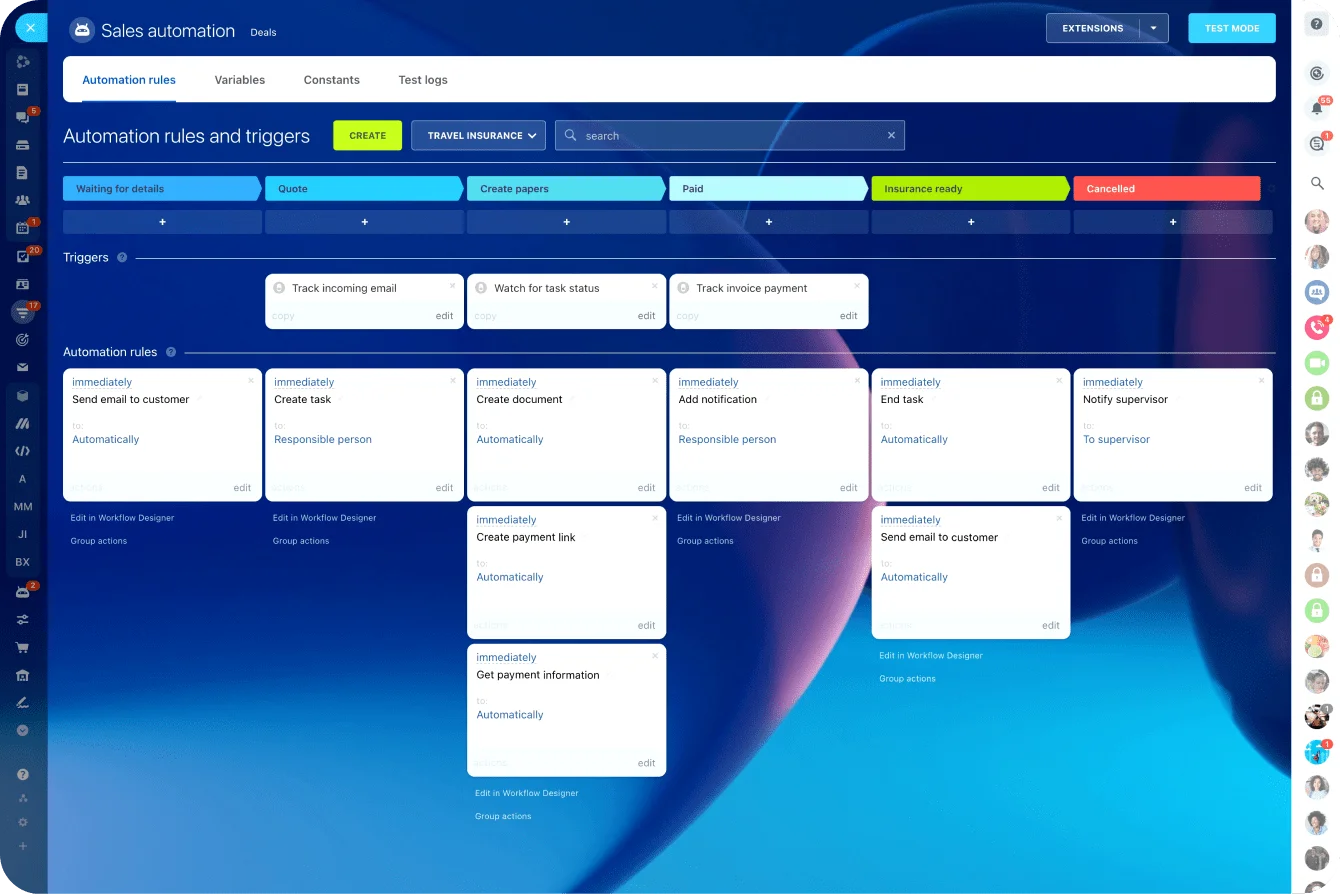
An automated closing process handles this by sending reminders based on rules you define once. Three days before the inspection deadline, the buyer's agent gets a reminder. One week before closing, the lender gets a document status request. Two days before the final walkthrough, the buyer gets a confirmation notice.
Real estate sign-off tracking improves dramatically when the system - not the agent - handles the nudging. Automated reminders don't forget, don't get busy with another deal, and don't feel awkward sending a third follow-up. They fire on schedule and create a record that the reminder was sent, which matters when accountability questions arise later.
Set up these automations once per transaction type, and they run without intervention for every future deal.
Step 6: Track Every Stakeholder's Status in One View
A closing involves multiple parties working on different tasks at different speeds. The agent needs to know where everything stands, so they don't have to call each stakeholder individually. That's where a unified status view becomes indispensable.
Picture a dashboard or pipeline view showing each transaction, its current milestone, which documents are complete, which are pending, and who is holding things up. Property sale pipeline management at this level gives the agent - and the brokerage - visibility into the health of every active deal at a glance.
This view should answer three questions without any clicking or calling: What's on track? What's at risk? What needs attention today? When your CRM for real estate agents provides this kind of overview, the daily standup goes from a 30-minute status round-robin to a five-minute scan.
Build this view around the milestones and document statuses you've already defined. The data is there - you just need a single place to see it.
Step 7: Run a Pre-Closing Audit Before the Final Day
Closing day should be a formality. Every document signed, every condition satisfied, every dollar accounted for before anyone sits down at the table. That only happens if someone runs a structured audit two to three days before closing.
Your pre-closing audit checklist should confirm that every item on the original real estate closing checklist is complete. Are all disclosures signed? Has the title company received the lender’s closing package? Is the settlement statement approved by all parties? Does the buyer have proof of insurance? Has the wire transfer been initiated?
This is where issues get caught while there’s still time to fix them. Finding a missing document on closing day leads to delays, rescheduling, and operational friction. Finding it 72 hours earlier usually means a quick call and a follow-up email.
The pre-closing audit acts as the final control point in your real estate closing workflow. Skipping it is what turns a smooth closing into last-minute chaos.
Build this step into every transaction as a non-negotiable milestone. It takes ten minutes to run, and it prevents hours of recovery later.
Tools That Make Real Estate Closings Predictable
The right tool doesn't create your real estate closing workflow - your process does that. But the right tool makes your process repeatable, visible, and less dependent on any single person's memory.
Here's how the most common approaches compare:
|
Feature |
Spreadsheets |
Dedicated Real Estate CRM |
All-in-One Platform (CRM + Projects) |
|
Pipeline customization |
Manual setup, limited |
Pre-built for real estate |
Fully customizable |
|
Document storage |
Separate (Google Drive, Dropbox) |
Built-in, deal-linked |
Built-in, deal-linked |
|
Task assignment |
Manual, no notifications |
Agent-focused |
Full team task management |
|
Automation |
None or macro-based |
Transaction triggers |
Workflow automation engine |
|
Multi-deal visibility |
One tab per deal |
Dashboard view |
Pipeline + Kanban + calendar |
|
Stakeholder collaboration |
Share link, hope for the best |
Client portals |
Internal + external collaboration |
|
Cost |
Free |
$50-$200+/user/month |
$0-$150+/user/month depending on plan |
Spreadsheets work for solo agents handling fewer than five deals per month. Once volume increases or a team is involved, the gaps become obvious. No notifications, no automation, no way to track who changed what and when.
Dedicated real estate CRMs solve the transaction management problem well, but they often stop at the agent's desk. When the back office, marketing team, or operations staff need access, a CRM built specifically for real estate agents may not stretch far enough.
An all-in-one platform that combines CRM capabilities with project management tools bridges that gap. Your deals live alongside your tasks, your documents, your automations, and your team communication. The real estate deal workflow runs inside the same system where everything else happens - no switching between tools, no syncing between platforms, no data living in two places.
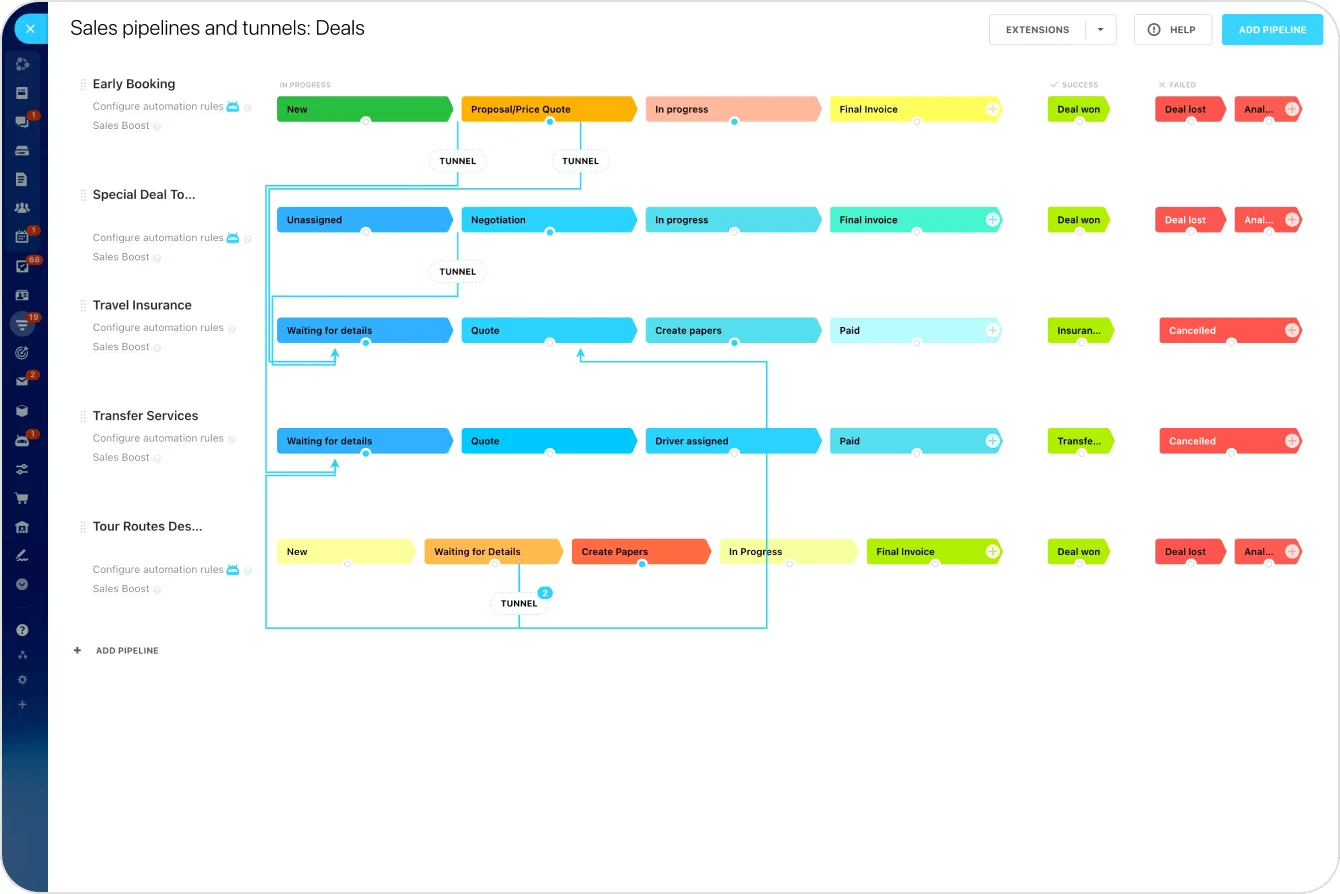
When evaluating tools for real estate transaction management, look for three non-negotiable capabilities. Pipeline customization lets you model your specific closing stages rather than forcing your process into someone else's template. Integrated document storage keeps files connected to deals instead of floating in external folders. Workflow automation handles the repetitive notifications, status updates, and reminders that eat up an agent's day.
The best tool is the one your team will use daily across every transaction - not the one with the longest feature list. Sophistication means nothing if adoption is low.
Common Real Estate Closing Issues (and What Your Workflow Can’t Control)
No real estate closing workflow, no matter how well designed, can prevent every problem. Some situations fall outside the scope of process optimization, and recognizing these limits helps keep expectations realistic.
Legal disputes are the clearest example. When a title defect surfaces that requires litigation, or when a boundary dispute escalates, your workflow can document what's happening, but can't resolve the issue. These situations require attorneys, courts, and timelines that no CRM can accelerate. The workflow's value here is record-keeping: capturing every communication, every document version, and every deadline so the legal team has clean data to work with.
Financing failures represent another category. A buyer's loan falls through at the eleventh hour, the appraisal comes in low, or underwriting surfaces a condition that can't be met. Your real estate closing workflow will flag these risks earlier - that's the benefit of milestone tracking - but it can't fix a buyer who doesn't qualify.
Multi-party transactions introduce complexity that standard workflows need to accommodate. A deal involving multiple buyers, an estate sale with several heirs, or a transaction with an entity rather than an individual requires additional document sets, additional sign-offs, and additional coordination. Your base closing checklist needs variants for these scenarios, or you'll find yourself bolting on steps ad hoc.
Cross-state deals present jurisdictional challenges. Document requirements, disclosure laws, recording procedures, and closing practices vary by state. An agent licensed in multiple states needs closing workflow templates for each jurisdiction, or at a minimum, a checklist that flags state-specific requirements. What works in Texas doesn't necessarily satisfy requirements in New York.
Across all these scenarios, the pattern is consistent: workflows manage execution, but not uncertainty.
Acknowledging these limitations doesn't diminish the value of a structured workflow. It sharpens it. You build the process for the predictable work, so you have bandwidth and clarity for the unpredictable problems.

Streamline Your Real Estate Closings with Bitrix24
The workflow described in this article can be fully implemented within Bitrix24.
Bitrix24 goes beyond a standard CRM - it operates as an advanced real estate CRM and transaction management platform that connects your deals, documents, tasks, and approvals in a single system. Instead of managing closings across email threads, spreadsheets, and disconnected tools, every part of your real estate closing workflow runs in a single structured environment.
When a deal moves to “under contract,” Bitrix24 can automatically generate a closing checklist from a template, assign tasks to the right stakeholders, and set milestone-based deadlines tied to your transaction stages. Each deal includes its own document workspace, where files are stored, versioned, and linked directly to the record - ensuring that agents, coordinators, lenders, and title companies always access the latest version without confusion.
Workflow rules can trigger reminders, request missing documents, update deal stages, and notify stakeholders based on real-time progress. This reduces manual follow-up and keeps every participant accountable with minimal intervention from the agent. At the same time, Kanban boards, pipeline views, and dashboards provide full visibility into every active transaction, making it easy to identify delays, risks, and next actions at a glance.
Because Bitrix24 combines CRM, project management, document handling, and internal communication, real estate teams can manage the entire lifecycle of a transaction - from accepted offer to closing day - and avoid switching tools or duplicating data. For teams handling multiple deals and stakeholders, this level of integration turns a fragile, manual process into a repeatable and scalable system.
If your current workflow depends on memory, inboxes, and constant follow-up, Bitrix24 offers a more structured and reliable way to manage real estate closings. Sign up for free and build a workflow that keeps every deal on track.
Make Real Estate Workflows Easier
Use Bitrix24 for streamline closing workflows, minimizing delays while maximizing agent efficiency with its all-in-one real estate CRM and transaction management platform.
Learn MoreFAQ
How long does a typical real estate closing take?
Closing time for a real estate transaction typically ranges from 30 to 60 days for residential deals, depending on financing type, inspection findings, and title complexity. Cash transactions can close in as few as 14 days when all parties are prepared.
What documents are needed for a real estate closing?
Documents needed for a real estate closing include the purchase agreement, title commitment, survey, property disclosures, lender closing package, settlement statement, deed, and proof of homeowner's insurance. The exact list varies by state and transaction type.
What is the difference between a closing checklist and a closing workflow?
A real estate closing checklist is a static list of items to complete, whereas a real estate closing workflow adds sequence, ownership, dependencies, and automation to that list. The workflow defines not just what needs to happen, but who does it, when, and in what order.
Can a CRM replace a transaction coordinator?
A CRM for real estate agents can automate many tasks a transaction coordinator handles manually - reminders, document tracking, status updates - but it doesn't replace the judgment and relationship management a skilled TC provides. The best approach combines both: the CRM handles the repetitive operational work, and the TC focuses on exception handling and client communication.
How do I track sign-offs from multiple parties during closing?
Real estate sign-off tracking across multiple parties works best with a centralized system that shows each stakeholder's status in one view. Assign each party their specific sign-off tasks, set automated reminders for upcoming deadlines, and use a dashboard to monitor completion in real time.
What should I include in a pre-closing audit?
A pre-closing audit should verify that every item on the closing checklist is complete: all documents signed, all contingencies cleared, financing confirmed, settlement statement approved, wire instructions verified, and title insurance issued. Run this audit 48 to 72 hours before the scheduled closing date.
Do I need special software for real estate document management?
Dedicated real estate document management software isn't required, but it dramatically reduces errors and delays. The key is having a centralized, deal-linked storage system where every file is current, accessible, and organized by transaction - whether that's a specialized tool or an all-in-one platform with built-in document capabilities.