Remote Work Tools for 100-Person Teams: What to Use, What to Skip, and How to Keep Everyone Aligned


At 50 people, scattered tools feel manageable. At 100, they become a bottleneck.
Messages disappear across competing channels. Customer data lives in three places. Managers can't see what's actually in progress. HR wastes time chasing spreadsheet requests. Sales, support, and operations work blind to each other's updates.
The instinct is to fix this with another app. It's the wrong instinct. A hundred-person team doesn't need more tools; it needs fewer, connected better, so the switching between them stops eating the day.
What follows is the stack worth paying for, the tools to drop, and how to arrange what's left so work stays visible without anyone hovering over it.
Why 100-person teams hit a breaking point with tool sprawl
At 10 or 20 people, informal systems work fine. Everyone knows who does what. A quick message solves most problems. A shared spreadsheet tracks basic projects. But that changes at 100.
You now have:
- Multiple departments with different workflows
- Reporting structures and approval chains
- Regular customer handoffs
- Frequent hiring (new people need onboarding)
A communication gap in one corner ripples through several teams. A missing task update can delay an entire project. Important customer notes stay trapped in one person's inbox, leaving sales, support, and operations blind.

The hidden cost of tool fragmentation
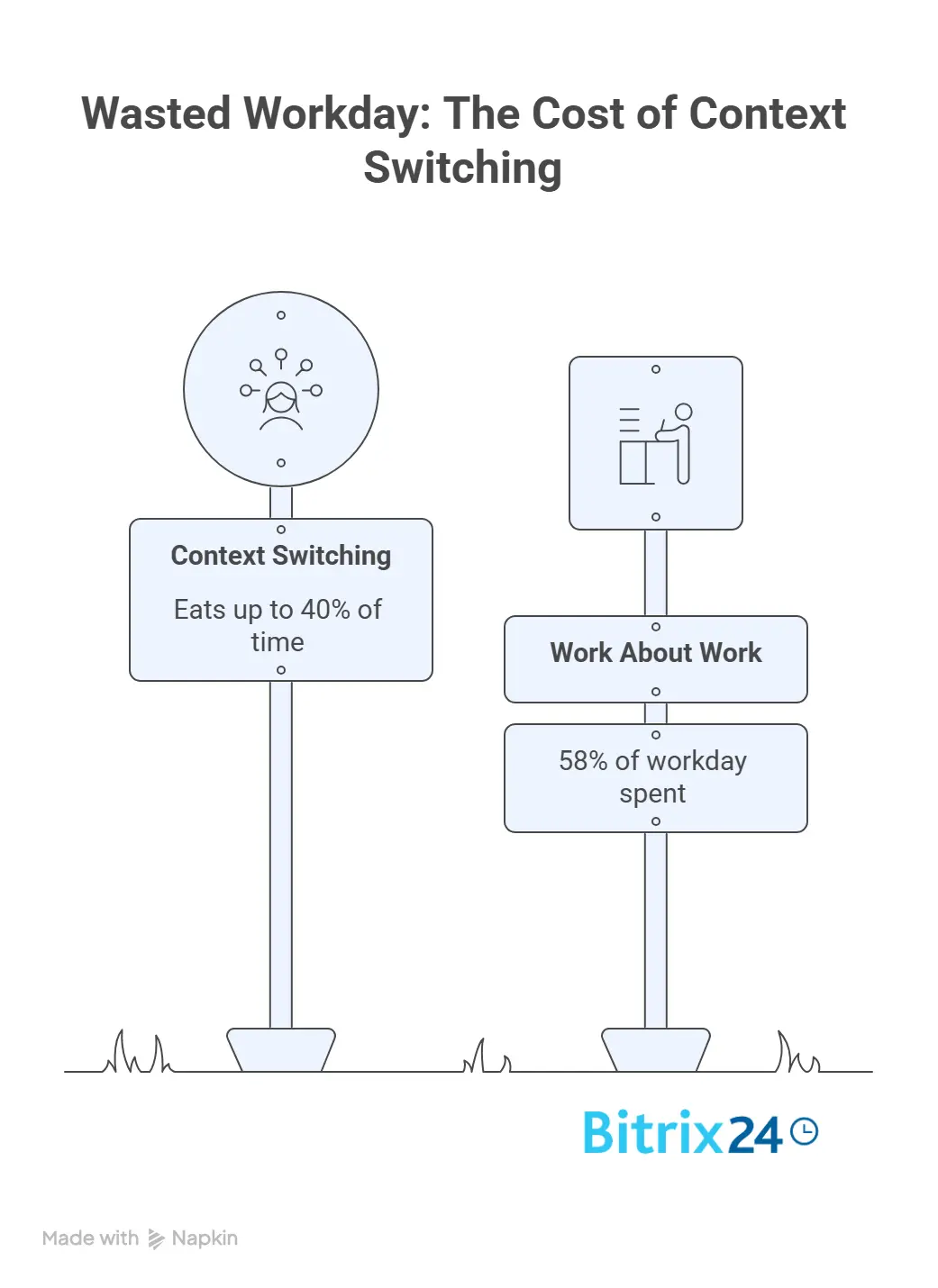
The average knowledge worker toggles between apps and websites nearly 1,200 times a day, and every switch has a tax: UC Irvine researchers found it takes over 23 minutes to fully refocus after an interruption. Multiply that across a 100-person team and the losses stop being individual.
The measured cost is steep.
Context switching eats up to 40% of productive time, roughly three hours a day per person. Asana's research puts a name on where that time goes: 58% of the workday gets spent on "work about work" (status updates, searching for files, switching tools, chasing approvals), leaving only a third for the skilled work people were hired to do. Across the economy, the lost productivity runs to an estimated $450 billion a year.
This is why a 100-person stack has to be intentional. Not a heavy enterprise system that takes months to roll out, and not a pile of single-purpose apps that each solve one thing. Something in between: simple enough for daily use, structured enough to survive growth.
Your tools should help you answer key questions without hunting through multiple platforms:
- Who owns this task?
- What's the deadline?
- Where's the latest version of that document?
- What's the current customer status?
- Who's actually available right now?
- Which projects are falling behind?
If it takes five different platforms to answer these questions, remote work will feel harder than it needs to be.
The essential remote work tools to use
A 100-person remote team needs a practical, focused tool stack. The goal is to cover the main workflows: communication, planning, execution, documentation, people management, customer work, and reporting. Get those right, and your team stays aligned without unnecessary complexity.
Communication and meetings
Your team needs a reliable hub for daily communication: direct messages, group discussions, company announcements, video calls, and meeting links. With Bitrix24's communication tools, teams can centralize these channels and reduce scattered conversations.
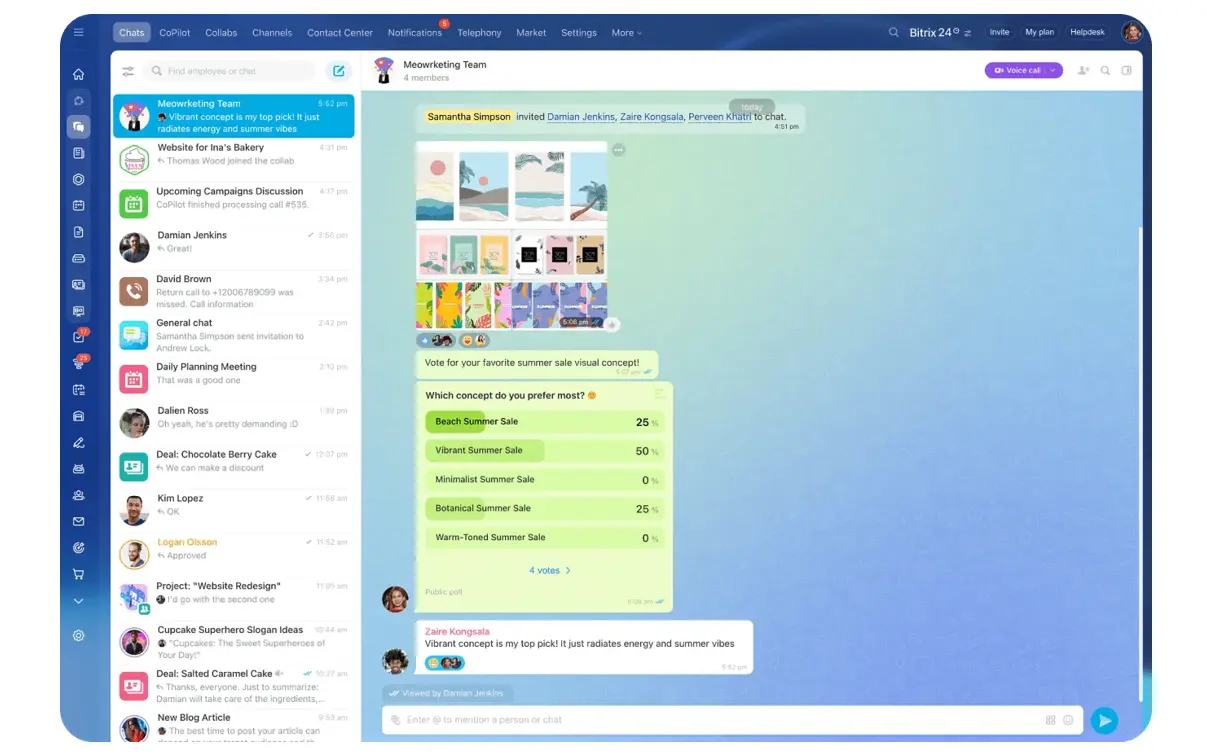
But communication tools need clear rules, or everything becomes urgent and important updates get buried.
How to use each channel:
- Chat: Quick questions and discussions
- Announcements: Company-wide updates
- Video calls: Decisions, planning, sensitive conversations, and problem-solving
Common mistake: Treating chat as the place where work gets assigned. If something needs an owner, a deadline, or a follow-up, it should become a task in your work management system, not stay in a chat thread.
Tasks, projects, and workload visibility
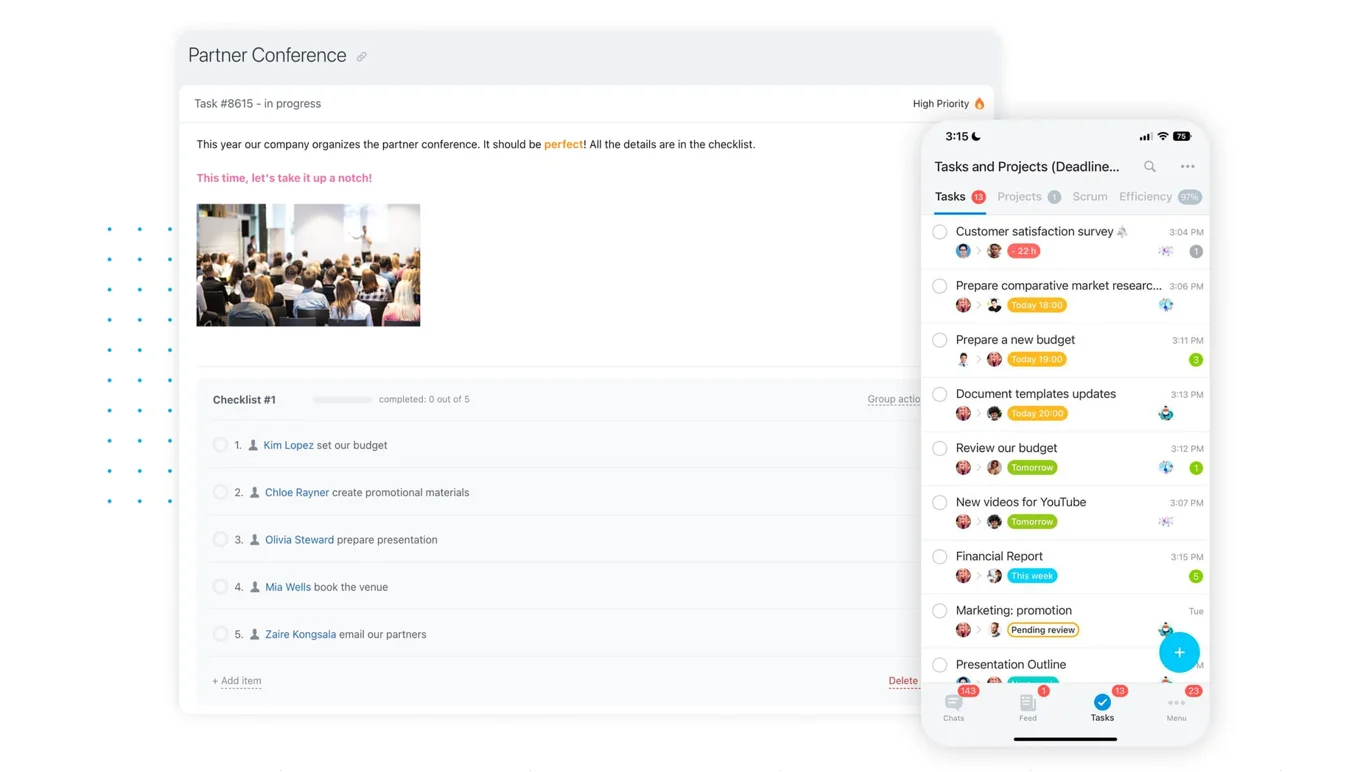
Task and project management tools are the backbone of remote work. They show what needs to be done, who owns it, when it's due, and how it connects to larger goals.
What to look for:
- Task ownership and deadlines
- Comments and checklists
- Project views, recurring tasks, timelines
- Workload tracking and visibility
- Shared calendars for meetings, availability, time off, and milestones
The cost of not having these: managers default to status-update meetings that waste time and kill momentum, and the day fragments into switching instead of work.
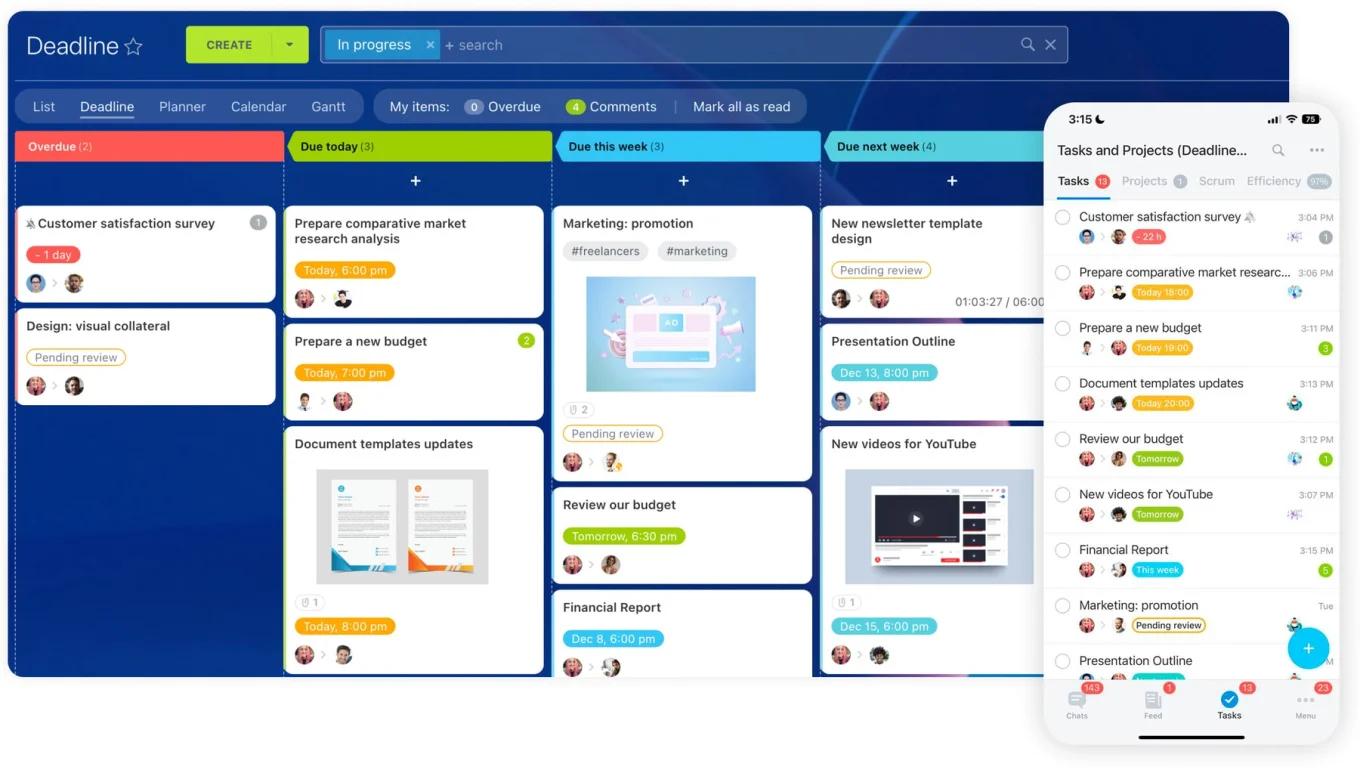
How connected tools help: When tasks and calendars are connected, managers can spot bottlenecks without asking for another update. A project deadline can sync with the calendar. A workload view shows which team members are stretched thin before burnout happens. A connected platform like Bitrix24 has a real advantage here: tasks, projects, calendars, and workload tools work together, so managers don't have to chase updates across separate apps.
Documents and knowledge management
Remote teams need one trusted place for information: company policies, onboarding guides, project files, templates, meeting notes, client documents, and standard operating procedures.
A good document system should support shared storage, permissions, version control, search, and easy collaboration. A knowledge base is equally important — it gives employees a self-service place to find answers instead of asking the same question multiple times daily.
When documents live scattered across personal drives, email threads, and chat attachments, your team wastes time and works from outdated information. Someone updates a template in their folder. Another person uses the old version. The process breaks inconsistently.
HR, time tracking, and people management
Remote work is a people-management challenge. Your HR and operations teams need tools for employee directories, onboarding, absence tracking, requests, approvals, policies, and internal updates. These tools let employees find what they need without sending another email to HR.
Time tracking and workload tools can be useful, but they should be used carefully. The goal isn't to watch every minute. The goal is to understand capacity, spot overload, and plan work fairly.
CRM, automation, and reporting
Customer work shouldn't live in private inboxes or scattered spreadsheets. A CRM helps your remote team track:
- Leads and customers
- Deals and sales activity
- Communication history and follow-ups
- Activities across teams
This is critical when sales, support, marketing, and operations all need visibility into the customer journey.
Automation reduces manual coordination. You can automate reminders, approvals, recurring tasks, lead assignment, and follow-up steps—freeing your team for higher-value work.
Reporting brings everything together. Managers need to see project progress, workload, sales activity, bottlenecks, and team performance without building manual updates every week.
With Bitrix24, these areas sit inside one connected workspace. Your team can communicate, manage work, collaborate on documents, support employees, track customers, automate workflows, and report progress without constantly switching between disconnected tools. This is what a 100-person remote team actually needs.
100-Person Remote Team Tool Stack Audit Scorecard
Enter your email address to get a comprehensive, step-by-step guide

What to skip: Tools that create more work than they solve
Not every remote work tool makes your team more productive. Some look helpful at first, then quietly add overhead — another login, another dashboard, another notification stream, another place updates have to be copied by hand. At 100 people, that overhead stops being a nuisance and starts costing real time.
Skip these:
- Personal messaging apps for company work. Convenient in the moment, but decisions made there can't be searched, documented, or secured. The critical call made in WhatsApp is gone in three years.
- Chat as task management. Fine for discussion, terrible for deadlines and ownership. Tasks get lost, nobody's clearly responsible, follow-ups don't happen.
- Spreadsheets for complex project tracking. They work for simple lists. Once you're tracking owners, deadlines, dependencies, comments, and files across a team, you need a project tool, not conditional formatting.
- Department-only tools that create silos. Sales on one CRM, HR on another, marketing on a third (and cross-functional work slows to a crawl because nobody sees the whole picture).
- Surveillance-first productivity tools. Screenshot tracking and activity monitoring buy you damaged trust. Measure outcomes and workload instead.
- Single-purpose apps that duplicate what you have. If your workspace already does tasks, calendars, documents, or approvals, another app is just more sprawl.
- Tools that require manual syncing. If people have to copy updates between platforms, the tool didn't solve the problem; it relocated it.
The real test
A good remote work tool should make responsibilities clearer, help people find information faster, and reduce manual follow-up.
Before adding anything new, ask: Does this tool reduce coordination work, or does it create another place people have to check?

How to keep everyone aligned without micromanaging
Your team should know where to communicate, where to track tasks, where to find documents, where to update customer information, and where to check priorities. When that structure is clear, people can work with more independence. Managers also get the visibility they need without constant check-ins.
Define where each type of work belongs
- Chat for quick questions and discussions
- Tasks for action items with owners and deadlines
- Projects for larger work with multiple steps and milestones
- CRM for customer updates, deals, and follow-ups
- Calendars for meetings, availability, deadlines, and milestones
- Knowledge base or shared drive for policies, templates, procedures, and final documents
This might sound obvious, but many teams never write this down. People guess, and their guesses don't match.
Make ownership visible
Every important task should have one clear owner, a deadline, and a visible status. This prevents a lot of confusion. If three people think someone else is handling a task, nobody's really responsible for it.
Use templates for repeatable work
For onboarding, client handoffs, campaign launches, approvals, and monthly reporting, create standard task lists or workflows. This saves time and ensures people follow the same process without asking for instructions every time.
Replace status-update meetings with visibility tools
Stop having meetings that exist only to chase updates. Use task comments, project views, dashboards, and CRM activity records for routine progress tracking. Save meetings for planning, decisions, problem-solving, and relationship-building.
Monitor workload regularly
Remote teams can hide overload by accident. Someone appears quiet and productive while carrying too much. Workload views, time tracking, and project reports help you spot bottlenecks early and rebalance work before people burn out.
The goal isn't to control every action. The goal is to create enough visibility that your team can move with confidence.
A connected workspace like Bitrix24 supports this by keeping tasks, projects, communication, calendars, CRM, documents, and reports close together. Alignment becomes part of the daily workflow instead of a separate management exercise.
Run your stack through this
If you're weighing a new tool, start here instead. Go down the list and check what's already true of your setup. The gaps are where a tool might actually help — everywhere else, you probably have what you need and adding more just deepens the sprawl.
- Communication runs through team chat, announcements, and video calls with clear rules for each, not personal messaging apps and side conversations nobody can find later.
- Work is tracked as tasks with owners and deadlines in shared project views, not buried in chat threads or held in someone's memory.
- Planning lives in shared calendars with timelines, availability, and milestones visible, not isolated calendars that only show meetings.
- Documents sit in a shared drive with templates and a knowledge base, versioned and owned, not duplicated across personal devices in three conflicting copies.
- HR coordination (directory, onboarding, absence, requests, approvals) runs through a system employees can self-serve, not email chains to one overloaded person.
- Customer work lives in a CRM with contacts, deals, history, and follow-up tasks the whole team can see, not private spreadsheets and inboxes.
- Visibility comes from dashboards and workload views managers can check on their own, not status chased in meetings and rebuilt from scratch each week.
- Automation handles approvals, reminders, recurring tasks, and lead routing, not people repeating the same admin by hand.
The more boxes you can't check, the more a connected workspace is worth to you.
Keep Remote Teams Aligned in One Place
Bitrix24 brings chat, tasks, CRM, docs, calendars, HR, automation, and reports into one workspace, cutting app switching.
Start NowChoose tools that keep work connected
A 100-person remote team doesn't need a bigger collection of apps. It needs a clearer way to work together.
The right stack makes ownership visible, cuts manual follow-up, and gives managers real insight without making anyone feel watched. The wrong one splits information across departments and forces people to copy updates between platforms (which is just the tool sprawl you started with, wearing a different badge).
So before the next tool goes in, run it through one question: does this reduce the work of coordinating, or add another place to check?
A stack that connects — one place for chat, tasks, documents, customers, and the calendar that ties them together — answers that with less switching and more trust.
That's the whole game at 100 people.