Lead your distributed team better: 6 remote management strategies that actually work


Leading a remote team isn’t harder because your people aren’t capable. It’s harder because the usual in-office shortcuts disappear.
This guide is for managers and team leads who want cleaner execution, fewer status chases, and stronger accountability, without stacking meetings or slipping into micromanagement.
What this guide covers
Eight practical changes you can apply immediately to improve clarity and execution:
-
Set clear expectations early
-
Use a single source of truth for work
-
Communicate the why, not just the task
-
Create a predictable operating cadence
-
Manage outcomes instead of activity
-
Make accountability process-driven
-
Build trust through visibility and recognition
-
Prevent burnout by protecting focus and workload balance
Apply even a few of these changes, and your team will spend less time untangling confusion and more time delivering consistent results.
Remote Team Health Check (PDF): What to Fix First
Enter your email address to get a comprehensive, step-by-step guide

Why leading remote teams is different (and why old habits don’t work)
Remote leadership relies on the same fundamentals as in-office management, but the environment removes many informal signals that keep work aligned.
Three gaps appear when teams go remote:
-
Context doesn’t travel: People see tasks without the reasoning behind them, which leads to hesitation, extra questions, or misaligned decisions.
-
Visibility isn’t automatic: Progress is invisible unless it is documented. Without a clear system, leaders chase updates and teams lose confidence in what’s moving.
-
Culture doesn’t happen by default: Trust and recognition no longer form through daily interaction and must be built deliberately.
This is where old habits break down. Managing by presence, relying on meetings for alignment, or assuming shared context creates friction quickly.
The fix is straightforward: design the way work runs so expectations are clear, progress is visible, and communication is consistent.
That starts with Tip #1: setting expectations early.
Tip #1: set expectations early, not just goals
Remote teams can’t rely on unspoken rules. When expectations are vague, people fill in the gaps themselves, and misalignment shows up later as delays, rework, and frustration.
Define expectations upfront in three areas that shape daily execution:
-
Communication: Be explicit about where work-related updates live, which channels are used for discussion versus decisions, expected response times, and what qualifies as urgent.
-
Ownership: Every deliverable needs one clearly named owner, a due date, and a visible status. Without this, accountability becomes personal instead of process-driven.
-
Definition of done: A written checklist of what must be true for a task to be considered complete, including format, approvals, and final location.
A simple rule helps reinforce this: if it affects delivery, it belongs in the task, not in private messages. Clear expectations reduce interpretation and let people focus on execution.
Tip #2: build a single source of truth for work
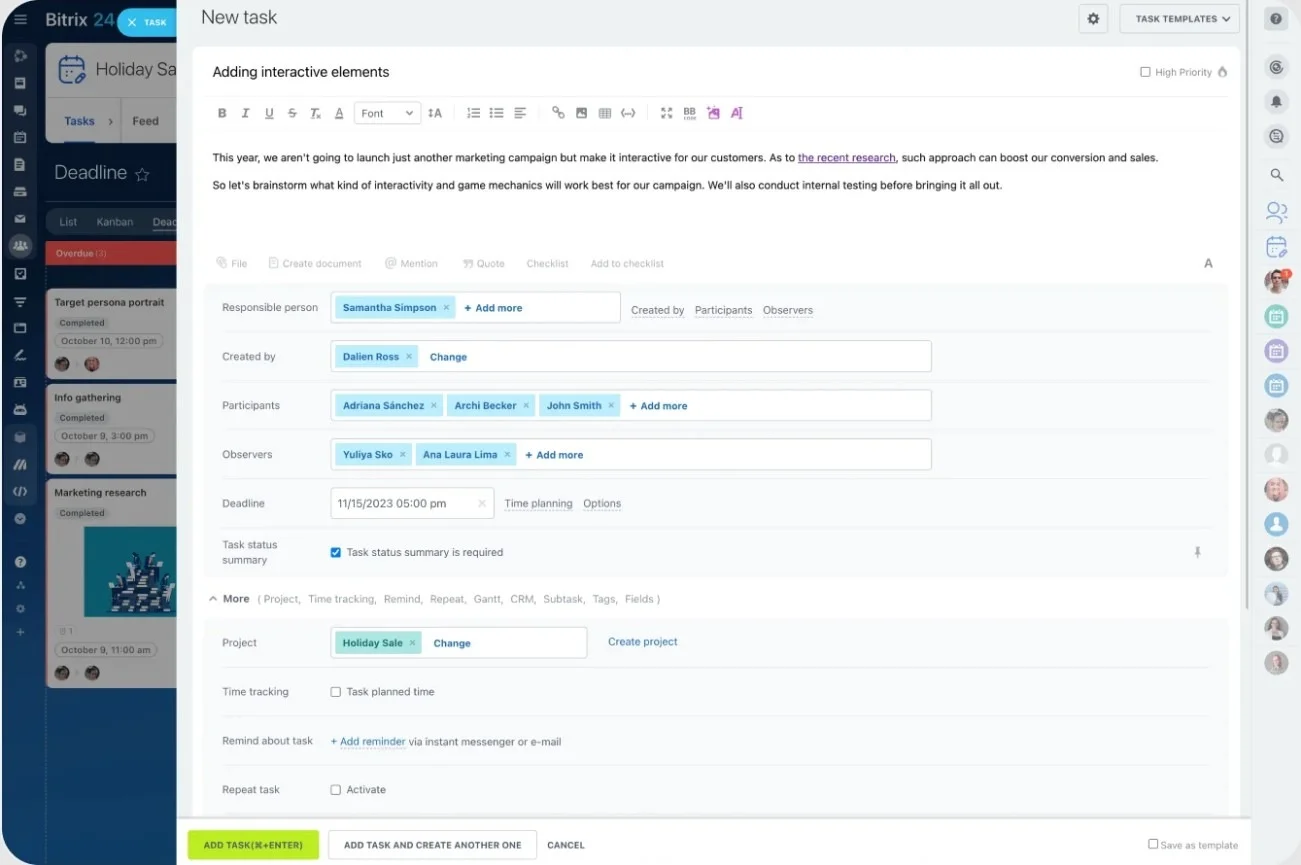
Remote teams lose momentum when work is scattered across chats, meetings, and shared drives. When information is spread out, no one has a reliable picture of what’s happening.
A single source of truth fixes that. It’s one place where your team tracks the work that matters: what’s being delivered, who owns it, when it’s due, and what status it’s in.
Your system should answer these questions quickly:
-
What are the priorities this week?
-
Who owns each deliverable?
-
What’s in progress, blocked, or overdue?
-
What needs review next?
-
What’s done and ready to ship?
One rule keeps it reliable: if it’s not tracked, it’s not real. Any deliverable that affects deadlines, customers, or other teams should be visible with an owner and due date.
Chat is still useful, of course, but only for coordination. The system of record is where updates, decisions, and progress live.
Chat vs Task system vs Meetings
|
Tool type |
Purpose |
Best use |
What not to use it for |
|---|---|---|---|
|
Chat |
Fast coordination and quick questions |
Clarifying details, short alignment, quick confirmations |
Tracking deliverables, storing decisions, managing deadlines |
|
Task system |
Managing work and accountability |
Assigning owners, setting deadlines, tracking status, storing files and context |
Casual conversation or time-sensitive back-and-forth |
|
Meetings |
Decision-making and complex discussion |
Resolving ambiguity, making trade-offs, aligning on priorities |
Status updates, routine coordination, information sharing |
Keep conversations, updates, and files attached to the work so context doesn’t disappear.
Pro tip: Use Bitrix24 as a single source of truth by keeping tasks, files, deadlines, and status updates connected in one shared workspace.
Tip #3: communicate the why, not just the task
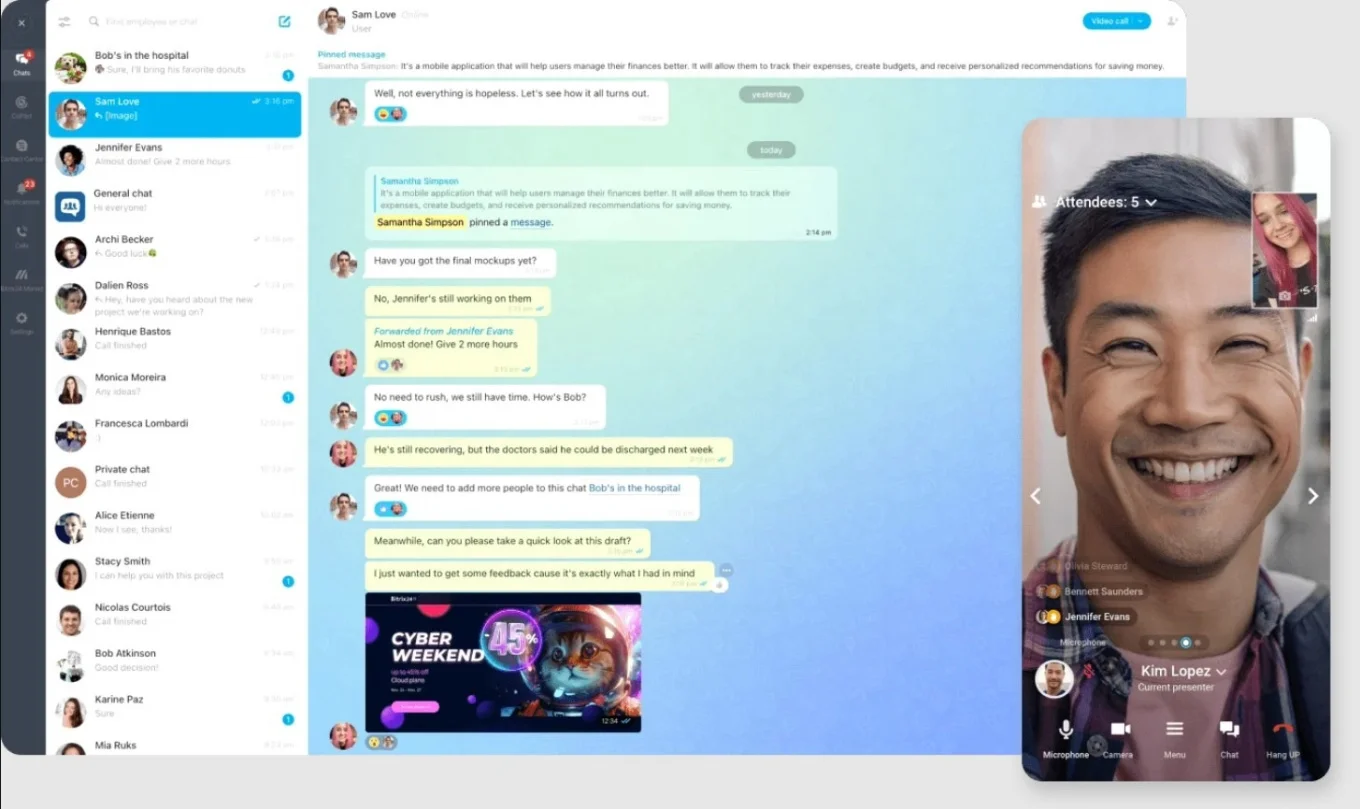
In remote teams, context doesn’t travel automatically. When people receive tasks without reasoning, work gets done, but decisions are slower and quality suffers.
Each assignment or priority shift should include three elements:
-
Why: what problem are we solving?
-
Priority: what matters most right now?
-
Success: how will we know this worked?
This clarity allows people to adjust decisions without waiting for approval. A simple habit helps: start each week with a short priorities update that explains the why and lists the top outcomes the team is driving. When context is attached to the work, fewer meetings are needed.
Pro tip: Use Bitrix24 task and project updates to capture the why, priority, and success criteria alongside the work.
Tip #4: create rhythm instead of adding meetings
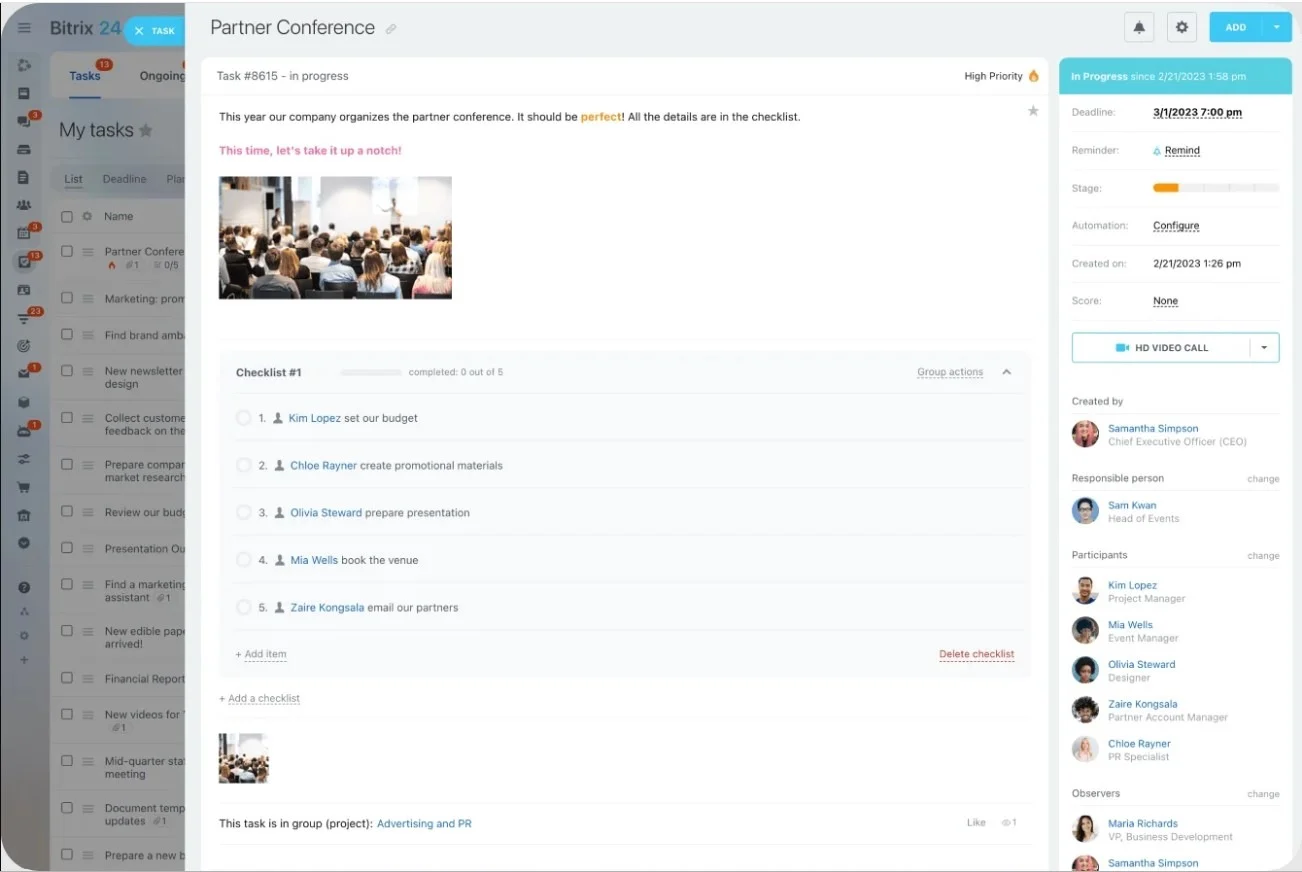
If priorities are set inconsistently, updates arrive ad hoc, and decisions aren’t captured anywhere, people waste time chasing clarity instead of doing the work.
A simple cadence fixes this. It creates predictable moments for alignment, without turning your week into meetings.
-
Weekly planning to confirm priorities and owners
-
Short async updates to surface progress and blockers
-
Weekly review to address slippage and decisions
-
Regular 1:1s for coaching and workload balance
-
Periodic retrospectives to improve the system
One rule prevents meeting creep: every recurring meeting must produce a documented outcome, such as updated tasks or a recorded decision. If it doesn’t, it should probably be async.
Pro tip: Use Bitrix24 calendars to support weekly planning, async updates, reviews, and retrospectives.
Tip #5: manage outcomes, not activity
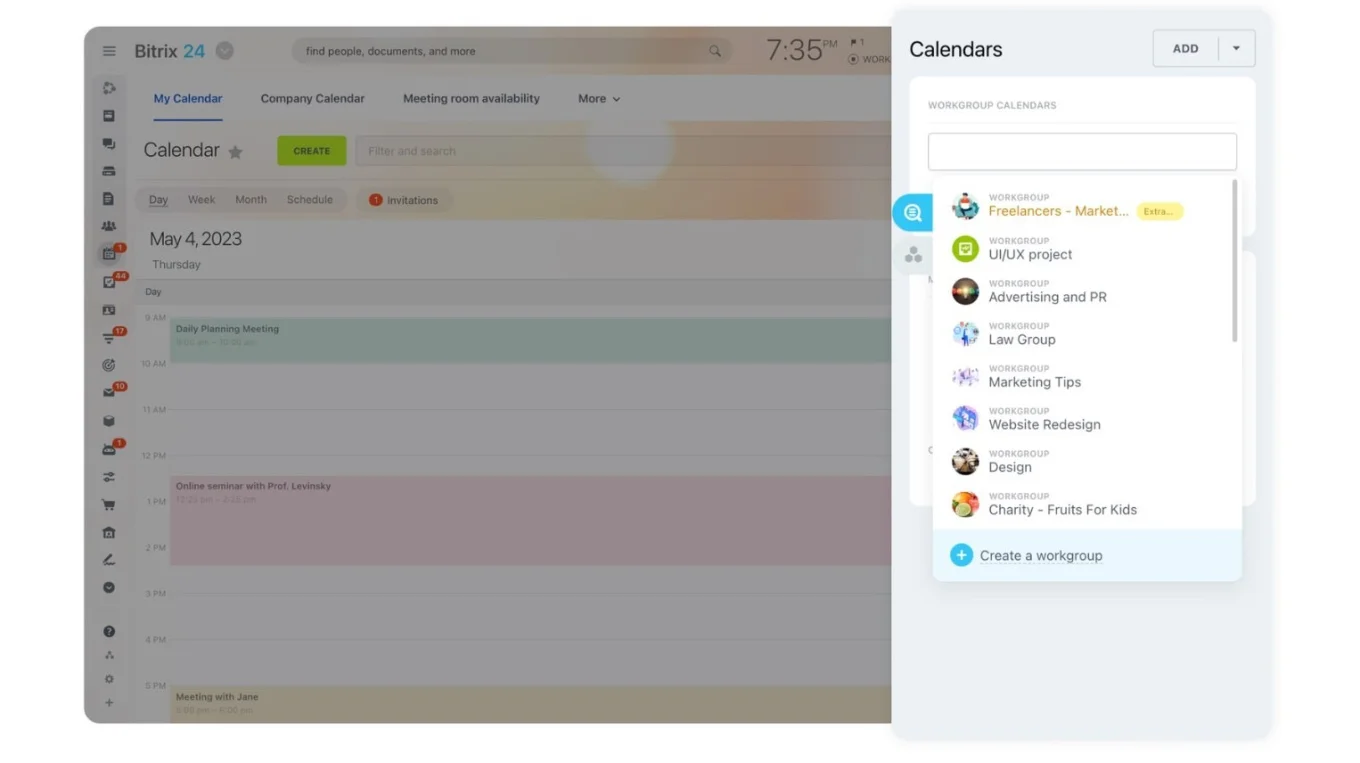
Remote leadership often triggers anxiety about visibility. Measuring activity, such as online status or meeting attendance, erodes trust and doesn’t guarantee results.
Instead, manage outcomes. For every meaningful task, define:
-
The deliverable
-
The deadline
-
The definition of done
Progress should be visible through real signals, such as milestone updates, early blocker flags, and completed deliverables reviewed against agreed criteria.
When delivery slips, treat it as a diagnostic issue. Look for unclear priorities, missing context, overload, or skill gaps before assuming lack of effort. Results reveal far more than activity ever will.
Pro tip: Use Bitrix24 task deadlines, statuses, and reports to track outcomes and progress without monitoring activity.
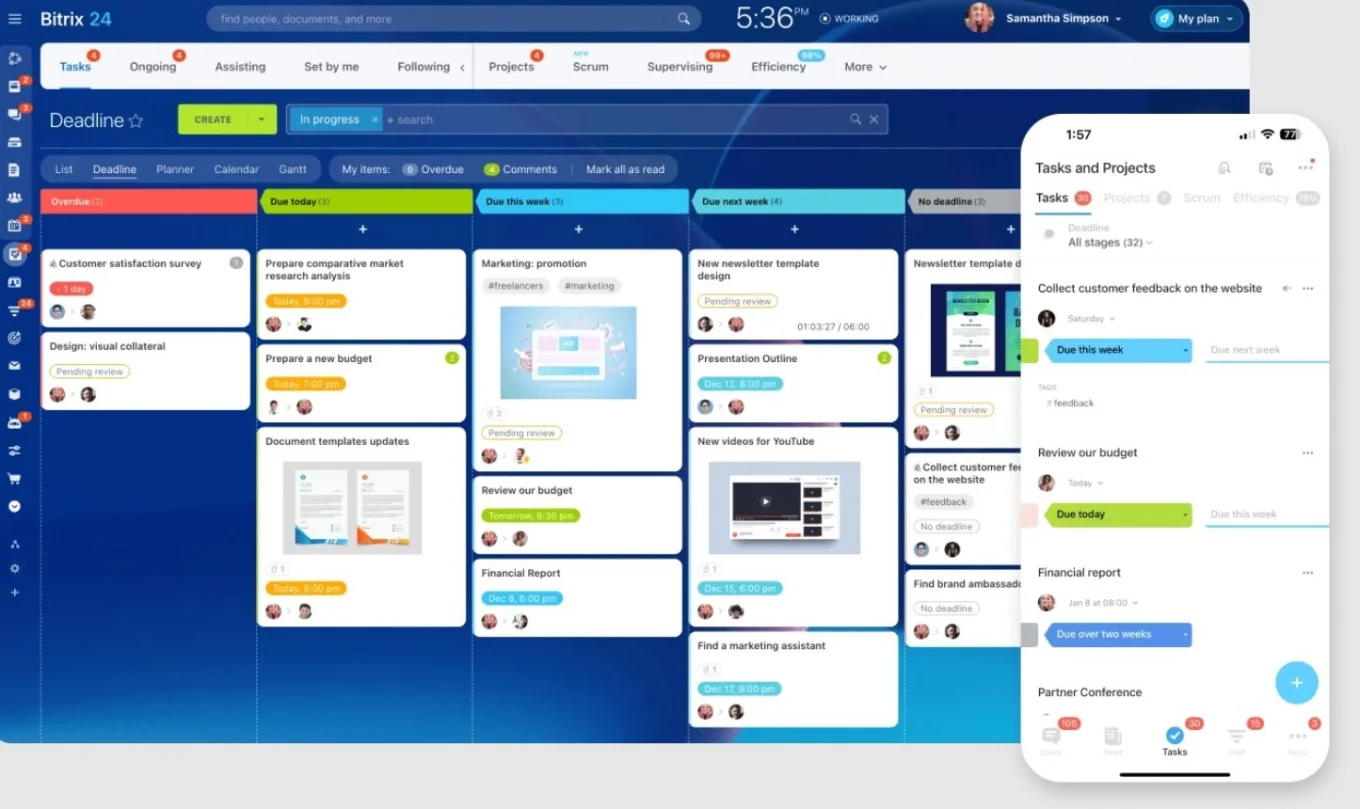
Tip #6: make accountability supportive, not punitive
When ownership is unclear or progress is invisible, leaders chase updates, and accountability turns personal.
Supportive accountability relies on three mechanics:
-
One accountable owner per deliverable
-
Progress that is visible to the team
-
A clear escalation rule for blockers
Set a default expectation, such as flagging blockers if work is stalled for more than a day. Make updates routine whether work is on track or at risk. When follow-up is predictable and visible, problems surface earlier and feel safer to raise.
Pro tip: Use Bitrix24 to assign one accountable owner per task, make status visible, and automate reminders for follow-up.
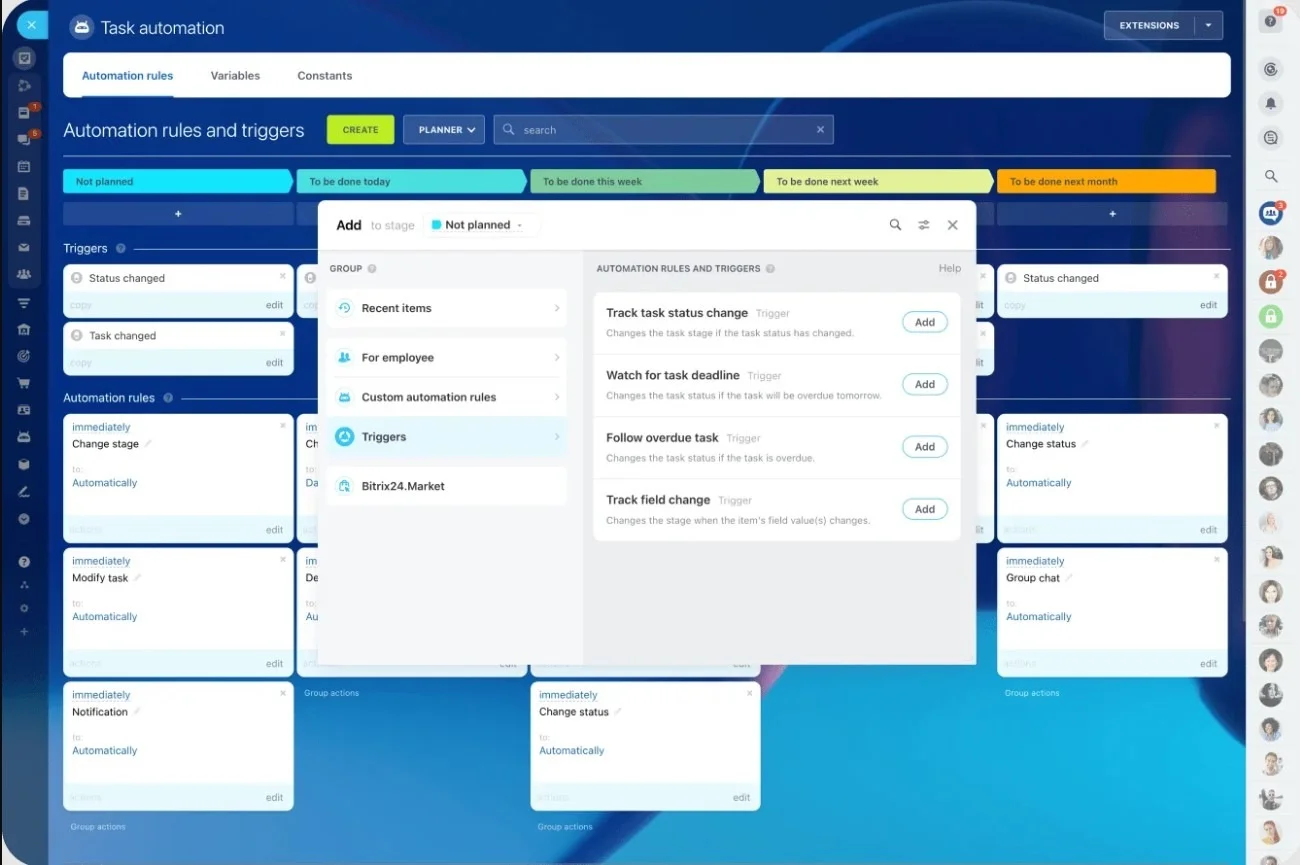
Tip #7: build trust through visibility and recognition
In remote teams, trust grows from consistency and transparency. People feel safer and move faster when they can see what’s happening and know their work is noticed.
Two habits matter most:
-
Visibility: Share priorities, decisions, and progress in the same place work is tracked. This reduces guesswork and helps teams align without extra calls.
-
Recognition: Acknowledge contributions clearly and specifically. A simple formula works well: what you noticed, why it mattered, and the impact. Timely recognition reinforces good judgment and keeps effort from feeling invisible.
Recognition is not optional in remote work. It supports performance and retention when informal feedback is limited.
Pro tip: Use Bitrix24 activity feeds and task updates to share progress and recognize contributions in a visible, shared space.
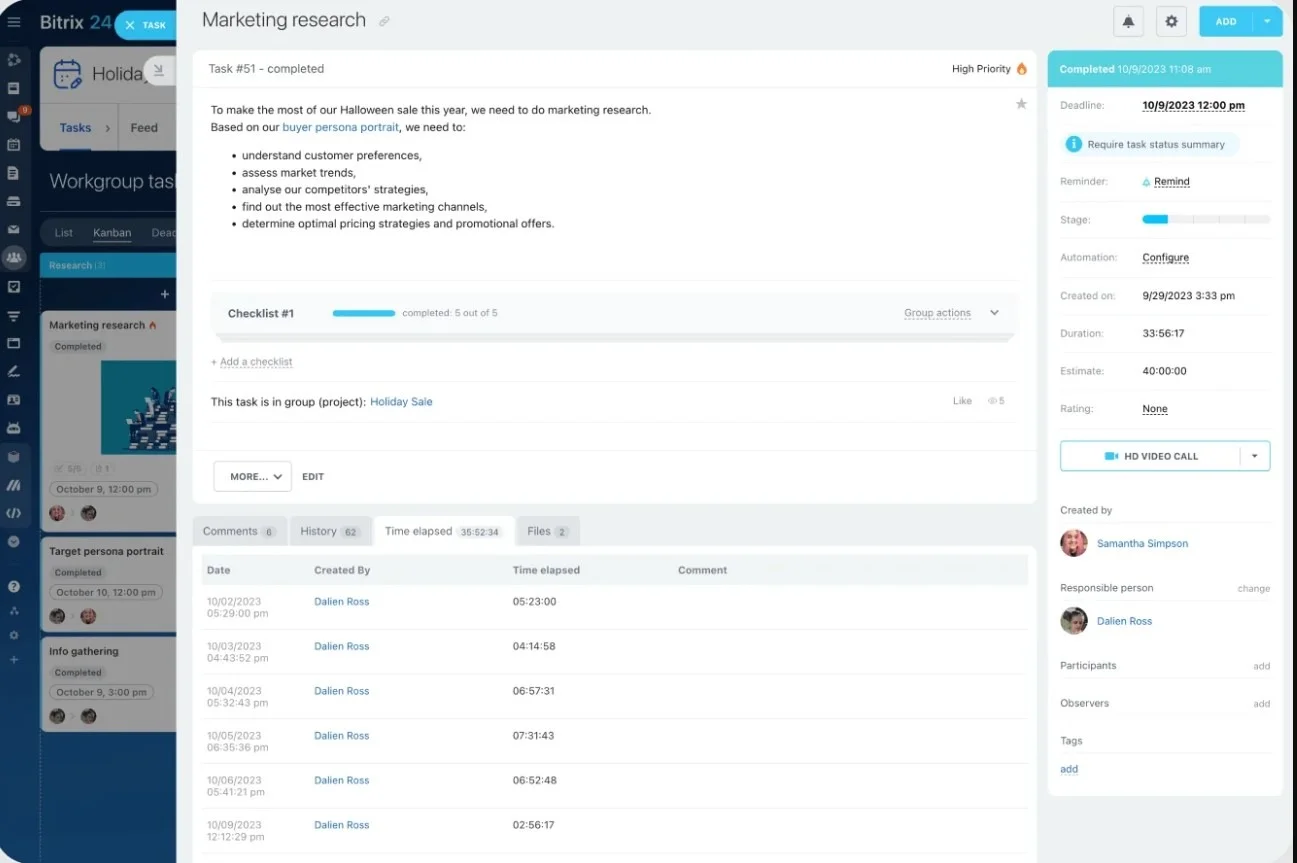
Tip #8: prevent burnout by protecting energy and workload balance
Remote burnout builds quietly through constant interruptions, unclear priorities, uneven workloads, and the pressure to always be available. Preventing it is a system's responsibility.
Four levers make the biggest difference:
-
Default to async work and documentation instead of frequent calls
-
Set clear response-time expectations and escalation rules
-
Review workload distribution regularly and rebalance early
-
Reduce repetitive admin through templates and automation
Burnout is rarely a personal time-management failure. In remote teams, it usually signals too much context switching and not enough clarity or visibility.
When this approach may not work as-is
These practices assume a relatively stable team and a shared way of tracking work. They may need adjustment in the following cases:
-
Very early-stage startups where roles and priorities change daily may need lighter structure.
-
Teams doing highly creative or exploratory work may need more flexible definitions of done.
-
Crisis or incident response often requires temporary real-time coordination instead of async workflows.
-
Teams without a shared work system will need to implement basic tooling before these practices are effective.
In these cases, treat the system as a baseline and adapt the level of structure to match the work.
Common remote leadership mistakes (and what to do instead)
Most remote leadership problems come from unclear expectations, invisible work, or misused communication tools. Each mistake below has a direct, system-level correction.
|
Mistake |
What to do instead |
|---|---|
|
Assuming silence means alignment |
Make expectations and progress visible so confusion surfaces early. |
|
Using meetings as the default coordination method |
Use meetings to make decisions, then document outcomes in the workflow. |
|
Letting work live in private chats |
Attach updates, decisions, and files to tasks so context stays with the work. |
|
Measuring productivity by activity |
Manage outcomes using clear deliverables, deadlines, and definitions of done. |
|
Waiting too long to surface blockers |
Set a clear escalation rule, such as flagging blockers after 24 hours. |
|
Ignoring workload distribution |
Review capacity regularly to prevent quiet overload in high performers. |
|
Treating culture as optional |
Build trust through visibility and specific recognition, not forced social activities. |
Fixing these issues makes remote leadership calmer, more predictable, and easier to scale.
One-page checklist: are you leading your remote team effectively?
Use this as a quick self-check. If most items are true, your remote team is set up to run smoothly.
-
Expectations are documented, including communication, ownership, and what “done” means
-
Work lives in one system, not scattered across chats and documents
-
Tasks include the why, priority, and success criteria
-
The team follows a predictable cadence for planning, updates, and reviews
-
Performance is measured by outcomes, not online activity
-
Accountability is process-driven with clear owners, status, and escalation
-
Trust is reinforced through visibility and specific recognition
-
Burnout risks are managed through boundaries, balanced workloads, and reduced manual handoffs
If several items are missing, start small. Fix the work system first. Clear expectations and visible work resolve most remote leadership issues early.
The next step…
Don’t try to rebuild everything at once. Pick one upgrade you can implement this week and make it obvious to the team. Write the “definition of done” for your most common deliverable. Set a 24-hour blocker rule. Or run one weekly planning session that ends with updated owners and deadlines in your system of record. Then take it from there.
If you want a single place to anchor that system, Bitrix24 can centralize tasks, updates, and decisions so execution stays steady (even when schedules don’t).
Empower Remote Teams Today
Start with Bitrix24 to centralize tasks, facilitate communication, enable transparency, and maintain accountability. All in one shared workspace. Try it for free!
Try It FreeFAQs
What is the best way to track work in a remote team?
Use one shared system with visible owners, due dates, and statuses. Avoid relying on chat or email as the primary record.
How often should remote teams meet?
Use a light cadence: weekly planning, async daily updates, short weekly reviews, and regular 1:1s. Add meetings only when a decision is needed.
How do you hold people accountable without micromanaging?
Define deliverables, deadlines, and “done” clearly, then track progress through visible task updates instead of activity monitoring.
What is a single source of truth in remote work?
It’s one system where all important work is tracked and considered final, including tasks, files, and decisions.
How do you prevent burnout in remote teams?
Set response boundaries, rebalance workloads regularly, reduce interruptions, and automate repetitive admin work.
What should be documented vs discussed live?
Decisions, deliverables, and priorities should be documented. Live meetings should focus on problem-solving and alignment.
How do you handle time zone differences?
Default to async updates, document decisions, and set overlapping hours only for critical collaboration.