Follow up from the original reservation
Group reservations bring extra variables: shifting headcount, longer durations, shared resources, and multiple people on both sides who need the same, up-to-date details. A workable process has to start with availability and end with a confirmed group that arrives prepared—without splitting information across messages and handoffs.
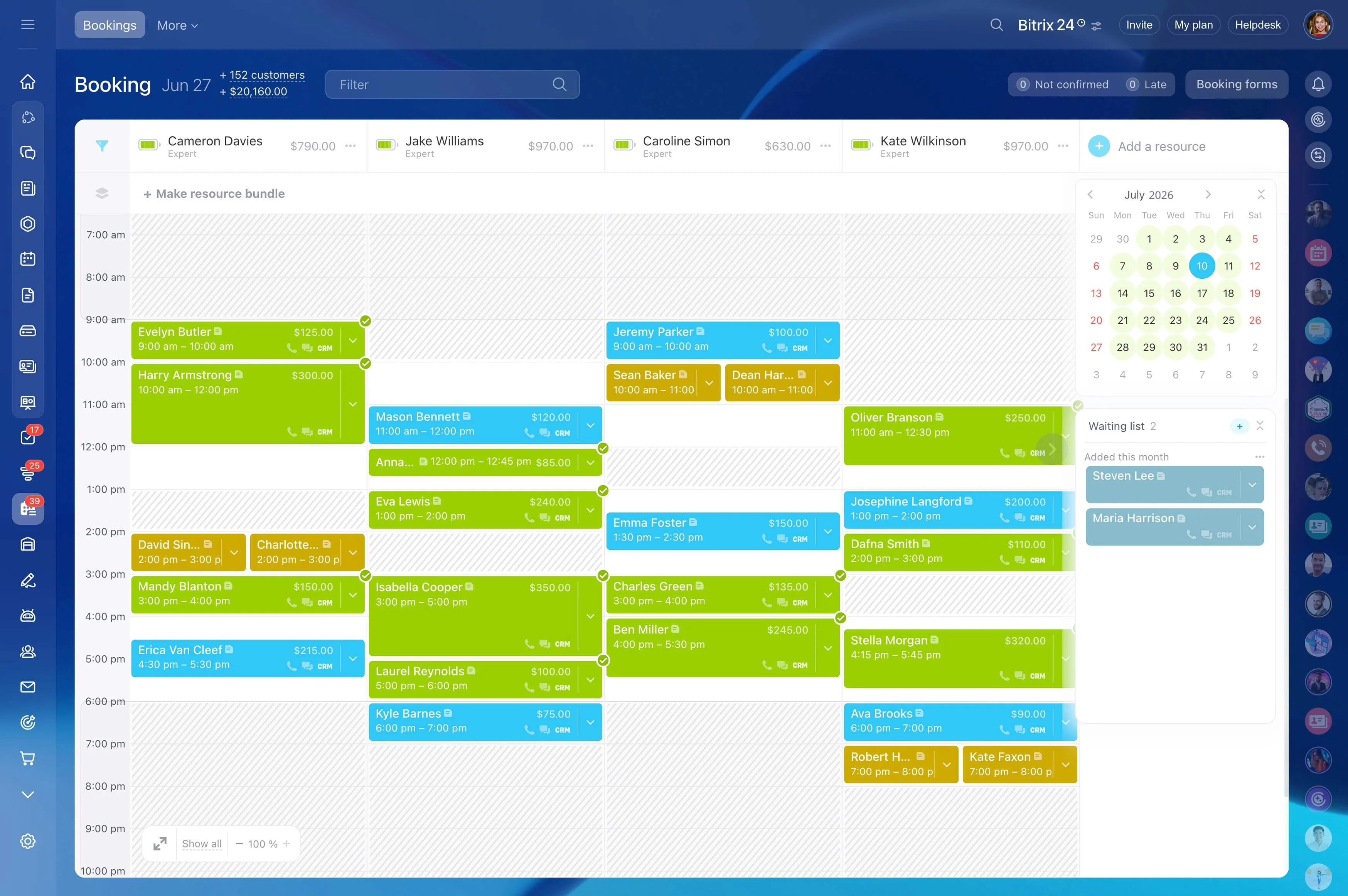
Bitrix24 supports a practical group booking management flow: collect the request from an availability view, create a CRM record for the reservation, confirm the final details, send reminders as the date approaches, and follow up afterward. Each step stays tied to the same record so your team can track attendee details, assign internal owners, and coordinate staff and resources around the booking.
- Capture headcount, timing, and requirements at intake
- Coordinate staff and shared resources before you confirm
- Keep confirmations, reminders, and follow-ups tied to one reservation record
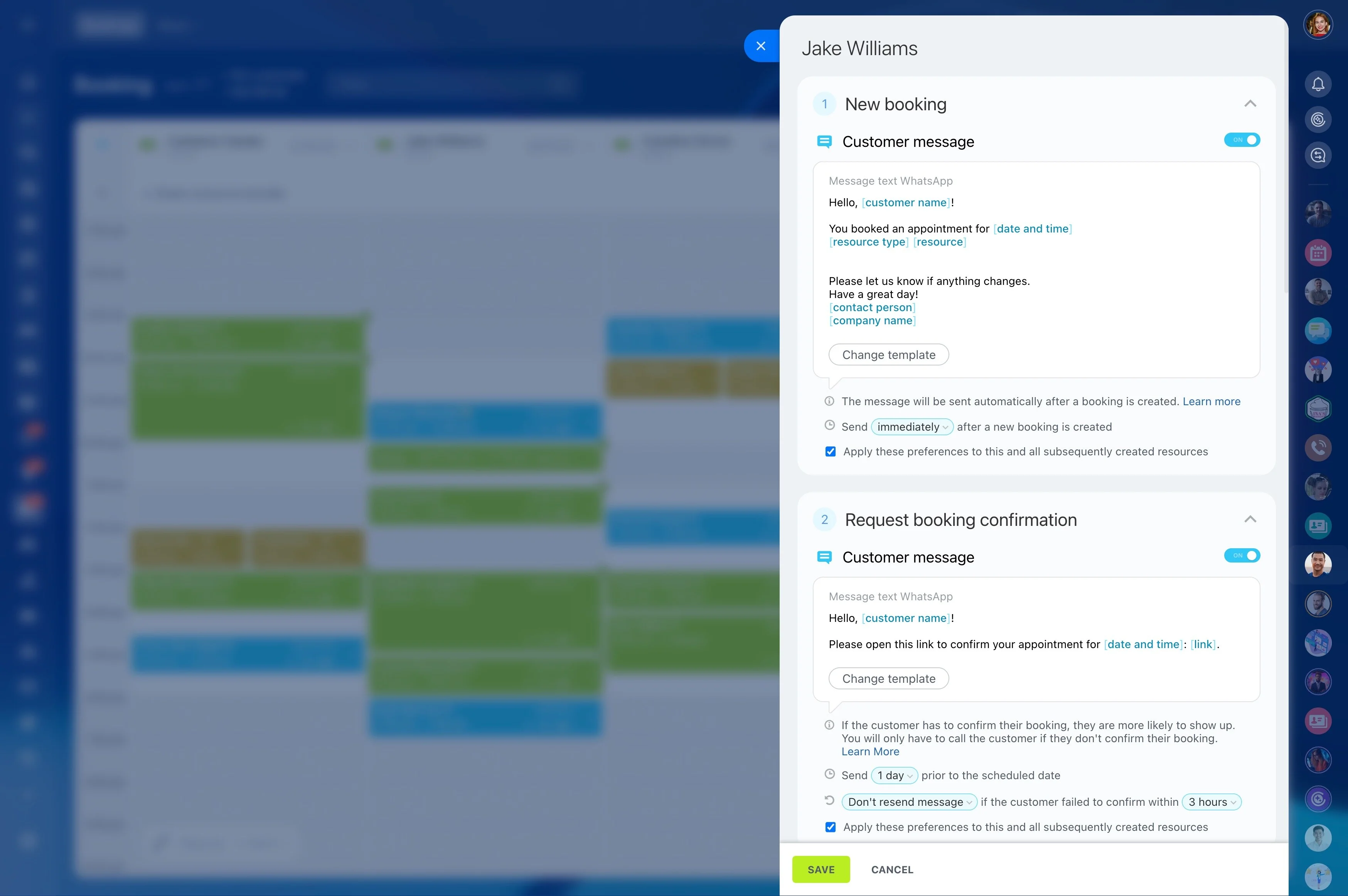
Send a confirmation everyone can reference
Group confirmations should be specific: date and time, agreed headcount, location/arrival instructions, what’s included, and any organizer next steps. Keep the confirmation details linked to the reservation record so any team member can answer questions from the same source.
Record changes (timing, headcount, special needs) as updates to that booking, not as separate threads.
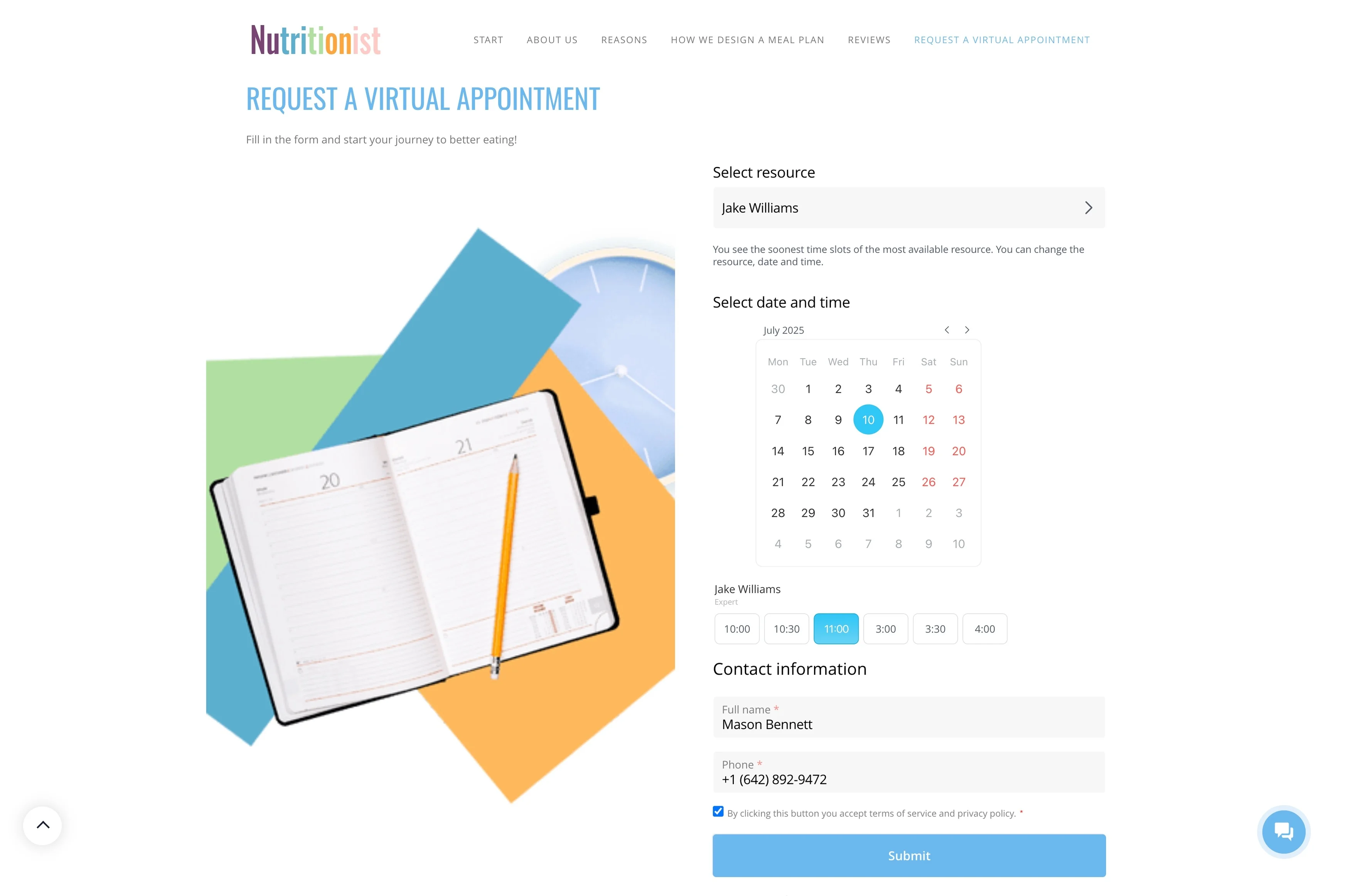
Collect the details that determine availability
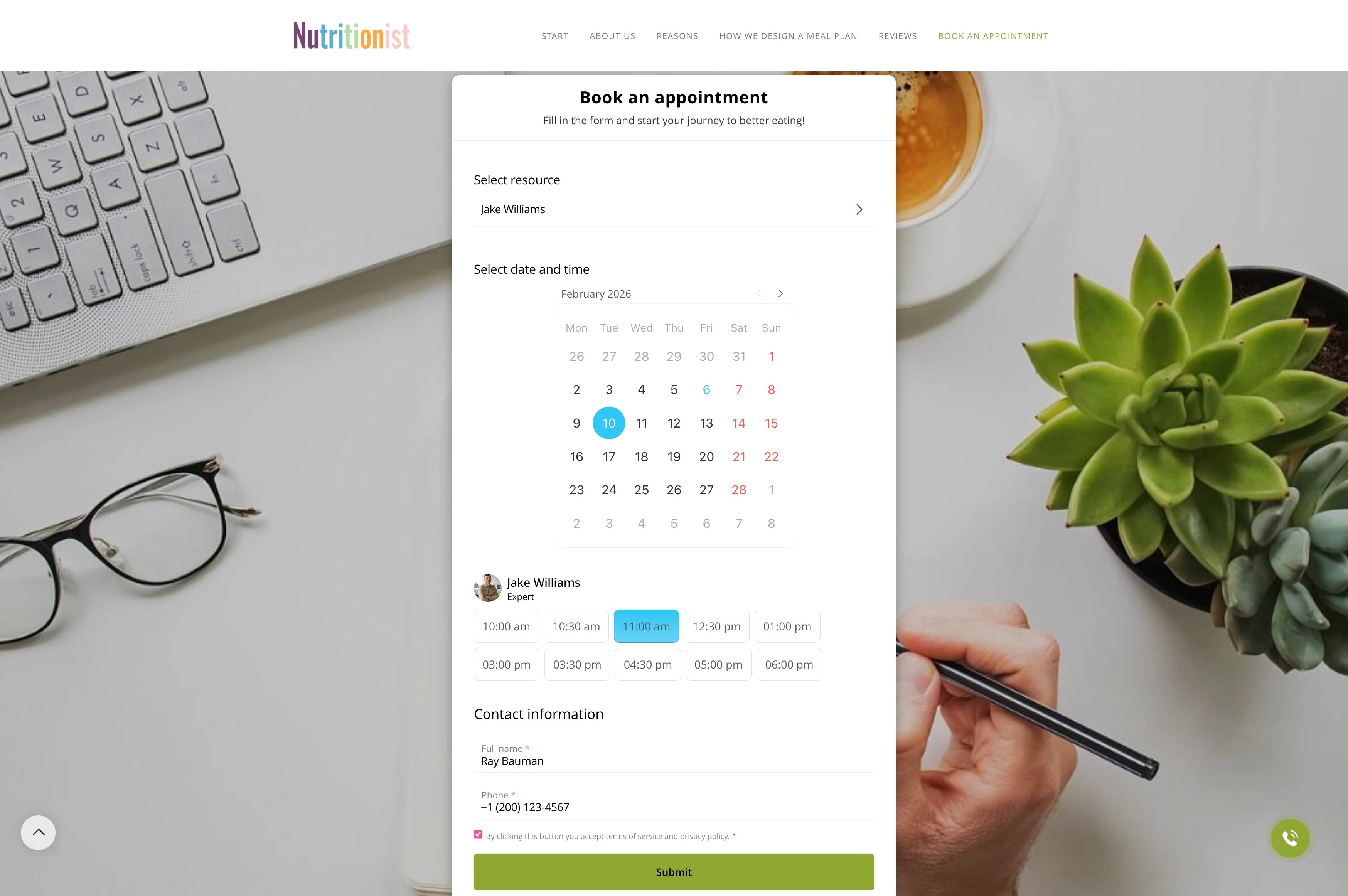
Group bookings depend on more than a single time slot. Start intake by capturing the variables that affect feasibility—headcount, preferred time window, duration, and any resource requirements—so availability checks are based on real constraints, not assumptions.
Standardizing these fields makes it easier to compare options and propose workable times before you commit.
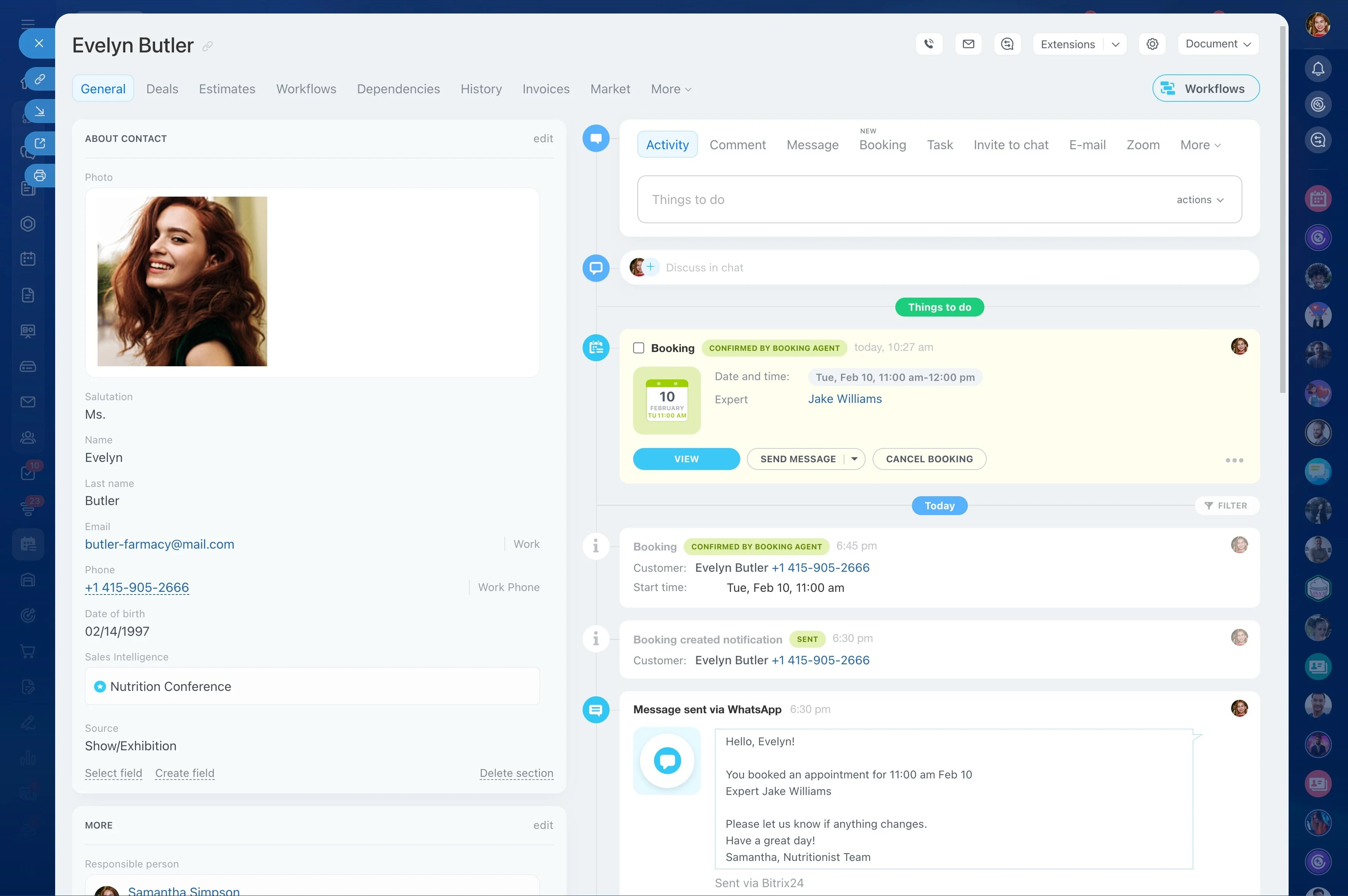
Keep the reservation in a single CRM record
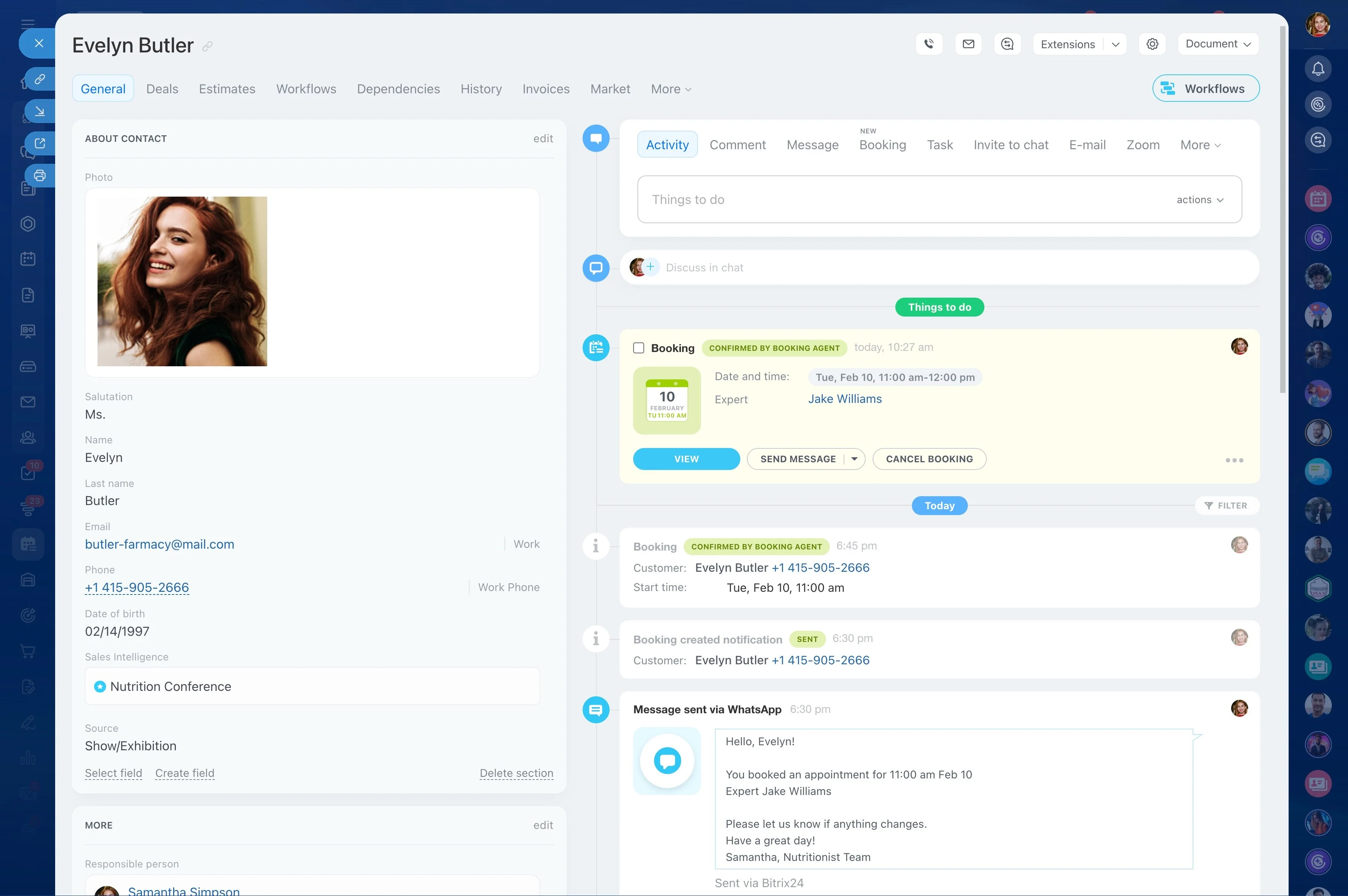
Create one CRM record that represents the group reservation, with the organizer’s contact info, date/time, expected headcount, and special requests in one place. This prevents the booking from fragmenting as it moves between sales, operations, and service.
When the organizer updates attendee count or requirements, revise the same record so the latest details are always clear.
Confirm staff and shared resources early
Before you confirm, check what must be available on your side: staff coverage and any limited resources (rooms, equipment, vehicles, stations) that can cap group size. Assign an owner and document what’s required so preparation is accountable and visible.
Keeping the internal plan connected to the reservation record reduces last-minute conflicts and overbooking.
Use reminders to lock down final details
Reminders for groups aren’t just “see you then.” Use them to reconfirm headcount, share check-in instructions, and capture last-minute updates while there’s still time to adjust staffing or resources.
Log the responses back to the reservation record so the on-site team works from the final version.
Follow up from the original reservation
After the booking, follow up from the same record to collect feedback and document what worked (and what didn’t) for that group. This context makes repeat bookings easier to sell and easier to deliver because you can reference prior preferences and constraints.
When a new request comes in, the historical reservation record gives your team a reliable starting point.