Beyond Sales and Marketing: Unveiling the Broader Impacts of CRM on Business Operations


Your sales team closes a deal on Friday. On Monday, delivery asks: "What exactly did we promise?" By Wednesday, the customer has repeated their requirements twice.
This happens when your CRM stays a sales-only tool. The data exists, but it never reaches the teams responsible for delivery, onboarding, or support.
This guide shows how a modern CRM closes those gaps by connecting customer data to the rest of your operations.
TL;DR: CRM is no longer just a sales tool. When connected to project management, communication, and automation, it becomes an operational backbone that gives every department the same customer context, reduces handoff gaps, and cuts duplicate work.
The evolution of CRM: from sales tool to operational hub
When CRM software first became popular, its job was straightforward:
- Store contacts and track conversations
- Manage deals and monitor pipeline progress
- Give managers visibility into sales performance
- Improve revenue forecasting
Sales work became more structured, but other departments stayed outside the same flow of information.
Why CRM now sits at the center of operations
As businesses digitized, customer data began to affect far more than sales. Sales conversations reveal customer needs. Support requests highlight recurring issues. Delivery teams need context on what was promised. Marketing depends on engagement data for targeting.
According to Nutshell's CRM research compilation, CRM applications can:
- Increase sales by up to 29%
- Improve productivity by up to 34%
- Boost forecast accuracy by 42%
But those gains only tell part of the story. The same data that powers the pipeline also shapes service delivery, project execution, and strategic planning.
CRM didn’t change overnight; its role expanded as customer data became central to how businesses operate. What started as a sales tool now supports coordination across the entire organization. And that’s where things really get interesting…
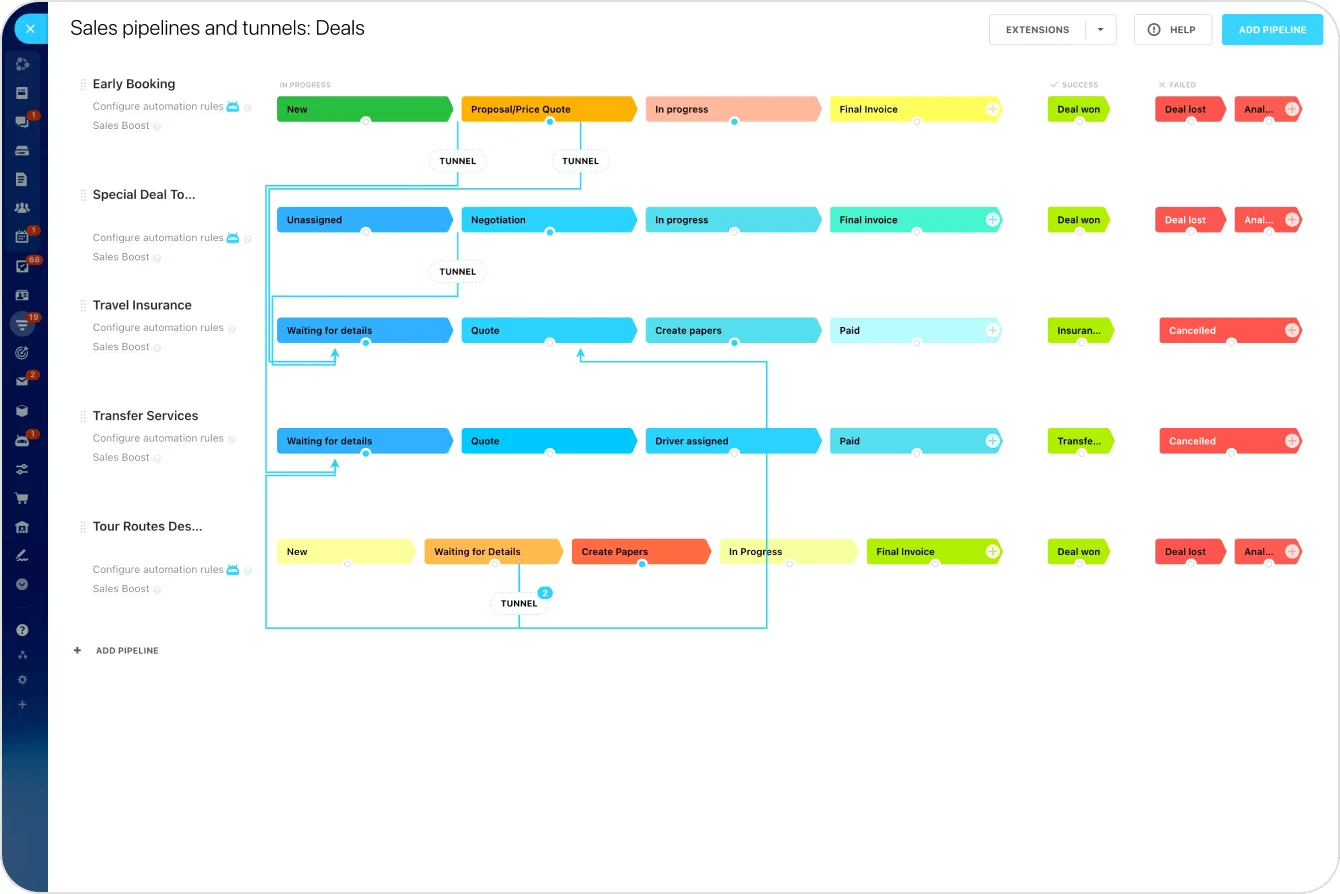
Eliminating operational silos with unified customer data
Many organizations still operate with a patchwork of tools: sales in one platform, support in another, projects tracked somewhere else. When teams can't access the same information:
- Customer details get lost between departments
- Employees waste time searching across multiple tools
- Teams duplicate work without realizing it
- Customers receive inconsistent communication
Creating a single source of truth
A modern CRM solves this by acting as a single source of truth: one shared record that teams can rely on instead of piecing together context from separate tools, inboxes, or spreadsheets. Here's how that changes operations across four key functions:
|
Department |
Without centralized CRM |
With centralized CRM |
|
Sales |
Records stay in the pipeline; delivery team starts blind |
Deal notes, expectations, and customer context transfer automatically |
|
Support |
Agents lack purchase history; customers repeat themselves |
Full interaction history available before the first response |
|
Projects |
Scope pulled from email chains; details get lost |
Project teams review what was promised directly from the deal record |
|
Leadership |
Reports assembled manually from multiple tools |
Dashboards pull live data across the customer lifecycle |
Supporting cross-team collaboration
Centralizing data also improves how departments coordinate:
- Updates become visible to everyone involved
- Tasks, conversations, and progress track alongside the customer record
- Teams move from customer conversations to operational work without switching tools
Where collaboration breaks down most — the handoff:
- Sales to delivery: the receiving team needs what was agreed, what the customer expects, and what's already been tried
- Support to product: escalations need full ticket history and reproduction steps, not a forwarded email summary
- Any team to any team: when context travels through hallway conversations, it arrives incomplete, late, or not at all
This is where integrated platforms like Bitrix24 become especially useful. Because CRM connects directly with communication, task management, and shared workspaces, teams can move from customer context to action without losing information along the way.
CRM Impact Map: Where It Actually Changes Operations
Enter your email address to get a comprehensive, step-by-step guide

How CRM improves service delivery and internal workflows
The moment a deal closes is where operational gaps often begin. Delivery teams need to understand what was agreed, what the customer expects, and what has already been discussed. In many cases, that context is incomplete or missing.
A well-integrated CRM keeps sales context connected to operational work:
- Delivery teams review deal details and customer notes before starting
- Previous interactions provide full context without repeat conversations
- Everyone begins with the same understanding of scope and timeline
Turning deals into structured workflows
Modern CRM platforms can automate the transition from sales to execution. When a deal is marked as closed, the system can:
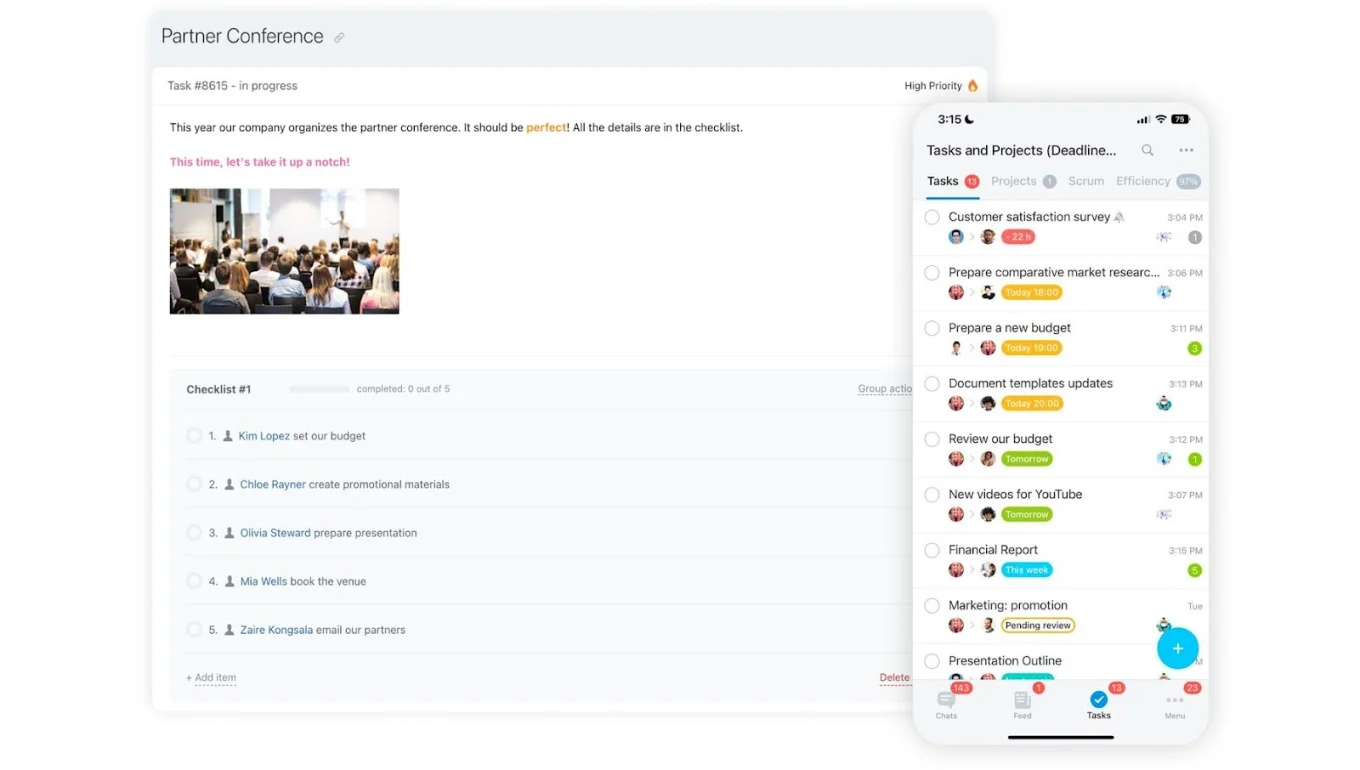
- Create a project or onboarding workflow automatically
- Assign tasks to implementation teams
- Schedule follow-up communications
- Generate service checklists
Automation like this ensures work begins immediately — your team doesn't rely on emails or manual coordination to start delivery.
In Bitrix24, CRM records connect directly to project management tools, so once a deal progresses, your team can launch projects and track progress without leaving the same workspace.
Pro tip: Start with one repeatable handoff, such as deal closed to onboarding. Define the exact steps, owners, and timing, then build it as a CRM workflow. Once that runs reliably, expand to other processes.
Keeping internal processes organized
Customer-related events often trigger work across multiple departments. Automation standardizes these processes:
- Routing inquiries to the correct team
- Notifying employees when milestones are reached
- Managing approval workflows
- Tracking follow-up actions
Over time, these reduce administrative overhead and help teams stay organized.
For a deeper look at automating these handoffs, see navigating business automation with Bitrix24.
Turning CRM insights into smarter business decisions
Every customer interaction creates useful information: emails, calls, purchases, support requests, and project updates all reveal patterns about how your business operates.
A modern CRM collects this in one place, making it easier to answer questions like:
- Which products generate the most long-term value?
- Where do deals tend to stall?
- What support issues recur most often?
- Which customers are most likely to renew?
According to Tech.co's CRM statistics compilation, the average CRM ROI is $3.10 for every dollar spent, with organizations reporting improvements of 87% in sales, 74% in customer satisfaction, and 73% in business efficiency.
Identifying trends across departments
CRM insights extend well beyond sales. Because the data reflects the full customer journey, it surfaces patterns across teams:
- Sales: Pipeline performance and winning deal strategies
- Marketing: Lead quality and campaign effectiveness
- Service: Recurring issues affecting customer satisfaction
- Operations: Delays in onboarding or delivery
This shared visibility moves teams from assumptions to decisions based on real performance data.
Supporting strategic decisions
For leadership, CRM reporting becomes essential. Dashboards surface customer acquisition trends, revenue patterns, retention rates, and service performance, allowing executives to respond faster and allocate resources with greater confidence.
Bitrix24 supports this by combining CRM analytics with operational visibility across tasks, projects, and communication. Check out our full range of solutions and pricing plans here.

Why modern businesses choose integrated platforms
As businesses grow, they adopt new software for each department. Each tool may work well individually, but the overall system becomes harder to manage:
- Customer data scatters across platforms
- Employees manually update information between tools
- Teams switch constantly between applications
- Software costs increase as tools are added
Instead of improving efficiency, a growing tool stack often creates the exact disconnection CRM was supposed to solve.
The value of a unified workspace
Many organizations are shifting toward integrated platforms that bring core capabilities together:
- CRM and customer data
- Task and project management
- Internal communication
- Workflow automation
- Analytics and reporting
Information stays connected, processes move faster, and teams collaborate from a single workspace rather than a patchwork of disconnected systems.
When CRM-as-operational-hub may not work as-is
Using CRM as an operational hub depends on how your systems and teams are set up. In some cases, this approach needs adjustment:
- CRM data is incomplete or outdated. If sales reps don't consistently log deal notes, timelines, and scope details, automation will transfer incomplete context to delivery — creating a false sense of readiness. Clean the data before automating the handoff.
- Teams resist a single platform. Some departments have deep investments in specialized tools (support in Zendesk, projects in Jira). Forcing everything into one platform can create friction. Start by connecting the CRM to existing tools through integrations, then consolidate gradually.
- The business is very early-stage. Companies with fewer than 10 customers may not need CRM automation yet — the overhead of setup can outweigh the benefit. Once deal volume makes manual handoffs unreliable, that's the signal to build the system.
- Customer relationships are highly bespoke. In industries where every engagement is fundamentally different (custom consulting, creative agencies), templated workflows may feel rigid. Use CRM for context transfer and reporting, but keep project structures flexible.
In these cases, the goal is not to force a perfect system from the start, but to build a setup that matches how your teams actually work. As your processes mature, CRM can take on a more central operational role.
From pipeline to platform
CRM has moved far beyond pipeline management. It now sits at the center of how work gets done.
When your CRM connects customer data to delivery, support, and internal workflows, your teams stop operating in silos. Handoffs become structured. Context stays intact. Work moves faster.
That shift is what separates efficient teams from reactive ones.
Businesses that treat CRM as an operational backbone don’t just close deals more effectively. They deliver more consistently, reduce internal friction, and make better decisions at every stage of the customer lifecycle.
Start for free with Bitrix24 and connect your CRM to the work that actually drives your business forward.
Boost With Bitrix24 CRM
Bridging operational gaps with Bitrix24’s integrated CRM. Streamline business workflows and enhance collaboration, taking customer experience to new heights.
Learn MoreFrequently asked questions
What does CRM stand for, and what does it do beyond sales?
CRM stands for Customer Relationship Management. Originally designed to help sales teams track leads and manage pipelines, modern CRM platforms now centralize customer data across departments: supporting service delivery, project management, internal collaboration, and business intelligence alongside traditional sales functions.
How does CRM reduce operational silos?
When customer information is stored in one shared system rather than scattered across separate tools, every department works from the same context. Sales notes carry through to delivery, support agents see full interaction history, and leadership can pull reports without assembling data from multiple sources.
Can small businesses benefit from CRM beyond sales?
Yes. Small businesses often experience the most dramatic operational improvements because they're replacing manual processes (spreadsheets, email chains, and informal handoffs) with structured workflows. The key is choosing a small business platform that integrates CRM with the tools your team already needs, rather than adding yet another standalone system.
How does CRM connect to project management?
In integrated platforms like Bitrix24, a closed deal can automatically trigger project creation, task assignment, and onboarding workflows. This eliminates the manual handoff between sales and delivery, ensuring that what was promised during the deal stage carries directly into execution.