Vibecode: Business Apps Without Coding, AI Projects, Check-in 2.0, Open Sync, and AI Agents


The Vibecode Platform (AI Beta)
Vibe coding is an approach to programming where AI agents write the code instead of a human developer. Any employee can simply describe a task, and the neural network will create a fully functional application.
Vibe coding is gradually becoming a mainstream practice. Marketers, accountants, lawyers, and department heads are now building the applications they need using AI—without ever having to understand a single line of code.
Bitrix24 is transforming into the ideal environment for vibe coding. Now, anyone can create an application or a chatbot within Bitrix24. Everything required for this is already built into the platform:
-
Ready-made infrastructure: A user simply needs to start a conversation with the AI. There is no need to configure complex settings, study technical documentation, or search for servers.
-
A single API key: The created application will seamlessly work with real company data.
-
Ready-made, secure servers: Access to these servers is strictly restricted to your own team.
-
A dedicated app catalog: This ensures that useful tools are never lost and can be utilized across the entire company.
-
Free built-in AI models: These can be directly connected to the created applications. There is no need for separate registrations or additional payments. Connecting a custom neural network is also supported.
Vibe Coding Sparks an Internal Company Boom
Employees independently create applications that solve real-world tasks and that directly benefit the business: fewer routine chores, quicker decision-making, and more accurate results.
Example: An A/B testing calculator for marketing—just 2 days from initial idea to implementation.
AI Projects: A Space for Working with Colleagues and External Teams
Chat has become the new universal interface for work: it is how people, teams, and even AI communicate. However, a single project can have dozens of chats scattered in different places, meetings are kept in separate calendars, and files and documents live on various drives or in email. There is a lack of a single workspace containing all the project information. To solve this problem, new AI Projects are being launched.
Everything starts with the chat—it is the hub of the project. All background details for the project are accessible in a single space, eliminating the need to switch between different sections of Bitrix24.
At the same time, full-scale work with tasks in Kanban, Gantt, or list views remains fully available and can be accessed with a single click.
Another frequent problem with projects is that only the manager knows the entire context. The team turns to them for every question, which ultimately turns the manager into a bottleneck. This has also been taken into account. An agent is introduced in AI Projects, and its job is to know everything about the project. It analyzes tasks, meeting summaries, and chat discussions—and can answer a team member's question at any moment.
Bitrix24 Check-in 2.0: The Workday for Out-of-Office Employees
Managing employees who work outside the office is more challenging. Sales representatives, service engineers, couriers, and construction workers do not work at computers; instead, they operate on-site and out in the field. Bitrix24 Check-in helps organize the workday for these team members.
-
In the morning, the app prompts the employee to start their workday. The employee selects their current status—"Working," "Day Off," or "On Sick Leave"—and sends a check-in. This check-in, along with a map location, is automatically sent to a shared chat with the manager, eliminating the need to manually track availability, team composition, or specialist locations.
-
An AI agent automatically generates the daily work plan, which is visible to both the employee and their manager. This makes it easier to track the workload of each team member.
-
The app displays a movement map of the team throughout the day. Managers can track the specific route each employee takes and see which locations the team has already visited.
-
At the end of the day, the AI summarizes the results based on the tasks, meetings, and activities completed by the employees.
-
All work shifts for the specialists are compiled in a workday calendar. The manager can see exactly how much time each person worked, making it simple to calculate pay for everyone.
Bitrix24 CoPilot Agent: One Chat to Manage All of Bitrix24
The new Copilot AI agent:
-
It is 4 times better at handling long context, meaning it gets confused less and understands more.
-
It is multimodal, allowing it to work with and analyze files and images.
-
It is capable of searching for information on the internet.
Bitrix24 Copilot Agent assists the user in any section of Bitrix24:
-
It is always in the chat and remembers the context. The dialogue can be resumed in the chat whenever it is convenient. The conversation will pick up exactly where it left off last time.
-
It interacts with the Bitrix24 interface. The agent identifies which section a person is working in and offers relevant help. For example, if a task list is opened, the agent will help gather the most urgent tasks or locate a specific spreadsheet from a closed project.
In-House Bot Platform
Chatbots in Bitrix24 are a key tool for process automation. They can reply to messages, work with data from the CRM, and send reminders about meetings and tasks. Because these bots have direct access to company data and processes, there is no need to explain the context and details to them every single time.
To make it easy for anyone to launch a chatbot, a new version of the bot platform has been released. It has now become a part of the Bitrix24 Vibe Code tool. Any specialist can create an AI-powered program, as the neural network will design the scenario and write the code.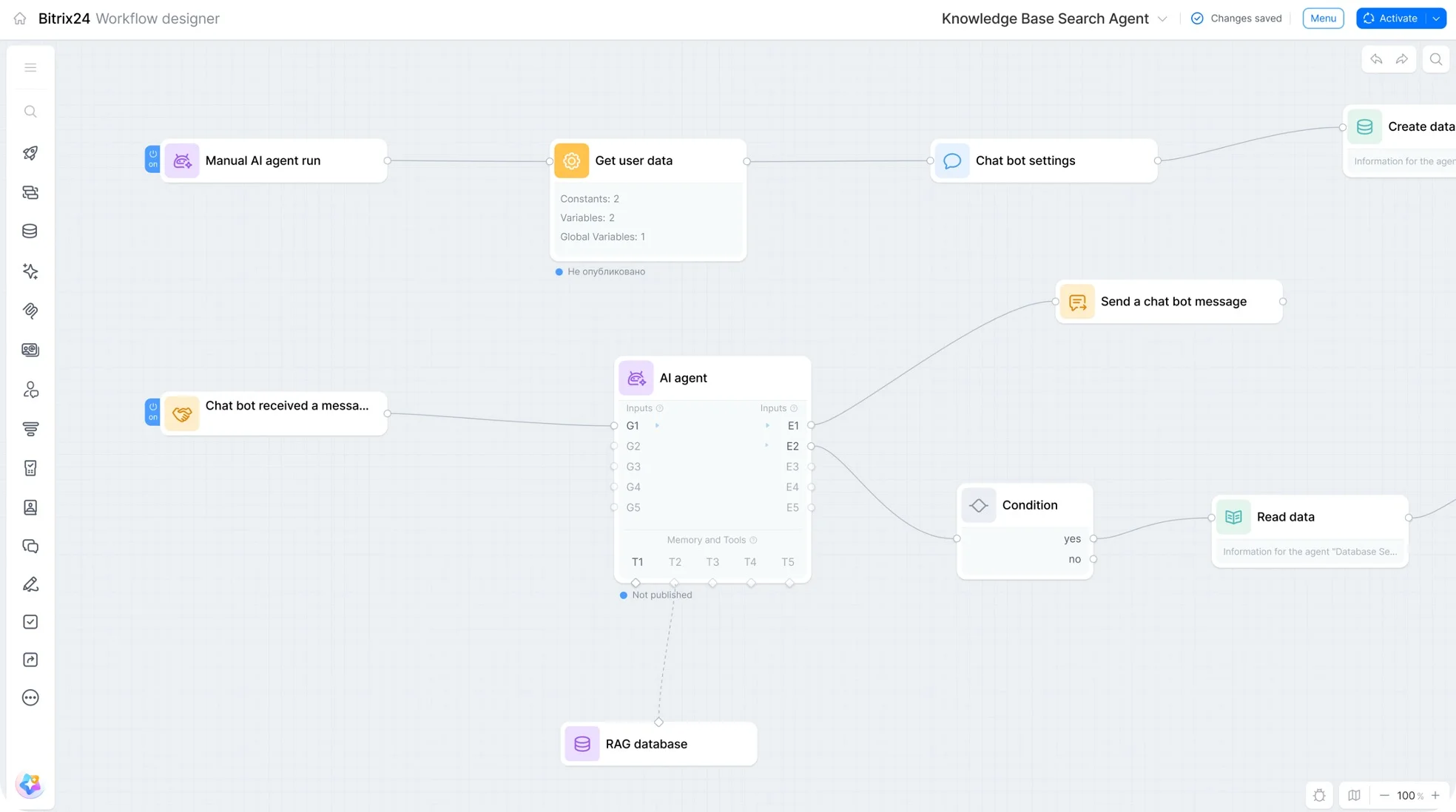
Knowledge Base 2.0: Simple and Fast Information Search
To complete tasks effectively, all team members need to know the basic background details of a project. Often, this information can only be found by asking the manager or searching through a cloud storage drive, where separate documents are gathered without a clear system. This makes finding data difficult and wastes time.
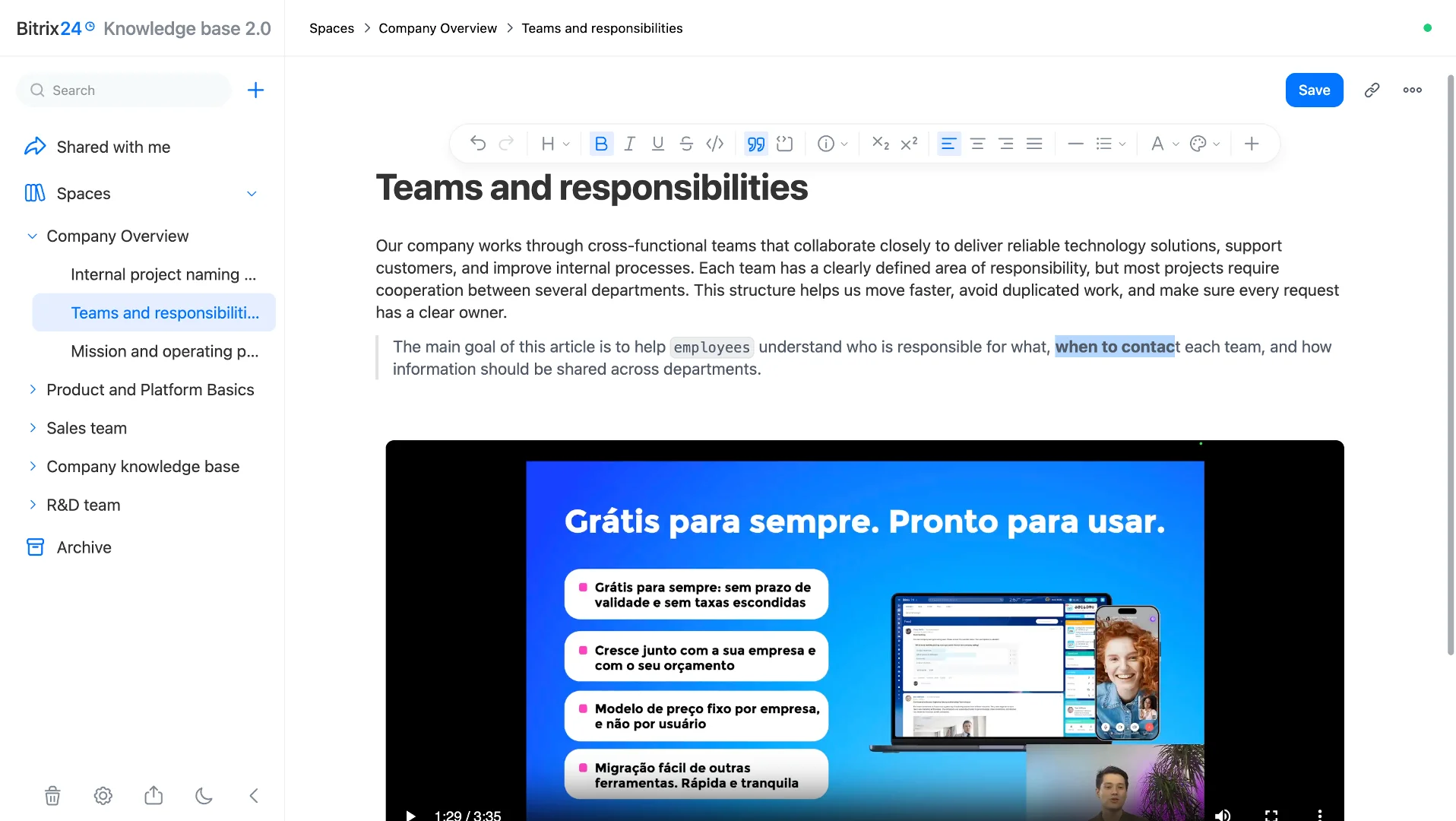
In the new Bitrix24, every team can build and maintain its own knowledge base with Markdown support.-
Acquiring knowledge in the exact same workspace where the tasks are being worked on. Together, team members can create and edit documents, presentations, and spreadsheets.
-
Easily finding the necessary background information using the AI-powered knowledge base search, and getting summaries of long documents directly from the artificial intelligence.
-
Receiving a personalized digest of updates: the artificial intelligence will collect the latest information and explain what has changed.
Bitrix24 Messenger: The Main Interface for Teams
External Participants with Access Only to Specific Chats
Work communication has long moved beyond the boundaries of a single company. Contractors, consultants, auditors, and partners all end up inside the work dialogue at some point. Previously, this required switching to third-party services or inviting the person into a collaboration space, even if it was just for a one-time consultation.
Now, an external participant can be invited into any Bitrix24 chat via a link or a phone number. No registration or authorization is required. The guest only needs to click the link and enter their name.
-
Everyone can clearly see who the external participants are, as they are marked separately.
-
The visibility of the chat history can be adjusted as needed.
-
Access can be revoked at any moment by simply generating a new link or removing the person from the chat.
Open Bitrix24 Sync: Calls and Conferences in a Single Tool
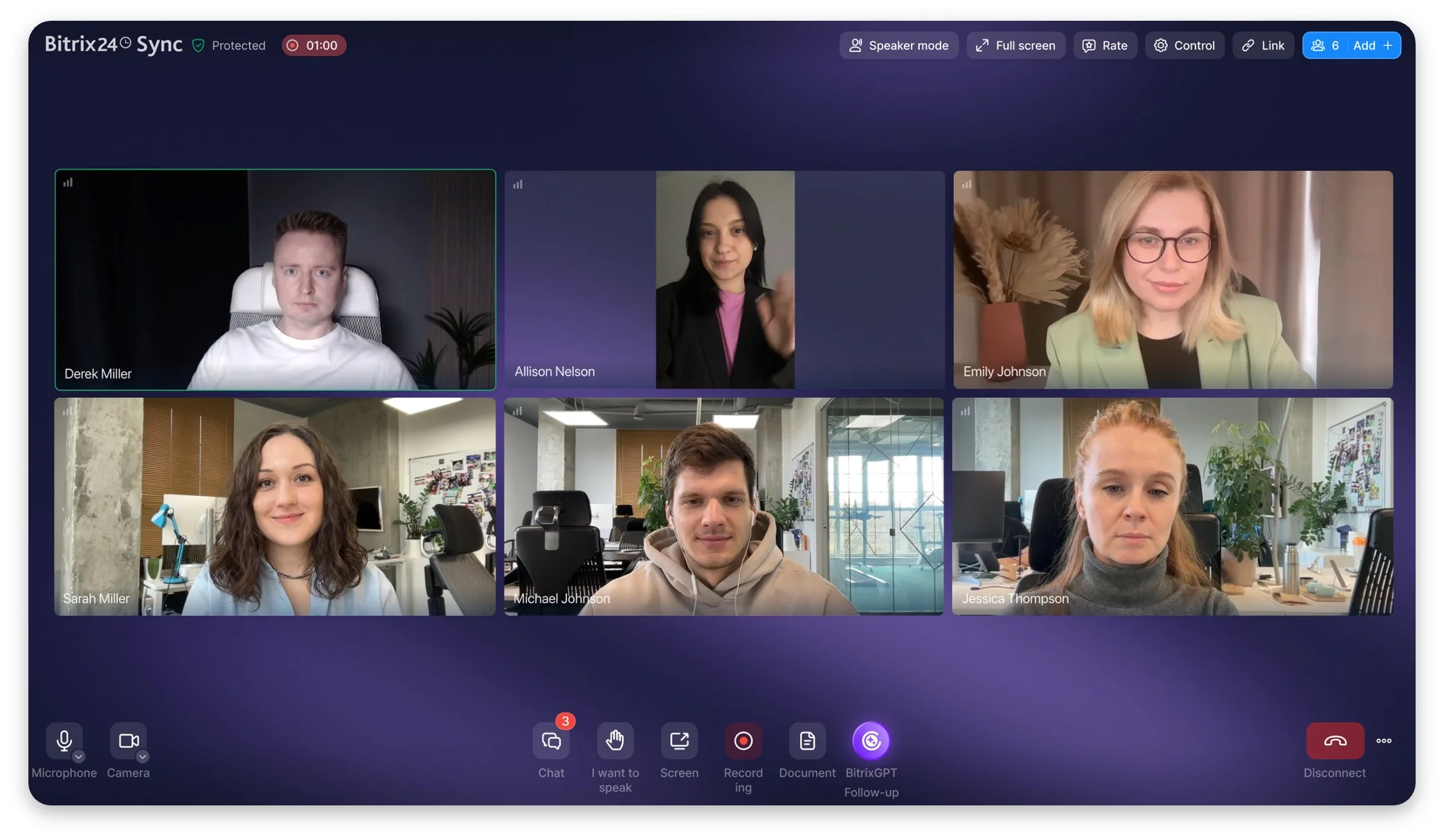
Internal calls and video conferences with external participants used to live separately from one another, requiring users to switch between different tools every time. In the new release, internal calls and video conferences are combined into a single tool called Bitrix24 Sync.
It is now possible to invite an external participant from any chat without any extra configuration—simply by using a link or available calendar slots. The guest joins through a browser without registration and enters the call immediately. Here is what is available in Bitrix24 Sync:
-
An automatic follow-up containing the recording, tasks, and agreements sent out after every meeting.
-
Calls designed for large meetings with centralized control over microphones and cameras.
Bitrix24 Mail: New Mobile Version and Bitrix24 Copilot
Mail in the mobile application is becoming more functional. It is now possible to configure a mailbox directly from a smartphone: set up integrations with the CRM or Calendar, define email retrieval settings, and arrange the folder order.
Bitrix24 Copilot will help sort through streams of incoming emails, becoming available in the chat on the right. The AI will search for necessary correspondences, gather statistics, generate summaries, and advise the manager on which emails require attention first.