6 Free CRM Tools for Insurance Agents: Boost Your Productivity Today


Choosing the right CRM can make a measurable difference for an insurance agency. When leads expect fast answers and policyholders expect timely follow-ups, scattered spreadsheets and manual reminders are hard to sustain.
A good CRM helps you capture leads, keep communication organized, automate routine follow-ups, and track renewals without losing sight of the client relationship. Many platforms now also include AI features that can assist with drafting messages, summarizing conversations, surfacing insights, or prioritizing work. The exact AI tools available depend on the vendor and plan.
In this guide, we'll look at six well-known options for insurance teams, including which ones offer a true free plan, which ones are trial-based, and where each tool fits best.
Why CRMs matter for insurance agents
Insurance sales and service involve a lot of moving parts: new leads, quote follow-ups, renewal dates, claims-related conversations, provider coordination, and ongoing policy servicing. A CRM brings that activity into one place so your team can respond faster and with more context.
The biggest productivity gains usually show up in four areas:
1. Lead handling
A CRM helps you capture leads from forms, calls, email, and referrals, then route them to the right person and track every stage from first inquiry to bound policy.
2. Communication
Instead of searching through inboxes and notes, you can see a full 360-degree customer view, including prior conversations, preferences, policies, tasks, and open follow-ups.
3. Automation
The right setup can handle repetitive work such as renewal reminders, quote follow-ups, appointment scheduling, lead-status updates, and task creation.
4. Reporting
Dashboards and reports help you spot bottlenecks, monitor conversion rates, track retention, and understand which campaigns or producers are performing best.
That does not mean every agency needs a complex enterprise setup. For many small insurance teams, the best CRM is the one that helps you stay on top of renewals, claims follow-ups, and policy reminders without adding administrative overhead.

Is your CRM ready? Check the guide
Enter your email to download a guide that will help you get started with any CRM system.
6 CRM options insurance agents should compare
Before we dive in, one important clarification: not every tool below is actually free on an ongoing basis. As of now, Bitrix24, Zoho CRM, and Freshsales offer free plans, while Pipedrive, Zendesk Sell, and Google Workspace are better described as paid tools with free trials or, in Google Workspace's case, a collaboration suite rather than a dedicated CRM.
1. Bitrix24
Bitrix24 is a strong fit for insurance agencies that want CRM, communication, task management, booking, sales automation, and internal collaboration in one workspace. Its free cloud plan supports unlimited users and includes core tools for sales and teamwork, though some capabilities such as certain telephony features and marketplace apps are limited to paid plans.
For insurance teams, Bitrix24 is especially useful across four areas:
-
Lead management: Keep contacts, deals, and pipeline stages in one place so producers can see where every quote or renewal opportunity stands.
-
Communication: Store calls, messages, notes, and service history centrally so agents have the context they need before every outreach.
-
Automation: Use workflows and task tracking to reduce manual follow-ups around policy reviews, renewal reminders, and claims check-ins.
-
Booking: Create booking forms, capture appointments + add them to CRM as contacts/deals, send customer notifications.
-
Reporting: Give managers visibility into pipeline activity, response times, and team workload.
Bitrix24 also has AI capabilities through CoPilot, which can help with tasks such as drafting emails, summarizing calls, generating ideas, and analyzing information inside the platform. For insurance agencies, that can help speed up routine communication and internal follow-up work.
If you want one system that can support both client-facing work and back-office coordination, Bitrix24 is a practical option to shortlist – try now!

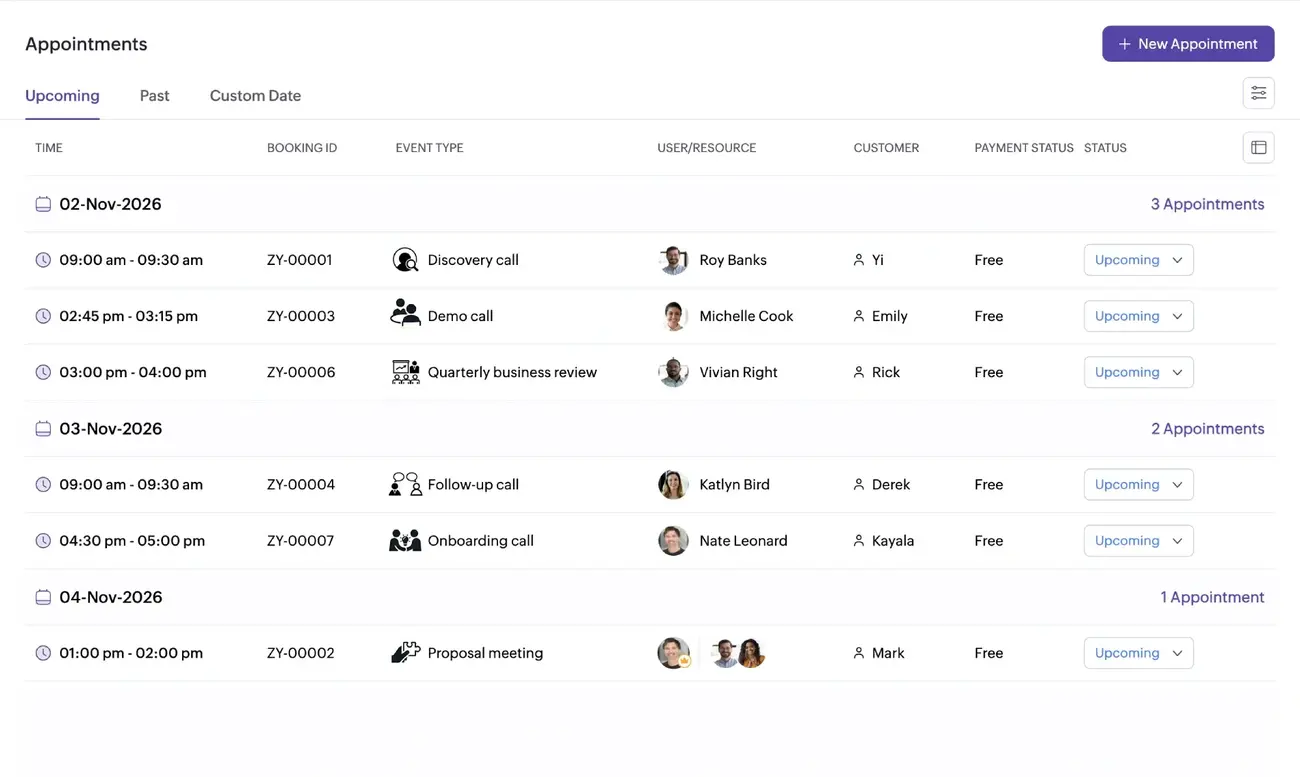
2. Zoho CRM
Zoho CRM's Free Edition supports up to three users and includes essentials such as leads, documents, and mobile apps. That makes it a realistic option for solo agents and very small agencies that need a lightweight CRM before moving to a paid tier.
Zoho is strongest when you want structured lead management without a steep learning curve. Insurance agencies can use it to:
-
track inbound leads and referrals
-
organize follow-ups by line of business
-
segment contacts by renewal date or policy type
-
create a more disciplined renewal pipeline
Zoho also offers Zia, its AI layer, which supports tasks such as sales predictions, content creation, data retrieval, and custom or agentic AI workflows. Depending on your edition, these tools can help with drafting outreach, surfacing patterns, and prioritizing next actions.
3. Pipedrive
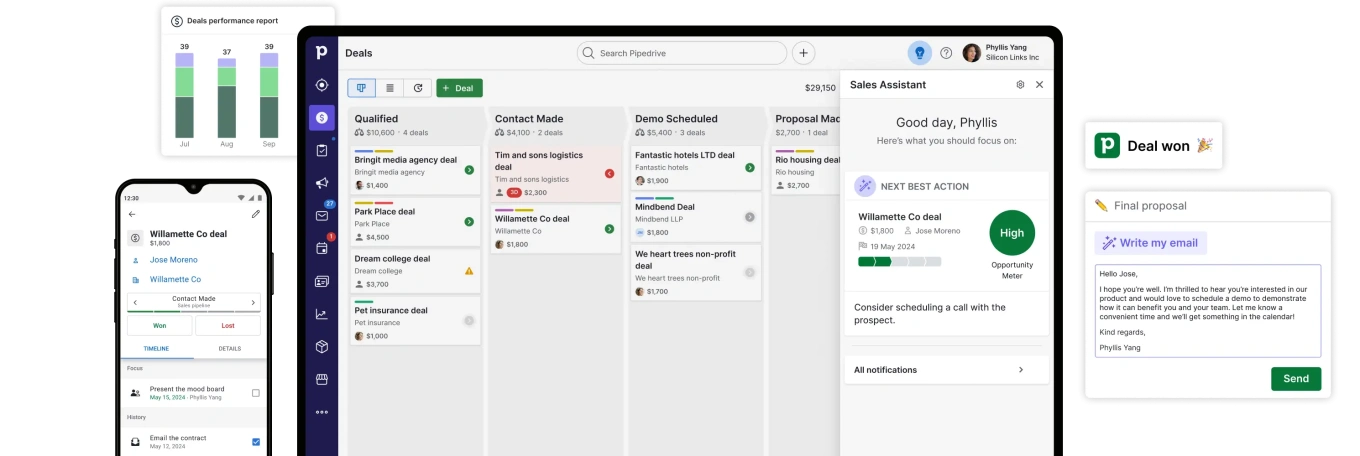
Pipedrive does not offer a free plan, but it does offer a 14-day free trial with full access and no credit card required.
Its main strength is simplicity. If your insurance sales process is highly pipeline-driven, Pipedrive makes it easy to see what is open, what needs action, and where deals are stalling. That can work well for:
-
quote follow-ups
-
producer task management
-
cross-sell pipelines
-
new-business tracking
Pipedrive also highlights built-in AI and automation features designed to help manage deals and accelerate sales workflows. For an agency, that can be useful when you want prompts, prioritization, or automation around day-to-day pipeline work.
4. Zendesk Sell
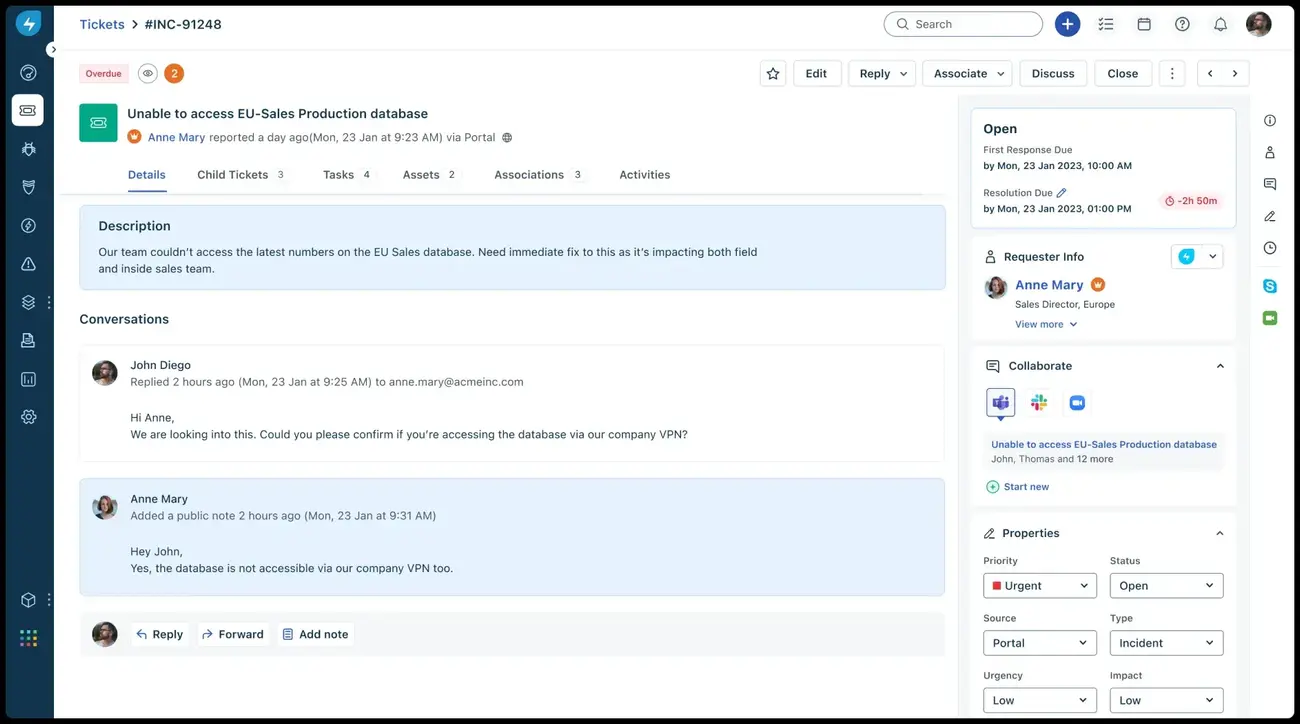
Zendesk Sell is another trial-based, not free-forever, option. Zendesk positions Sell as a sales CRM with contact and deal management, activity tracking, lead generation, workflow triggers, and reporting.
For insurance agencies, Zendesk Sell can be attractive when sales and service overlap heavily. Its value is less about “cheap CRM” and more about keeping customer context visible across conversations.
Useful scenarios include:
-
tracking service-heavy renewal pipelines
-
coordinating quote and support conversations
-
keeping producers aligned with service teams
-
monitoring rep activity and pipeline health
On AI, Zendesk's broader platform now emphasizes AI agents, Copilot, generative AI features, and conversational intelligence. Those capabilities are especially relevant for support and conversation analysis, though availability depends on product and plan.
5. Freshsales
Freshsales offers a free plan for up to three users, with features including Kanban views, email templates, built-in phone, and live chat.
That makes it a solid option for small insurance teams that want a modern interface and built-in communication tools without starting on a paid plan. It is particularly useful for:
-
quick lead response
-
follow-up tracking
-
managing call and chat conversations
-
keeping producers on top of active opportunities
Freshsales is also closely tied to Freddy AI, which Freshworks describes as an AI assistant for finding prospects, creating personalized emails, and generating insights to help sales teams close deals faster. Some AI functions may require add-ons or higher tiers, but the platform's AI direction is clearly sales-focused.
6. Google Workspace
Google Workspace is not a CRM per se, nor is it free forever for business use. It offers a 14-day trial and paid business plans.
That said, some insurance agencies still use it as a lightweight operational stack, especially early on. Gmail, Calendar, Docs, Sheets, Drive, and Meet can support basic lead tracking, internal collaboration, and document handling when paired with a simple process.
Its AI story is now centered on Gemini in Workspace, with AI assistance in Gmail and the Gemini app on lower tiers, plus broader AI support across Docs, Meet, NotebookLM, and other tools on higher plans. For insurance teams, that can help with drafting client emails, summarizing notes, organizing information, and accelerating internal collaboration.
Still, if renewals, policy reminders, and claims follow-ups are central to your workflow, a true CRM will usually give you much better structure than a spreadsheet-based setup.
What to look for in an insurance CRM
Rather than chasing the longest feature list, focus on the capabilities that matter most in an insurance CRM.
Lead handling
Look for tools that can capture leads from forms, imports, and email, assign ownership, track deal stages, and support segmentation by product line, renewal date, or source.
Communication
A good insurance CRM should make it easy to see every touchpoint in one record: emails, calls, notes, service issues, and next steps. That full 360-degree view helps agents personalize outreach and avoid missed follow-ups.
Automation
Prioritize automation that directly reduces manual work, such as:
-
renewal reminders
-
policy review scheduling
-
follow-up emails and SMS
-
task creation
-
lead routing
-
quote-status reminders
Reporting
Choose a platform that helps you answer practical agency questions:
-
Which producers convert best?
-
Which lead sources are strongest?
-
Which renewals are at risk?
-
How long does it take to move from inquiry to closed policy?
You may also want integrations, mobile access, role-based permissions, and strong security controls, but the best choice still comes down to whether the tool supports your real day-to-day insurance workflows.
Is your CRM ready? Check the guide
Enter your email to download a guide that will help you get started with any CRM system.
Getting more value from your CRM
A CRM pays off fastest when you connect it to concrete insurance use cases. For example:
-
Renewals: automatically flag upcoming expiration dates and trigger reminder sequences before a policy lapses
-
Claims follow-ups: create tasks after every claim-related interaction so no customer is left waiting for an update
-
Policy reminders: schedule outreach for documents, payments, endorsements, or annual reviews
-
Cross-sell opportunities: segment clients by household, business type, or coverage gaps and run targeted follow-ups
AI can support these workflows too, but it works best as an assistant rather than a substitute for the process. It can help draft outreach, summarize calls, highlight priorities, or identify patterns, but you still need the right pipeline stages, reminder logic, and service standards in place.
Why agencies still prioritize automation, communication, and reporting
These benefits matter, but they are strongest when tied to real agency outcomes:
-
Automation helps you spend less time chasing routine admin and more time on renewals, quotes, and client relationships.
-
Communication tools help you respond faster and keep every client conversation in context.
-
Reporting helps you understand what is driving growth and where service gaps are hurting retention.
That is why the best CRM for an insurance agency is rarely the one with the most features. It is the one your team will actually use every day to stay on top of leads, policyholders, and follow-ups.
Conclusion
For insurance agents, CRM software is not just about storing contact records. It is about building a reliable system for lead response, policy servicing, renewal retention, and team accountability.
If you want a true free plan, the strongest options in this group are Bitrix24, Zoho CRM, and Freshsales. If you are open to testing premium tools, Pipedrive and Zendesk Sell are worth trying on a trial basis. Google Workspace can support early-stage operations, but it works better as a collaboration layer than as a real insurance CRM.
Bitrix24 stands out if you want broad functionality in one place: CRM, collaboration, task management, automation, and AI-assisted work under one roof, with a free plan that supports unlimited users.
Start for free today and see how it can help your team stay ahead on renewals, claims follow-ups, and policy reminders.
FAQ
What is the best free CRM for insurance agents?
The best free CRM for insurance agents depends on your agency's size, workflow, and communication needs. If you want a broad set of tools in one place, including CRM, task management, collaboration, and automation, Bitrix24 is a strong option. Smaller teams may also consider Zoho CRM or Freshsales if they need a simpler setup for lead and contact management.
Is there a truly free CRM for insurance agencies?
Yes, some CRM providers offer free-forever plans, but the limits vary. Some free plans restrict the number of users, storage, or advanced features such as automation and reporting. That is why insurance agencies should compare not just price, but also what is actually included for lead tracking, renewals, and client communication.
Can a free CRM help insurance agents manage policy renewals?
Yes. A CRM can help insurance agents track renewal dates, schedule reminders, and automate follow-up tasks so policyholders are contacted before coverage expires. This can improve retention and reduce the risk of missed renewals.
How can insurance agents use CRM software for lead management?
Insurance agents can use CRM software to capture leads from web forms, email, referrals, and phone calls, then assign those leads to agents, track their status, and schedule follow-ups. A good CRM helps ensure no prospect is forgotten and makes it easier to move leads through the sales pipeline.
What CRM features are most important for insurance agents?
The most important CRM features for insurance agents usually include contact and lead management, a 360-degree customer view, communication tracking, automation for reminders and follow-ups, reporting dashboards, and segmentation by policy type or renewal date. Agencies may also benefit from built-in calling, email tools, and mobile access.
Do insurance CRMs include AI features?
Many modern CRM platforms now include AI features, though they vary by provider and plan. AI can help insurance agents draft emails, summarize calls, prioritize leads, surface insights, and automate repetitive tasks. In practice, AI works best when combined with a clear sales and service process.
Is Google Workspace a CRM for insurance agents?
Google Workspace is not a dedicated CRM, but some small agencies use it to manage contacts, documents, calendars, and internal collaboration. It can support basic workflows, but it usually lacks the structured lead tracking, automation, and reporting that insurance teams get from a true CRM platform.
What is the difference between a free CRM plan and a free CRM trial?
A free CRM plan is an ongoing version of the software that can be used without a time limit, usually with feature or user restrictions. A free CRM trial gives temporary access to paid features for a limited period. Insurance agencies should know the difference before choosing a platform.
Can CRM software help insurance agents improve customer retention?
Yes. CRM software can improve retention by helping agents stay consistent with follow-ups, policy reviews, renewal reminders, and service updates. When communication is timely and personalized, clients are more likely to stay with your agency.
How do I choose the right CRM for my insurance agency?
Start by identifying your most important workflows, such as lead response, renewals, claims follow-ups, or policy reminders. Then compare CRM options based on ease of use, free-plan limits, automation, communication tools, reporting, and scalability. The right CRM is the one your team will actually use every day.