When Free Project Management Tools Become Expensive


Free project management software isn't free. It's a payment plan where you pay in time instead of money.
Deadlines slip because dependencies are buried in comments. Ownership gets fuzzy because updates live in chat. Managers spend hours chasing status instead of removing blockers. Nobody's paying a licence fee, but somebody's losing their Friday afternoon every single week.
The gap between "$0 on the pricing page" and what it actually costs to operate is where delivery quietly falls apart.
This article shows you how to find that gap, put a number on it, and decide what to do about it.
What hidden costs mean in free PM tools
Hidden costs are the time losses, workarounds, and visibility gaps that don't appear on the pricing page. They're indirect costs created by how the tool fits real work, not by the monthly seat price.
Direct software spend is easy to see. You either pay for seats, add-ons, or you don't.
Indirect costs are quieter. They show up when someone builds a side spreadsheet to track dependencies, when a team lead manually rewrites updates for leadership, or when a handoff waits because the next owner was never clearly tagged.
According to the Project Management Institute, organizations waste $120,000 for every $1 million invested due to poor project performance. That's not just blown budgets; it’s also broken systems, fragmented workflows, and reactive cultures that can't keep up.
In practice, hidden costs usually sit in four areas:
- Planning: no timeline, dependency, or workload view
- Execution: weak task ownership, approvals, or handoff structure
- Communication: decisions scattered across chat, email, and comments
- Reporting: manual status rollups, copied metrics, and poor visibility
Those costs are easy to dismiss when the team's small. But they compound fast because they affect how work moves, not just how tasks are stored.

Why free PM tool setups start breaking under real team work
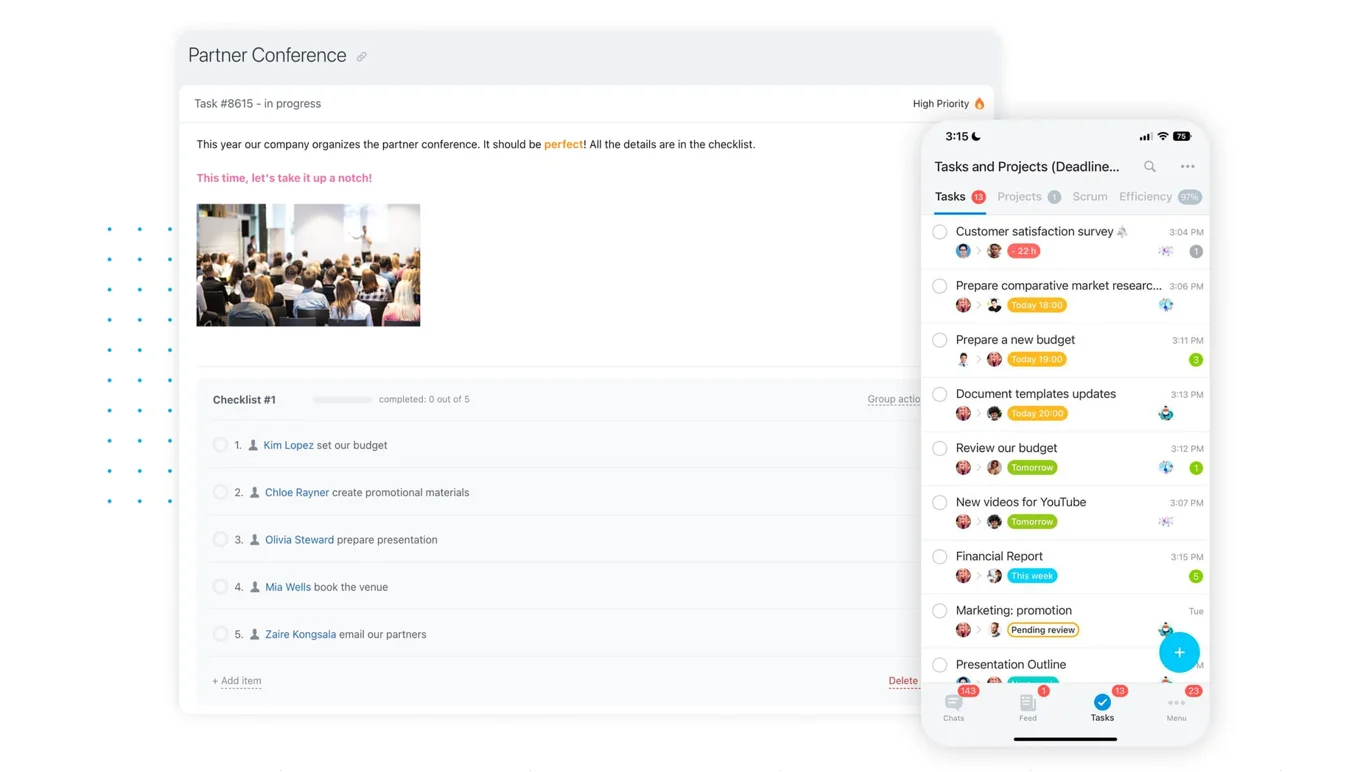
Most free PM tools handle basic task tracking well enough at first. A team can create tasks, assign owners, and move cards across a board.
What real delivery actually needs
The trouble starts when the work stops being simple. Real team delivery needs:
- Visibility into who's overloaded and who has capacity
- Dependency tracking to see which tasks block others
- Timeline views showing what's due this week versus next month
- Cross-project visibility when multiple teams depend on each other
Without these, the system leaves out the exact information managers need to keep delivery on track.
Common breaking points
There are common growth triggers that expose the cracks:
- More active projects running at the same time
- More stakeholders asking for updates
- More approvals across departments
- More tools that need to connect with the PM system
How teams compensate (and pay the price)
Once that happens, teams start building workarounds:
- Spreadsheets for portfolio tracking
- Chat threads to clarify ownership
- Duplicate updates across email, Slack, and the PM board
None of that looks dramatic in isolation. Together, it creates a system where people spend too much energy maintaining process instead of moving work forward.
A McKinsey report found employees already spend 1.8 hours every day, or 9.3 hours per week, searching and gathering information. Scattered project data and missing visibility make this worse.
Example-in-action: A marketing agency tracking six client projects might start with a free Kanban board. Three months later, the creative director's keeping a separate Google Sheet to track workload because the PM tool can't show who's at capacity. The account manager sends daily Slack summaries because clients can't access the board. Each workaround takes 20 minutes, but across five people that's nearly eight hours a week maintaining what should be automatic.
Hidden Cost Calculator: Compare Free vs Paid Tools
Enter your email address to get a comprehensive, step-by-step guide

Step 1: Audit where the team's losing time outside the tool
Start with actual behavior, not opinions. For one to two weeks, capture where the team's doing project work outside the PM tool because the system doesn't support the workflow cleanly.
Common workarounds to watch for
- Side spreadsheets for timelines, capacity, or approval tracking
- Manual check-ins to ask for status that should already be visible
- Copied updates pasted into multiple places for different audiences
- Separate chat logs used to make decisions or assign follow-up work
- Email threads used for approvals because the tool can't handle them well
Track where handoffs stall
Then track where handoffs slow down. For example:
- A designer marks work complete in the PM tool, but the reviewer only sees the update in Slack hours later
- An ops manager re-enters client deadlines from a spreadsheet into the board because custom fields are limited on the free plan
Example-in-action:
A software development team uses a free task board for sprint planning. When code review's done, the developer moves the card to "Ready for QA." But QA doesn't get notified automatically on the free tier. They check the board twice a day, usually around 10am and 3pm. A ticket completed at 10:15am sits idle for nearly five hours. Across ten tickets per week, that's 25 hours of waiting time that could've been eliminated with automatic handoff notifications.
What to document
The point is to gather evidence from normal work:
- Save screenshots
- Note examples of duplicate entry
- Record specific moments where people had to leave the system to keep the project moving
Quick audit rule: if the team repeatedly needs another place to plan, clarify, approve, or report, the "free" setup's already costing you operational time.
Step 2: Map hidden costs to core delivery risks
Once you've got examples, connect them to delivery outcomes. A workaround matters when it affects deadlines, ownership, quality, or client commitments.
Connect issues to real risks
Start by matching each issue to the risk it creates:
- A side spreadsheet for workload planning isn't just annoying. It may hide capacity problems until deadlines are already at risk.
- A decision made in chat isn't just messy. It can lead to unclear ownership when nobody can find the final call later.
Use a simple risk table
|
Workaround |
Operational effect |
Delivery risk |
|---|---|---|
|
Manual status updates for leadership |
Manager time spent compiling reports |
Delayed decisions and stale reporting |
|
Approvals handled in email |
No clear audit trail in project record |
Missed deadlines and disputed ownership |
|
Capacity tracked in spreadsheets |
Workload not visible in tool |
Overloaded teammates and missed commitments |
|
Dependencies tracked manually |
Blocked work noticed late |
Schedule slips across teams |
Estimate the cost
Estimate the cost in simple terms:
- How many hours per week are lost?
- How often is work re-entered?
- How many decisions wait because the right view's missing?
You don't need perfect precision. Directional numbers are enough to show whether a friction point's trivial or expensive.
A Harvard Business Review study analyzing 1,471 IT projects found that the average project overrun was 27%, but one in six projects had a cost overrun of 200% and a schedule overrun of almost 70%. Most of those overruns trace back to visibility gaps, not technical problems.

Step 3: Check for the five most common cost drivers in free tools
Now review the setup against the biggest repeat sources of hidden cost. These show up across teams again and again.
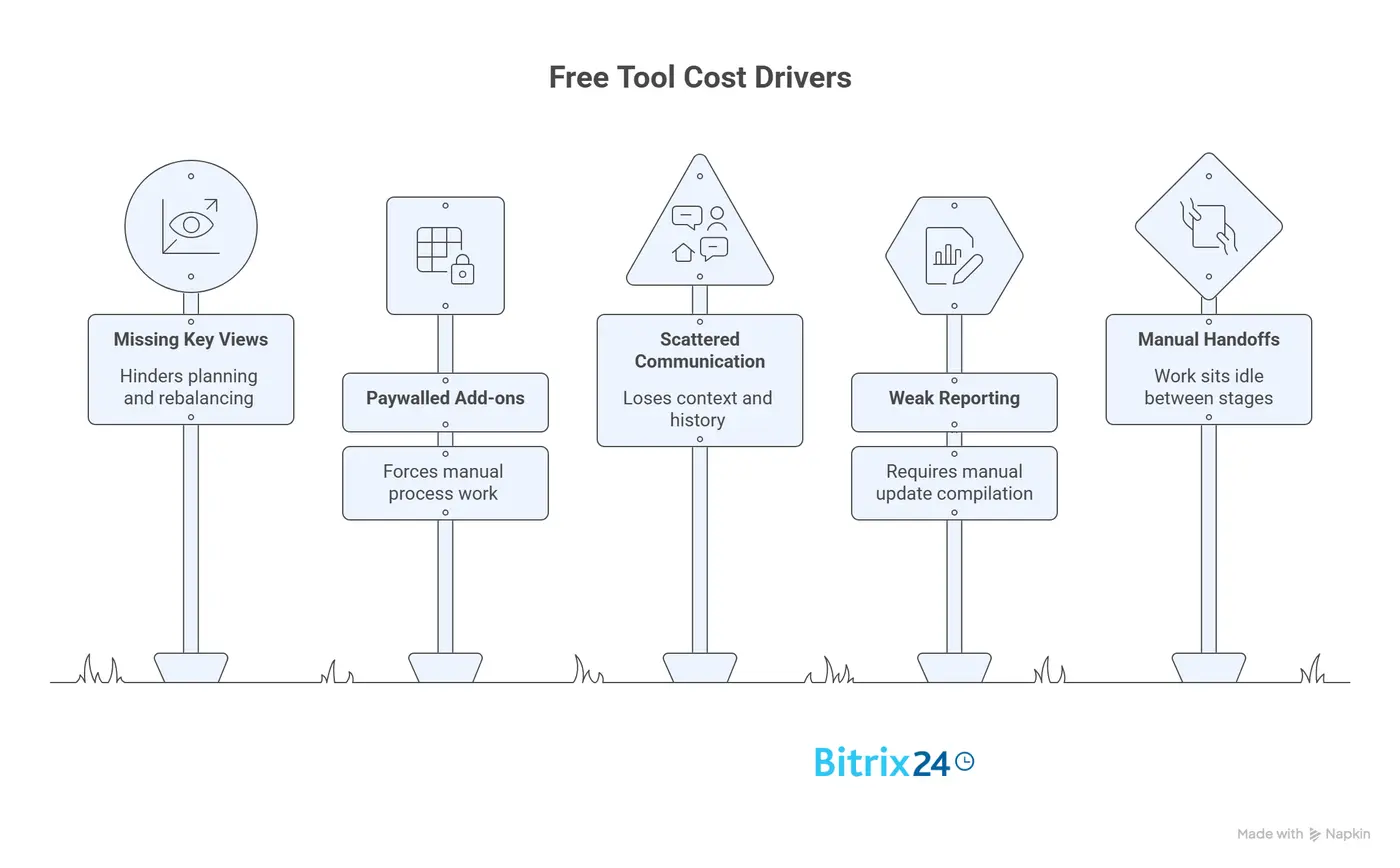
The big five
-
Missing key views: No timeline, workload, portfolio, or dependency view means managers can't plan or rebalance work without external trackers.
-
Paywalled add-ons: Reporting, automations, permissions, integrations, or advanced fields are often limited on free plans, which forces manual process work.
-
Scattered communication: Decisions and updates happen in chat or email instead of inside the project record, so teams lose context and history.
-
Weak reporting: If status, progress, and blockers can't be pulled quickly, someone ends up compiling updates by hand every week.
-
Manual handoffs: When the next owner isn't triggered automatically or clearly notified, work sits idle between stages.
Test in day-to-day use
Be concrete here. Don't ask whether the tool technically has a feature. Ask whether the free version supports it well enough in day-to-day use:
- Does the timeline only work on one project?
- Does the integration require a paid connector?
- Are key fields limited to paid tiers?
All of these still create cost, even if the feature technically "exists."
Summary: If any of these five areas are weak, your team's likely paying through admin effort, slow decisions, or unreliable execution.
Step 4: Compare the free setup against the team's must-have workflow
This is where feature lists stop being useful. Define the workflow your team actually needs to run projects reliably, then test whether the current setup supports it natively.
Core non-negotiables
Most teams need:
- Clear task ownership and due dates
- Workload balancing across people or roles
- Approvals with visible status
- Shared visibility into project health
- Consistent status reporting for stakeholders
Test with real scenarios
Now test the tool using real project scenarios. For example: a client project needs design, legal approval, implementation, and post-launch follow-up.
Ask:
- Can each handoff happen inside the system without extra spreadsheets or chat reminders?
- Can a team lead see who has capacity before assigning the next phase?
- Can leadership get a current status view without asking for a manual summary?
Spot fragile workarounds
If the answer's "yes, but only if we remember to update three places," that's not native support. That's a fragile workaround. It may work with disciplined people for a while, but it usually breaks under pressure.
When integrated platforms make sense
For teams that need tasks plus collaboration, communication, and business tools in one place, platforms like Bitrix24 offer a different model. Instead of stitching together separate free tools for project management, chat, document management, and approvals, everything runs in a connected workspace. A sales team can move a deal through the CRM, trigger project tasks automatically, track approvals, and update clients without switching between five different apps.
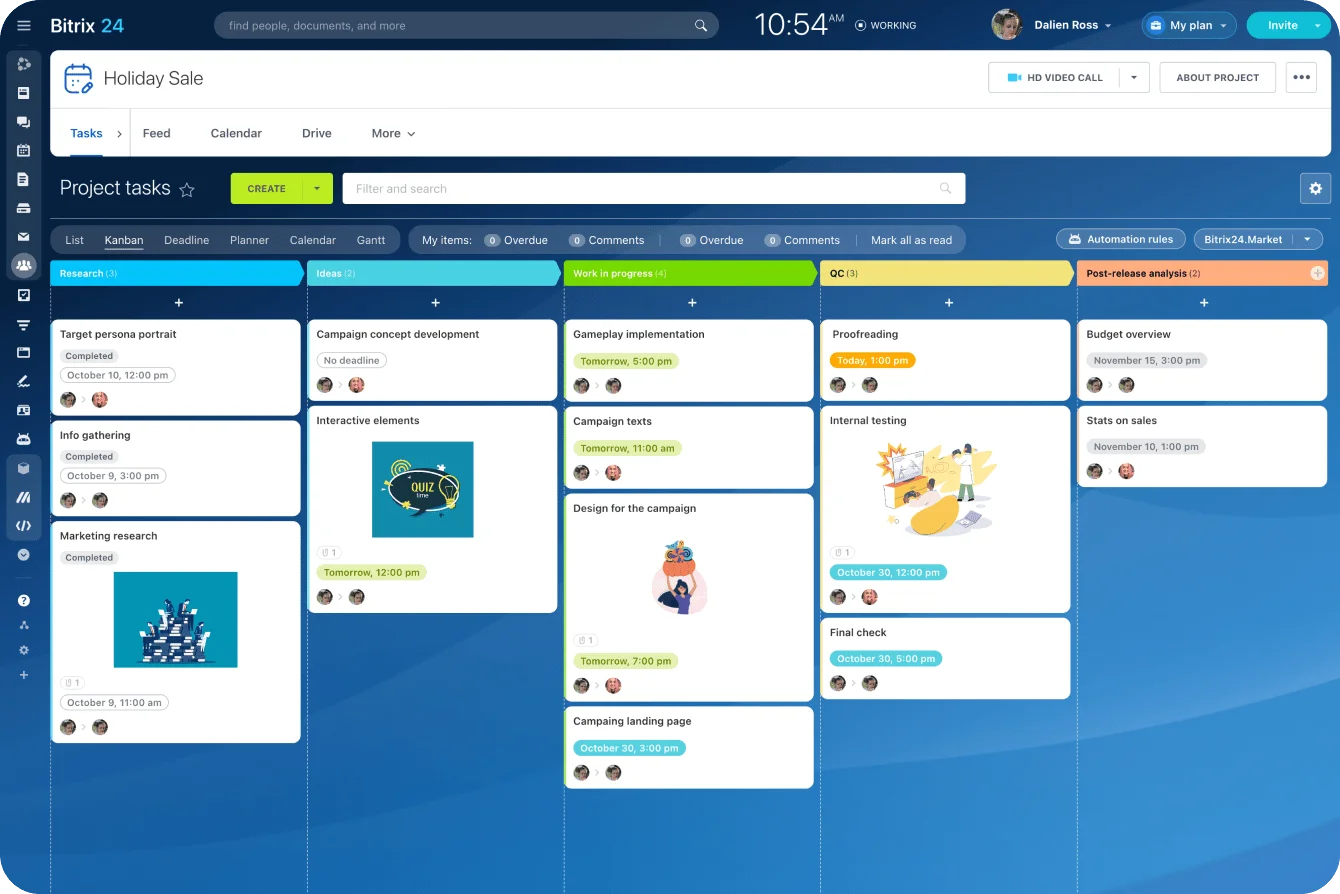
The value isn't the individual features (most free PM tools have tasks and boards). It's that handoffs, decisions, and context stay in one system instead of getting lost across disconnected tools.
Step 5: Decide whether to optimize, add tools, or upgrade
At this stage, you need a practical decision, not a perfect one. Most teams have three paths.
Your three options
Optimize the current setup: Simplify boards, reduce custom process, clean up ownership rules, and stop tracking low-value data.
Add tools around it: Connect reporting, automation, or communication tools to cover specific gaps.
Upgrade or switch: Move to a paid tier or platform that supports the workflow directly.
How to choose
The right choice depends on whether the friction's process-related or tool-related:
- If the team's created an overly complex setup for simple work, optimization may solve a lot.
- If core needs like workload visibility, approvals, or reporting are blocked by plan limits, simplification will only go so far.
Compare total cost
Compare the cost of each path against recovered time. A free PM tool plus paid reporting software, automation software, and extra admin time may cost more than one paid platform that handles the workflow in one place.
Set a threshold
For example:
- If the team loses more than 5 to 8 hours per week to manual coordination
- If missed visibility's putting client delivery at risk
Then the free setup's no longer efficient. It's now a delivery risk.
Research shows that disengaged employees (often the result of chaotic workflows) cost companies 18% of their annual salary in lost productivity. For a five-person team with an average salary of $60,000, that's $54,000 in annual productivity loss. A PM platform that costs $3,000 per year but recovers even half that waste pays for itself immediately.
Step 6: Build a lightweight business case for change
You don't need a giant procurement deck. You need a short, credible case that ties current friction to team capacity and delivery reliability.
Three things to summarize
- Current friction: what's happening now, with examples
- Who it impacts: project managers, leads, contributors, clients, leadership
- Cost of staying put: hours lost, reporting delays, rework, missed deadlines, or slower approvals
Present options clearly
Keep it simple:
|
Option |
Pros |
Tradeoffs |
|---|---|---|
|
Keep current stack |
No new spend, low change effort |
Ongoing manual work and visibility gaps |
|
Add point solutions |
Fixes specific gaps quickly |
More tools to manage and connect |
|
Upgrade or consolidate |
Better reliability and less admin effort |
Higher software cost and transition work |
Make a direct recommendation
Example: "Upgrade to a paid tier next quarter because current reporting and handoff gaps cost the PM team 10 hours per week and delay client updates."
Stakeholders respond better to reliability and capacity arguments than to generic feature requests.

Common mistakes teams make when evaluating free PM tools
Mistake 1: Focusing only on seat price
A $0 plan feels efficient until managers spend hours every week stitching together updates, rebuilding reports, and checking ownership manually. Cheap software can produce expensive admin overhead.
Mistake 2: Letting chat become the operating system
Slack or Teams is useful for fast communication, but it's a poor source of truth:
- Decisions disappear
- Task history gets fragmented
- People end up asking the same questions again because the record's incomplete
Mistake 3: Testing only basic features
Teams choose tools based on basic task lists without testing how real delivery works. A board may look fine in a demo, but if you don't test approvals, cross-team visibility, reporting, and stakeholder updates, you're only validating the easiest part of project management.
The good enough trap
A common pattern: a startup chooses a free PM tool because the team's only three people. It works.
Then the team grows:
- Eight people across sales, marketing, and product
- Sales needs CRM integration
- Marketing needs campaign tracking
- Everyone needs better communication tools
Instead of one cohesive platform, the company's now managing four disconnected free tools plus the manual effort to keep them aligned.
The switching cost illusion:
By the time the friction becomes obvious, the team's invested hundreds of hours learning workarounds and building processes around the limitations. The switching cost feels higher than it actually is because people confuse "changing tools" with "losing all that work." But most of that work was compensating for tool limitations in the first place.
How to keep project management reliable as the team grows
Reduce variation through standards
Reliability comes from reducing variation. As the team adds projects and stakeholders, standardize the basics:
- Project templates
- Ownership rules
- Naming conventions
- Status update cadence
That makes work easier to follow and easier to report on.
Cut down manual handoffs
Use task automations to:
- Assign the next owner
- Trigger notifications
- Move stages
- Update fields
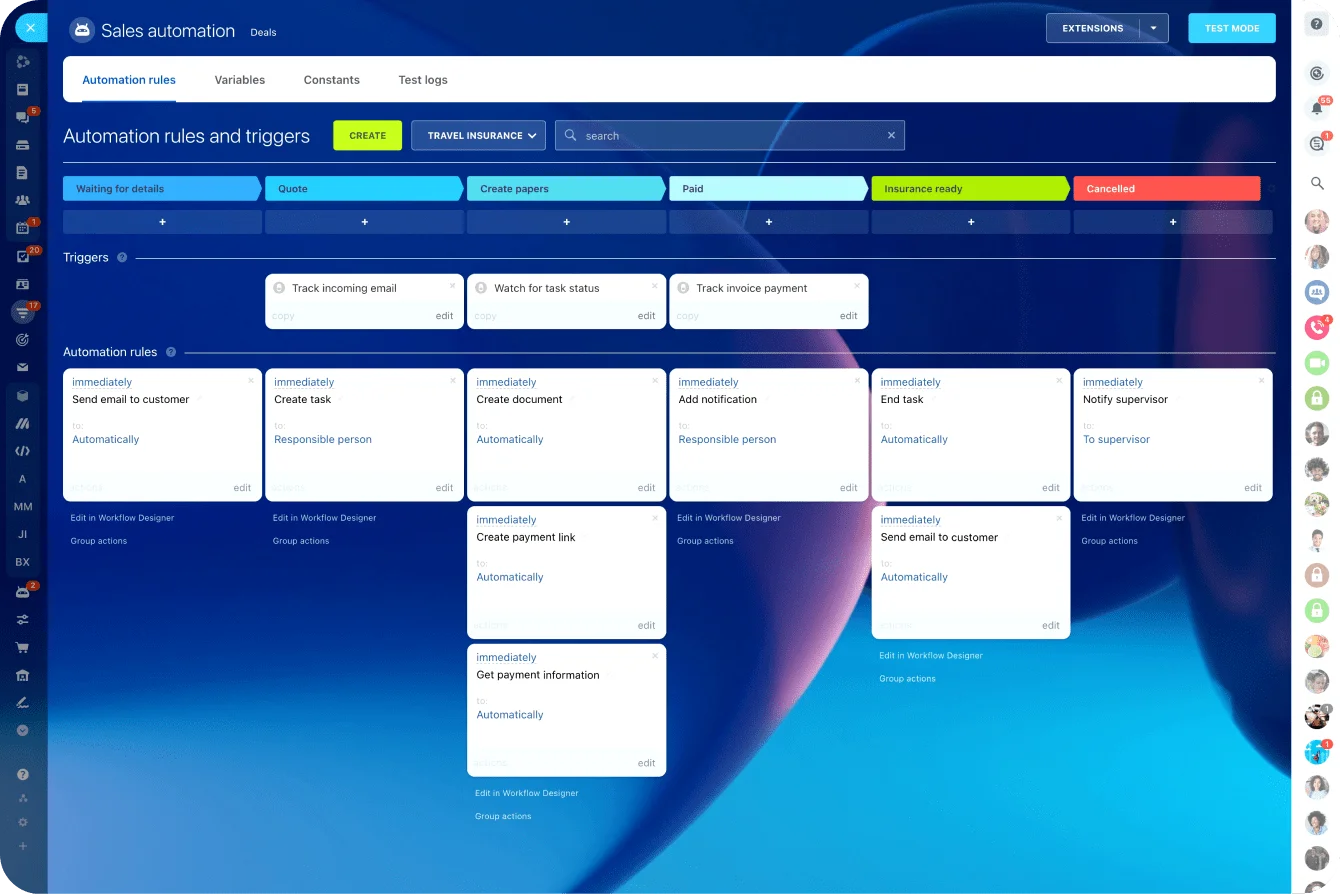
Add integrations where they remove duplicate entry. Keep reporting tied to shared sources instead of one-off spreadsheets that only one manager understands.
Review tool fit quarterly
Not because tools are trendy, but because team demands change:
- Project volume grows
- Approval chains expand
- Leadership asks for more visibility
What worked with six people and three active projects may be unstable with fifteen people and a full client pipeline.
Practical summary: standardize the workflow, automate the repeatable steps, and reassess fit before friction becomes failure.
Free works until it slows delivery
Free project management tools stop being free when the team loses visibility, handoffs become manual, and execution gets harder to trust. The real cost appears in missed signals, duplicated effort, and too much coordination outside the system.
That's why tool decisions should be judged by delivery outcomes, not just subscription price. If the platform supports ownership, workload, approvals, and reporting cleanly, it's doing its job. If it pushes the team into side systems and status chasing, the savings are probably fake.
The practical next move is simple: run a short audit and quantify one week of workaround effort. Once you can point to the hours lost and the delivery risk created, it becomes much easier to decide whether free's still working or already slowing the business down.
Stop Paying for Free PM Tools in Lost Time
Bitrix24 unites projects, chat, docs, CRM, and automation so teams see ownership, cut handoffs, and deliver reliably.
Get Started NowFAQ
At what team size do free project management tools usually start creating more overhead than value?
There's no fixed number, but the pressure usually shows up around 5 to 10 active contributors when work spans multiple functions. The trigger's less about headcount and more about complexity: multiple projects, shared resources, approvals, and reporting needs.
How can we calculate hidden costs if we don't have formal time tracking in place?
Use a two-week sample. Ask team leads and PMs to log workaround activities such as manual status reporting, duplicate updates, spreadsheet maintenance, and chasing approvals. Even rough counts are useful if they're based on actual examples rather than memory.
Is it better to keep a free PM tool and add Slack, spreadsheets, and reporting apps, or switch platforms?
It depends on how often work crosses those tools. If the stack solves one or two specific gaps cleanly, keeping it may be fine. If the team's constantly translating information between systems, switching or upgrading is usually simpler and more reliable. For teams needing project management plus CRM, communication, and document management, an integrated platform often delivers better results than stitching together five separate free tools.
How long should we test a new setup before deciding whether it fixes handoffs and visibility?
Test for at least two to four weeks using live work. That's usually long enough to see whether assignments, approvals, reporting, and cross-team coordination hold up under normal pressure.
What should a small client-services team do if leadership won't approve a paid upgrade yet?
First, simplify the workflow and standardize how projects are tracked. Then audit and quantify one week of manual effort tied to client delivery, especially delayed approvals and status reporting. That gives you a stronger case when you ask again. You can also explore solutions designed for small businesses that offer robust free tiers with room to grow.