Map the Work Before Choosing the Tool: A Simple Exercise for Messy Teams


Messy teams often choose the wrong project management tool because they mistake workflow problems for software problems. Deadlines slip, approvals disappear, and ownership becomes unclear, so the platform gets blamed before anyone examines how the work is actually moving.
A new tool won’t fix requests arriving through five different channels, managers approving work in meetings, or priorities changing through private messages. It will formalize those habits. As Bill Gates put it, “automation applied to an inefficient operation will magnify the inefficiency.”
That’s how teams end up paying for migration, implementation, and training while employees keep relying on spreadsheets, chat threads, and personal task lists. Research from Nexthink found that 49.96% of the installed software it analyzed went unused.
This article shows you how to map the real workflow before comparing platforms. You’ll learn which stages to trace, which people to involve, where hidden workarounds appear, and how to turn what you find into practical software requirements. That gives you a clearer shortlist and a better chance of choosing a tool the team will actually use.
What it means to map the work before choosing the tool
Mapping the work means documenting how requests, decisions, approvals, dependencies, and deliverables move across people and functions today. It makes the operating reality visible before you turn it into software requirements.
This isn’t a transformation project. It doesn’t need a consulting team, a months-long redesign, or a perfect future-state operating model. It’s a lightweight diagnostic: understand enough of the work system to evaluate software intelligently.
A workflow map asks, “How does work really happen?” A feature wish list asks, “What do we want the tool to do?” Those aren’t the same question.
Feature wish lists tend to anchor on software assumptions: dashboards, automation, custom fields, intake forms, and portfolio views. Some are valid. Others are guesses shaped by a previous tool or vendor marketing.
Workflow mapping starts from operations instead. It looks at how work moves first, then translates that movement into requirements. That gives teams a grounded basis for comparing platforms.

Why workflow mapping matters before software evaluation
Teams buy project management tools to solve coordination problems. The catch is that most coordination problems come from invisible work patterns, not missing features.
If nobody’s clarified who triages requests, when approvals are required, or how dependencies get tracked, software selection becomes guesswork.
Mapping exposes the mechanics that matter during an evaluation. It shows whether the team needs:
- Structured or flexible intake
- Simple or multi-stage approvals
- Support for recurring work and one-off requests
- Dependency tracking across departments
- Reporting based on task completion, service levels, milestones, capacity, or portfolio status
That changes the buying conversation. Instead of asking whether a platform has “good workflow features,” teams can ask sharper questions:
- Can it handle several intake paths without losing control?
- Can it support recurring work and ad hoc requests in the same environment?
- Can it show dependencies across departments without constant manual updates?
- Can it record approvals so decisions don’t disappear into meetings or chat?
- Can leadership see current status without requesting another spreadsheet?
Mapping helps prevent four expensive mistakes:
- Overbuying enterprise complexity the team will never use
- Under-scoping with a simple task tool that can’t handle real approvals or reporting
- Duplicating tools when existing systems already cover part of the job
- Encoding broken processes so the new platform locks in the mess
Software isn’t neutral once it’s implemented. Build a system around a poorly understood workflow and the tool formalizes the bad handoffs, unclear statuses, and reporting noise.
Whether you land on Bitrix24 or another platform, that’s the trap the map is meant to prevent.
Workflow Clarity Toolkit: 1-Page Map, RACI, Handoffs
Enter your email address to get a comprehensive, step-by-step guide

How the exercise works: from messy work to a decision-ready view
Start by identifying the major types of work the team handles. Then trace how each type enters the team, who touches it, where decisions happen, where it waits, and how it gets delivered or reported.
You’re not documenting every click. You’re capturing the flow through six stages:
- Input: Where the work comes from
- Triage: How it’s assessed, prioritized, or routed
- Execution: How the work gets done and coordinated
- Review: Where checks, approvals, or revisions happen
- Handoff: How work moves to another team, stakeholder, or delivery point
- Reporting: How status, outcomes, or risks are communicated
Who should run the mapping session
This doesn’t need a separate project plan. In most teams, an operations lead or team lead can bring three or four people into a room for two 90-minute sessions using a whiteboard or shared document.
The output can remain simple: boxes for stages, arrows for handoffs, and notes showing where requests stall, change direction, or leave the official system.
The point isn’t to produce a polished diagram. It’s to create a shared and honest picture of how work moves.
Pro tip: Don’t ask people to describe the process in the abstract. Trace three real requests from the past two weeks, from arrival to completion.
The described version is the official process. The traced version is the real one. The gap between them is where many of your software requirements live.
Compare the official process with the real one
One practical way to surface problems is to place the supposed process next to what actually happened.
|
Workflow area |
Supposed to happen |
Actually happens |
|---|---|---|
|
Request intake |
All requests come through a shared form |
Urgent work arrives through chat or direct messages |
|
Prioritization |
A weekly review sets the order of work |
Senior stakeholders reprioritize work midweek by email |
|
Approval |
A manager signs off in the system |
Approval happens in a meeting and isn’t recorded |
|
Status reporting |
The dashboard reflects current progress |
A separate spreadsheet is maintained for leadership |
That comparison reveals hidden variance, shadow processes, and tool workarounds.
It also shows why fragmentation becomes costly.
Harvard Business Review researchers found that the workers they studied switched between apps and websites roughly 1,200 times a day. They spent just under four hours a week reorienting themselves after those switches, equivalent to around 9% of their working time.
Unofficial approval threads, side spreadsheets, duplicate trackers, and repeated status requests add to that switching burden. Once those patterns are visible, teams can evaluate whether a platform will absorb them or simply become one more place to check.
The core components to map: work types, handoffs, decisions, and constraints
Some teams make mapping too vague to use. Others make it so detailed that it turns into a documentation project.
The better approach is to capture only the components that affect tool requirements:
- Where work comes from: This might include sales, clients, leadership, support tickets, campaign calendars, or recurring internal operations. Different sources may require different intake controls.
- The recurring patterns underneath: Most teams manage repeatable tasks, deadline-driven projects, service requests, and exceptions at the same time. Forcing them all into one generic workflow can distort the tool decision.
- Owners and handoffs: Record who’s responsible at each stage and where work moves between functions. Handoffs are where ownership and visibility often break down.
- Decision points: Include approvals, dependency checks, scope changes, and prioritization calls. These determine whether you need formal approval stages, dependency views, access controls, or exception routing.
- Constraints: Capture timelines, service-level agreements (SLAs), capacity limits, compliance obligations, and client commitments. These shape what the system must monitor and report.
|
Workflow component |
What to capture |
Potential tool implication |
|---|---|---|
|
Work type |
Project, request, recurring task, exception |
Multiple workflow structures |
|
Handoff |
Roles or teams exchanging work |
Ownership tracking and cross-team visibility |
|
Decision point |
Approval, scope change, prioritization |
Status logic or approval controls |
|
Constraint |
SLA, deadline, compliance rule, capacity limit |
Alerts, reporting, or audit trail |
This separates what’s true about the work from what might be true about a vendor.

Common mistakes teams make when mapping workflows
A few errors show up repeatedly:
- Mapping the process people wish they followed: This hides the shortcuts and exceptions responsible for much of the coordination pain.
- Running the session with managers only: Managers usually describe the intended process. The people doing the work know where it breaks.
- Keeping the map inside one department: Intake may begin in one function, execution may happen in another, and approval may sit somewhere else.
- Leaving out informal coordination: If work routinely moves through chat, meetings, inboxes, and spreadsheets, that’s evidence that the formal process doesn’t fit.
- Turning every pain point into a feature request: Some delays need automation. Others come from unclear authority, conflicting priorities, or insufficient capacity. No software feature can settle those issues on its own.
- Confusing complexity with rigor: A giant diagram is difficult to use for decisions, while an oversimplified one hides why the last tool failed.
Pro tip: Include the people who do the work and ask them the awkward question directly: “When the official process is too slow, what do you do instead?” The answer is often a private message, a meeting, or a personal spreadsheet. That workaround is a workflow requirement hiding in plain sight.
Real-world use cases for mapping work before tool selection
Different teams reach for project management software for different reasons. Mapping shows which requirements matter in each operating environment.
Marketing campaign requests
A marketing team may appear to have a task-volume problem. Trace several recent campaigns, however, and the real problem may be unstructured requests from multiple stakeholders, late-stage revisions, and inconsistent approval paths.
One campaign might begin through the official request form. The next arrives in a director’s message marked “urgent.” Creative work starts before the brief is approved, and the deadline stays unchanged when the scope doubles.
The evaluation should focus less on generic task boards and more on:
- Controlled intake
- Prioritization rules
- Review and approval stages
- Request queues
- Visibility into changes and waiting time
Recurring operations work
An operations team may manage recurring activities, service requests, and urgent exceptions in the same queue.
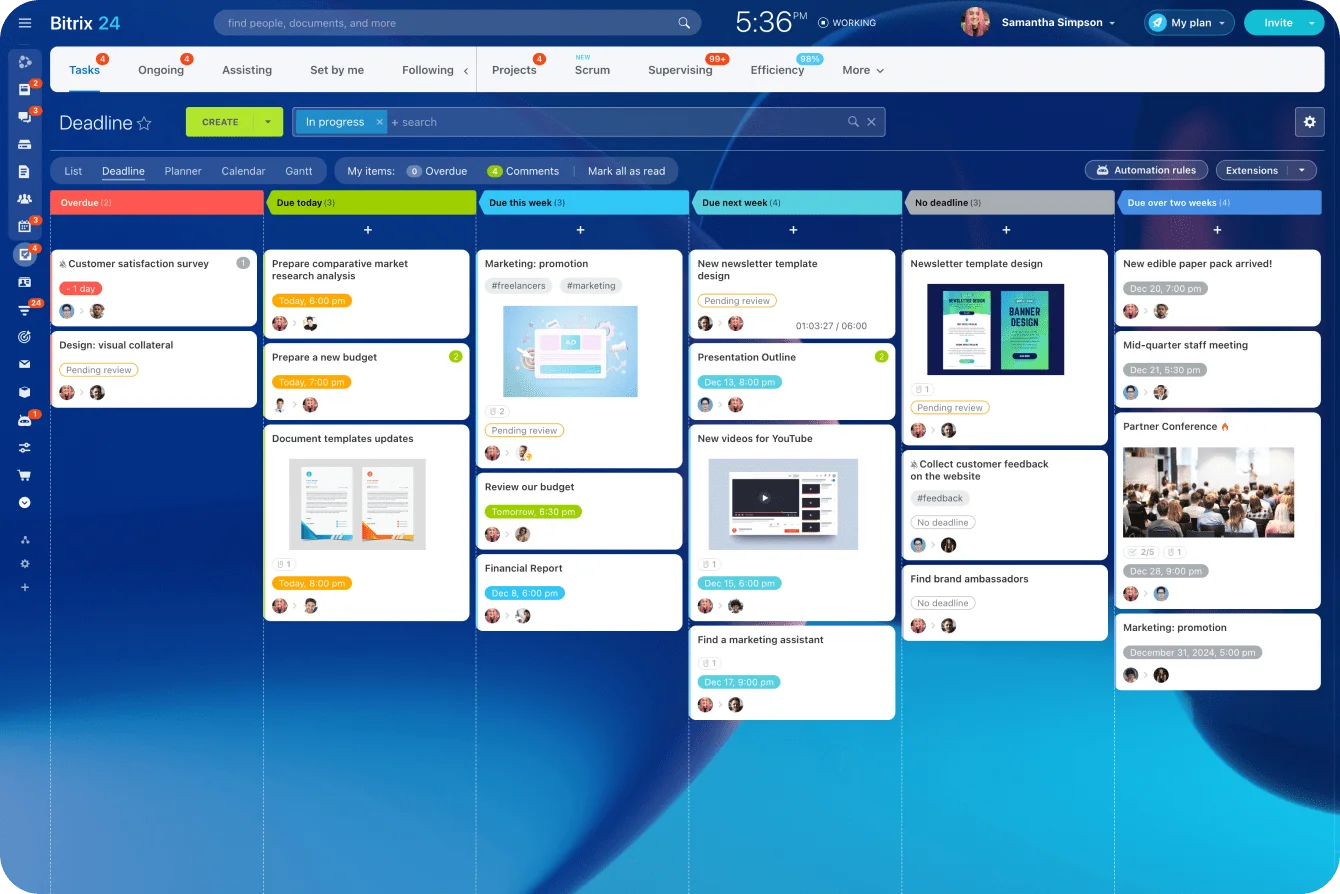
Mapping often reveals that recurring tasks are rebuilt manually, overdue requests aren’t escalated consistently, and staff maintain separate trackers because the project tool treats every item like a one-off project.
The resulting requirements may include:
- Recurring task or workflow support
- SLA tracking
- Automated assignment and reminders
- Escalation rules
- Separate handling for routine work and exceptions
A polished project board is still the wrong choice if someone has to recreate the same 12-step process every Monday.
Cross-functional launches
Product-adjacent launch teams usually need milestone tracking, clear ownership across departments, and portfolio reporting for leadership.
When a launch slips, the problem may sit between departments rather than inside any single team. Product considers its task complete, marketing is waiting for final positioning, legal hasn’t received the latest claims, and nobody has recorded that the launch date depends on all three.
The tool evaluation should therefore test:
- Cross-team dependencies
- Milestone views
- Ownership at each handoff
- Change tracking
- Portfolio-level reporting
|
Messy-team symptom |
Workflow finding |
Software evaluation criteria |
|---|---|---|
|
Marketing requests jump the queue |
Ungoverned intake and ad hoc approvals |
Structured intake, prioritization controls, review routing |
|
Operations work is difficult to track |
Recurring work is mixed with urgent exceptions |
Recurring workflows, SLA visibility, escalation handling |
|
Launches repeatedly slip |
Cross-functional handoffs aren’t visible |
Dependency tracking, milestone views, cross-team reporting |
The same software category can produce three very different shortlists.
Bitrix24 becomes particularly relevant when the mapped workflow crosses several parts of the business. Web forms and CRM records can capture requests, tasks and Kanban boards can manage execution, workflow automation can handle repeatable steps, and Gantt charts can show dependencies across teams.
That range is useful only after the team has defined what it needs. Put an unmapped process into a flexible platform, and you’ll get the same confusion with more configuration options to maintain.
What changes at scale: operational impact, decision quality, and limits
Once teams map the work clearly, they can standardize intake, assign ownership more consistently, and reduce duplicate status tracking.
Software evaluations improve too because requirements are tied to observable work rather than vague frustration. The team can show a vendor a real approval chain, recurring process, or cross-functional handoff and ask the platform to handle it.
Implementation becomes more disciplined as a result. Statuses, fields, access rules, automations, and reports can be designed around the work people actually perform rather than an idealized version of the process.
Test one workflow before migrating everything
Before committing to a full rollout, rebuild one mapped workflow in a free plan and run a week of real requests through it.
Don’t use a perfect sample project. Include the normal disruption: one urgent interruption, one missing brief, one delayed approval, and one request that changes halfway through.
Watch what happens:
- Does the request enter through the intended route?
- Is ownership clear at every stage?
- Can an approver see what they need without requesting extra context?
- Are delays and dependencies visible?
- Does anyone return to a spreadsheet or private message to keep the work moving?
Most tools, including Bitrix24, let you start for free. A workflow that survives a week of live work tells you more than a polished demonstration.
Know what mapping can’t fix
Mapping won’t resolve prioritization conflicts, create extra capacity, or decide whether a senior stakeholder can override the queue.
It will expose those decisions before the team spends money trying to solve them with software. A tool can enforce an agreed process, but it can’t create the agreement.
Make the vendor prove the fit
A polished demo can make almost any project management platform look right. The vendor controls the example, the data is clean, and nobody interrupts the workflow with a missing brief, an undocumented approval, or a last-minute priority change.
Your evaluation should be less forgiving.
Give each shortlisted platform the same mapped workflow and ask the vendor to show exactly how it handles intake, ownership changes, approvals, dependencies, exceptions, and reporting. Pay attention to where the demonstration depends on manual updates, extra configuration, or another system outside the platform.
That changes the decision. You’re no longer comparing feature lists or buying the interface that made the strongest first impression. You’re asking which tool can handle the work your team actually does without recreating the same shadow processes you’re trying to remove.
Bitrix24 combines forms, CRM records, tasks, approvals, automation, dependencies, and reporting in one workspace, so you can test the full path rather than isolated features.
Sign up for Bitrix24 for free and make the platform prove it can handle your real workflow before you pay to migrate it.
Choose tools around real workflows
Bitrix24 unites forms, tasks, approvals, automation, dependencies, and reports so teams can test and manage work in one place.
Get Started NowFAQs
How detailed should a workflow map be before evaluating software?
You have enough detail when you can describe the main work types, intake paths, handoffs, decision points, exceptions, and reporting needs without constant debate.
You don’t need a perfect process library. If your team can walk an outsider through how a request becomes a delivered outcome, you’re ready to start comparing tools.
What if different teams follow different processes for similar work?
Capture the main patterns and note where the workflow branches according to urgency, stakeholder type, department, or complexity.
Those branch points often determine whether the tool needs flexible workflow paths, separate workspaces, conditional automation, or stronger exception handling.
Can we map workflows while using several existing tools?
Yes. Include the unofficial work: chat approvals, spreadsheet trackers, meeting decisions, email handoffs, and personal task lists.
If important work regularly happens outside the official system, it’s part of the process the new platform must account for. Leaving it off the map would reproduce the same blind spots that caused the current problem.