Why Chatty Teams Still Miss Deadlines


A collaboration platform (also called an integrated workspace platform or team productivity platform) is software that combines messaging, task management, document storage, and automation in one environment, so conversations can be converted into trackable work. Strong collaboration platforms close the gap between alignment and delivery: every decision made in chat becomes an owned, dated work item with full traceability, assigned to someone accountable for completing it.
Picture a Tuesday standup. Marketing flags a launch slipping behind. Three people agree on the fix in chat. Two days pass. Nobody opened a task. The deadline arrives and the work was never started. The discussion happened, the decision was made, and the execution never landed. That gap is where most teams quietly bleed time, and it is exactly what effective collaboration platforms are built to close.
Why Team Chat Alone Never Leads to Execution
Messaging moves fast and disappears just as quickly. People post, respond, scroll, and the message gets buried within the hour. A decision agreed to in a thread has no owner, no due date, and no record anyone can find a week later. That works for banter and quick clarifications. It falls apart the moment the conversation is supposed to produce work.
Execution needs a different shape: a persistent object with one accountable name, a date that triggers a reminder, and a status anyone can check without scrolling through a thread. When messaging is the only system, four predictable failures show up:
- People remember different conclusions from the same conversation.
- Deadlines stay vague because nobody wrote them down.
- Progress is invisible until someone asks.
- Follow-up becomes a second job for the most organized person on the team.
The fix is not banning chat. The fix is making sure conversation feeds a system that actually carries work to completion. That is what proper collaboration platforms do, and it is the difference between team productivity platforms that look impressive in demos and ones that change how a team performs. Bitrix24 was designed around this principle, with messaging and execution living in the same workspace.

The 5 Ways to Turn Team Chat Into Actual Execution
These five practices define how collaboration platforms should connect daily conversation to real delivery. Each fixes a specific failure point most teams know well.
1. Convert Decisions Into Trackable Work Instantly
The moment a conversation produces a decision, that decision needs an object. A message becomes a task, a record, a ticket, or a calendar event - something a person can open, update, and close. If the decision lives only as a sentence in a chat thread, it has no anchor. There is nothing to assign and nothing to track when the deadline approaches.
Modern team collaboration software lets users right-click a message and convert it into a task in one step, carrying the original context across automatically. The conversation becomes input. The task becomes the system of record. This capability - sometimes called message-to-task conversion or thread-to-ticket capture - is the foundation of chat-to-task integration: the technical and behavioral practice of routing decisions made in messaging directly into a tracked work system without retyping them. Without it, every other practice on this list collapses.
The trigger word is "let's." Anytime someone in chat says "let's update the pricing page," "let's reach out to the client," or "let's review this draft by Thursday," that is a commitment looking for an owner. Teams that train themselves to convert at the "let's" moment - rather than at the end of the day or never - are the teams whose chat actually produces work. The conversion does not have to be elaborate. A two-line task with the owner, the deadline, and a link back to the original message is enough. Refinement happens later; the anchor needs to exist now.
2. Enforce Ownership and Deadlines at the Moment of Commitment
A task with no owner is a task nobody will do. A vague deadline like "next week" produces work that drifts indefinitely. Robust collaboration platforms refuse to let a work item exist without both fields filled, and they make assigning ownership a single click rather than a meeting.
One owner, one deadline. That is the rule. Two co-owners means neither is responsible. "Next week" needs to mean Friday at 5 p.m. with an escalation if it slips. Good task and project management tools make ambiguity inconvenient, because ambiguity is what kills delivery.
The owner question is harder than it looks because teams confuse responsibility with involvement. Five people might contribute to a task; only one should be answerable for whether it ships. The framing that helps: who gets the question "is this done?" That person is the owner, regardless of how many others touch the work. Once teams adopt this distinction, ownership stops being a political decision and becomes a clarity decision - which is also why platforms that allow blank owner fields produce backlogs full of orphaned items within months.
3. Keep Full Context Attached to the Work
When someone opens a task three weeks after it was created, they should not need to dig through Slack history, email threads, and a shared drive to figure out what was decided. The conversation that produced the task, the files referenced, the customer email that triggered it - all of it should be linked to the task itself.
This matters most for documenting team decisions. Six months later, when someone asks why a feature was scoped this way, the answer is one click away. Without that context, every handoff produces rework. People redo discovery and analysis that have already been done. Context preservation is what separates real integrated workspace platforms from tools that just sit next to each other.
There is a useful distinction between the work and the why behind the work. The work belongs in the task description: what to do, what "done" looks like, and who needs to be involved. The why belongs as linked context: the original chat thread, the customer ticket, the meeting notes that triggered the decision. Mixing the two produces tasks that are either too thin to act on or too cluttered to read. Teams that get this right end up with task descriptions that fit on a screen and a context trail that anyone can follow when they need to. That is also what makes onboarding new team members faster: the history of decisions is searchable, not stuck in someone's head.
4. Manage Work in Structured Systems, Not Chat Threads
Threads are the wrong shape for tracking work. They do not show priority, capacity, or what is blocked or ready for review. Boards, pipelines, and queues do all of that at a glance.
The shift here is mental as much as technical. Teams need to stop asking "what did we say in chat?" and start asking "what is on the board?" The board is the system. Conversation is what feeds it. Confusing those two roles is the single most common adoption failure with collaboration platforms - and the easiest one to fix once a team commits to it.
Different work requires different structures, which is where most setups go wrong. Recurring operational work belongs in a Kanban board with clear stages. Time-bound projects belong in a Gantt chart or milestone view so dependencies are visible. Customer-facing work belongs in a pipeline or queue with status fields that match the lifecycle.
A team that runs everything in one flat task list, or in a generic "to-do/doing/done" board, regardless of work type, will keep losing items because the structure does not match how the work actually moves. Picking the right view for the right work category is what makes the system feel like it is helping rather than getting in the way.

5. Trigger Execution Automatically Instead of Relying on Follow-Ups
Manual follow-up does not scale. The most organized person on a team will burn out chasing other people for status updates, and work that does not get chased simply does not get done. Automation removes that burden. Notifications fire when a deadline is two days away. Tasks escalate to a manager when they go a week overdue. New tickets route to the right queue based on tags, not on someone remembering to forward them.
This is where modern team productivity platforms separate from older tools. Built-in workflow automation - the practice of letting the platform trigger actions based on rules, also called process automation or rule-based routing - does the chasing so the human can do the work. Done well, it cuts the volume of "any update on this?" messages substantially.
The right starting point for automation is the repetitive actions a team already does manually every week. Sending a reminder before a recurring deadline. Reassigning a task when an owner is on vacation. Moving a deal to the next stage once a contract is signed. Routing a customer support ticket based on subject keywords. Each of these is a small workflow that takes a person ten minutes a week and a system zero. Stacked across a team and a year, the time recovered is meaningful - and the failure rate drops because the system never forgets to send the reminder. Automation should be added one workflow at a time based on what hurts most, not configured all at once during rollout.
Meeting-to-Action Translator: 30-Second Task Capture Template
Enter your email address to get a comprehensive, step-by-step guide

Chat-Only Tools Versus Integrated Collaboration Platforms
The difference shows up most clearly side by side on the dimensions that matter for delivery.
|
Dimension |
Chat-Only Tools |
Integrated Collaboration Platforms |
|---|---|---|
|
Decision tracking |
Buried in threads |
Converted to tasks with one click |
|
Ownership |
Implicit, often shared |
One named owner per item |
|
Deadlines |
Mentioned in passing |
Enforced at the field level |
|
Context |
Scattered across channels |
Attached to each work item |
|
Visibility |
Requires scrolling |
Boards, dashboards, status views |
|
Follow-up |
Manual, person-driven |
Automated reminders and escalations |
|
Audit trail |
Effectively none |
Full history per item |
Teams that rely solely on chat tend to confuse activity with progress. Teams on integrated workspace platforms can show, on any given day, what is on track and what is not, without holding a meeting to find out.
What Changes When Collaboration Platforms Are Used Properly
Once a team commits to converting chat into structured work, daily operations shift. Accountability becomes obvious because every item has a name on it. Status meetings shrink because the board is the status. Deadlines start landing because the system reminds people before they slip.
Conversation does not disappear. It changes role. Messaging becomes the input layer for thinking out loud and aligning quickly. Execution moves to a system built for it. High chat volume stops correlating with chaos because messages are no longer where work is supposed to live.
Hybrid work setups are the first to notice the change. When colleagues are spread across time zones, no one can rely on being in the room when a decision happens. The structured layer carries the context that real-time talk cannot, which is what makes asynchronous communication actually work. Centralizing communication is the result: one connected system where the conversation feeds the work and the work feeds the record.

Where Collaboration Platforms Break Down
The five practices above are powerful, and they have real limits. Some come from the method itself. Others come from how teams roll it out. Both deserve naming.
Where the method has limits
- Strict ownership can hurt genuinely shared work. Research projects, creative reviews, and complex investigations often need joint accountability. A platform that enforces a single owner can make that awkward. The usual workaround is a primary owner plus contributors, but the trade-off between clarity and shared reality is real.
- Too much linked context slows execution. Attaching every related message and file sounds thorough until someone opens the task and faces forty pieces of background. Link what is needed to do the work, not everything that touched it. Otherwise, tasks become archaeology projects.
- Structured systems can reduce speed in crisis mode. A live incident does not benefit from a Kanban board. Crisis response and real-time customer escalations often run better in a chat-first mode, with structure imposed afterward.
- Automation handles the predictable, not the unusual. It manages routine work but cannot resolve a customer issue that does not fit routing rules or adjust a deadline that should be moved because the strategy changed. Over-trusting it produces the same gaps as no automation - work falls through the cracks the system was not designed to catch.
Where teams trip themselves up during rollout
- Running parallel systems. Some decisions go to the project tool, others stay in messaging, and nobody knows which is which. The result is two incomplete records and zero reliable ones. Pick one source of truth and commit to it.
- Leaving owner fields blank. If the platform allows it, the backlog will fill with orphans within a quarter. Configure ownership as required at creation, not optional.
- No enforcement from the top. A team lead who keeps making decisions in DMs trains everyone else to do the same, regardless of the official tool. Adoption is led from the top of the team, or it does not happen.
- Skipping the automation layer entirely. Teams that set up tasks but never configure reminders, escalations, or routing keep all the manual follow-up work. The platform is doing maybe 40% of what it could.

Why Most Collaboration Tools Fail to Support These 5 Ways
Plenty of products call themselves collaboration platforms. Most are really chat tools with task plugins, or task tools with chat bolted on. The two layers do not actually talk to each other. Converting a message takes five clicks instead of one. Context does not carry. Automation requires custom integrations that break every other release. The tools were built for communication with execution as an afterthought, or the reverse. A real integrated workspace platform treats both as core and lets data flow between them without manual stitching.
Closing the Conversation-to-Execution Gap for Good
The problem is not chat itself. It is chat without structure. Teams that talk all day and still miss deadlines do not have a communication problem - they have an execution gap that sits between agreement and action. The five practices above close it: convert decisions into work, enforce ownership and deadlines, preserve context, run work in structured systems, and let automation carry the follow-up.
Bitrix24 embeds these mechanics directly into how work is created and managed. As a collaboration platform designed for execution, a message, call, or meeting note can be turned into a task in one click, carrying the full context with it - including files, comments, and participants. AI-assisted features help capture decisions from conversations, extracting voice or written input into structured tasks without retyping, so commitments do not get lost between discussion and execution.
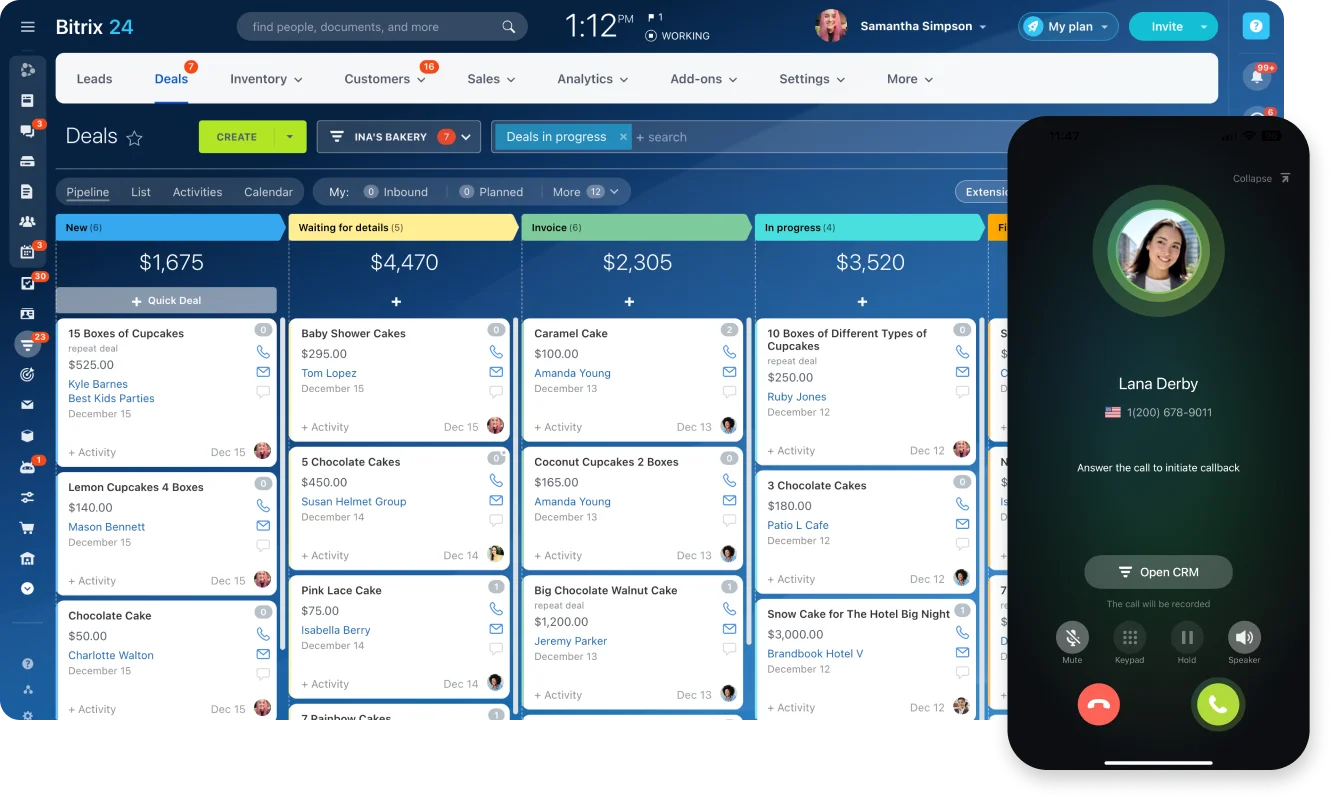
Ownership and deadlines are enforced at creation, ensuring every work item starts with accountability. Tasks can be viewed as Kanban boards, Gantt timelines, or pipelines depending on the type of work, while all activity - chats, emails, CRM interactions, and documents - stays attached to the same record. This creates a single, continuous timeline where both internal work and customer-facing actions live together.
Automation carries the operational load. Reminders trigger before deadlines slip, tasks escalate when they go overdue, and incoming work is routed automatically based on rules. CRM and Contact Center integrations feed conversations with customers - across email, chat, or phone - directly into the same system where tasks are managed, eliminating the gap between communication and execution across teams.
The result is not more activity, but clearer execution. Conversation feeds the work. The work feeds the system. And the system carries decisions through to completion without relying on memory or manual follow-up.
Get started with Bitrix24 and move from scattered conversations to structured execution in a single connected workspace.
Transform chat into real work
Boost your team's productivity with Bitrix24. Move from scattered conversations to structured execution in a unified workspace. Leverage automated reminders, conversation-to-task conversion, and more.
Start NowFAQs
How do collaboration platforms that drive execution turn a conversation into a task?
Collaboration platforms that drive execution turn a conversation into a task by letting users convert any chat message into a tracked work item in one click, carrying the original message, files, and participants over as context. The new task gets an owner, a deadline, and a status from the start, and the work item becomes the source of truth from that point forward.
Where does the gap between collaboration platforms and execution typically open?
The gap between collaboration platforms and execution typically opens at the handoff between agreement and action. Teams reach a decision in chat, everyone nods, and no one creates the task. Three days later, the work has not started because the conversation never produced a trackable object. Unclear ownership and missing deadlines then compound into missed delivery.
Do collaboration platforms that drive execution work for hybrid and async teams?
Collaboration platforms that drive execution work especially well for hybrid and asynchronous teams because they do not depend on people being online at the same time. A decision made in one time zone lands as a task that the next person picks up when they start work. The structured layer carries the context that real-time conversation cannot when team members are not co-present.
How do you measure whether collaboration platforms are actually improving output?
You measure whether collaboration platforms are actually improving output by tracking deadline adherence, average time from decision to task creation, and the number of follow-up messages per work item. Improvements show up as fewer overdue tasks, faster conversion of chat decisions into trackable work, and a drop in "any update on this?" messages.
What is the most common adoption mistake with collaboration platforms?
The most common adoption mistake with collaboration platforms is running them in parallel with old habits instead of replacing those habits. Teams keep making decisions in chat-only DMs even when the tasks live elsewhere, so the platform holds half the picture, and chat holds the other half. Both records are incomplete, and the team gets fragmentation instead of integration.
How should a team calculate ROI on collaboration platforms that drive execution?
To calculate ROI on collaboration platforms that drive execution, compare three numbers before and after rollout: hours spent on status meetings and follow-up, percentage of deadlines met, and time lost to rework from missing context. Multiply hours saved by average loaded cost per hour, add the value of work delivered on time, and subtract platform cost.