How to build a reliable field operations dispatch workflow that scales


It's 8:15 AM and your dispatcher is already behind. Two technicians headed to the same address. A priority request from yesterday is still in an inbox. The customer promised a morning appointment just called : no one's coming.
Every field service team hits this wall. The informal system that worked at 20 jobs per week collapses at 50.
What follows is the dispatch workflow that doesn't.
TL;DR: Informal dispatch systems break as job volume grows. A structured workflow (centralized intake, smart scheduling, clear task assignment, real-time tracking) keeps field teams coordinated and scalable. The six steps below turn reactive dispatching into a repeatable process.
What a reliable dispatch workflow actually looks like
A dispatch workflow connects incoming service requests with the technicians who complete the work. It defines how jobs are received, scheduled, assigned, and tracked from start to finish.
The core stages:
- Capture incoming service requests
- Convert them into structured work orders
- Schedule technicians based on availability and workload
- Assign tasks with clear instructions
- Track job progress in real time
- Confirm completion and record outcomes
This applies across HVAC, utilities, telecommunications, property management, healthcare field operations, and logistics. The goal is always the same: right technician, right job, right time.
The five elements that make dispatch scalable
By the time dispatch starts to feel chaotic, the root issue is usually the same: too many moving parts, not enough structure.
At low volume, you can get away with it. As jobs increase, small gaps turn into missed requests, double bookings, and constant back-and-forth…
These are the elements that bring control back into the process.
1. Centralized job intake
Service requests arrive through phone calls, emails, website forms, customer portals, and internal team requests. When handled manually, details disappear in inboxes or get overlooked in spreadsheets.
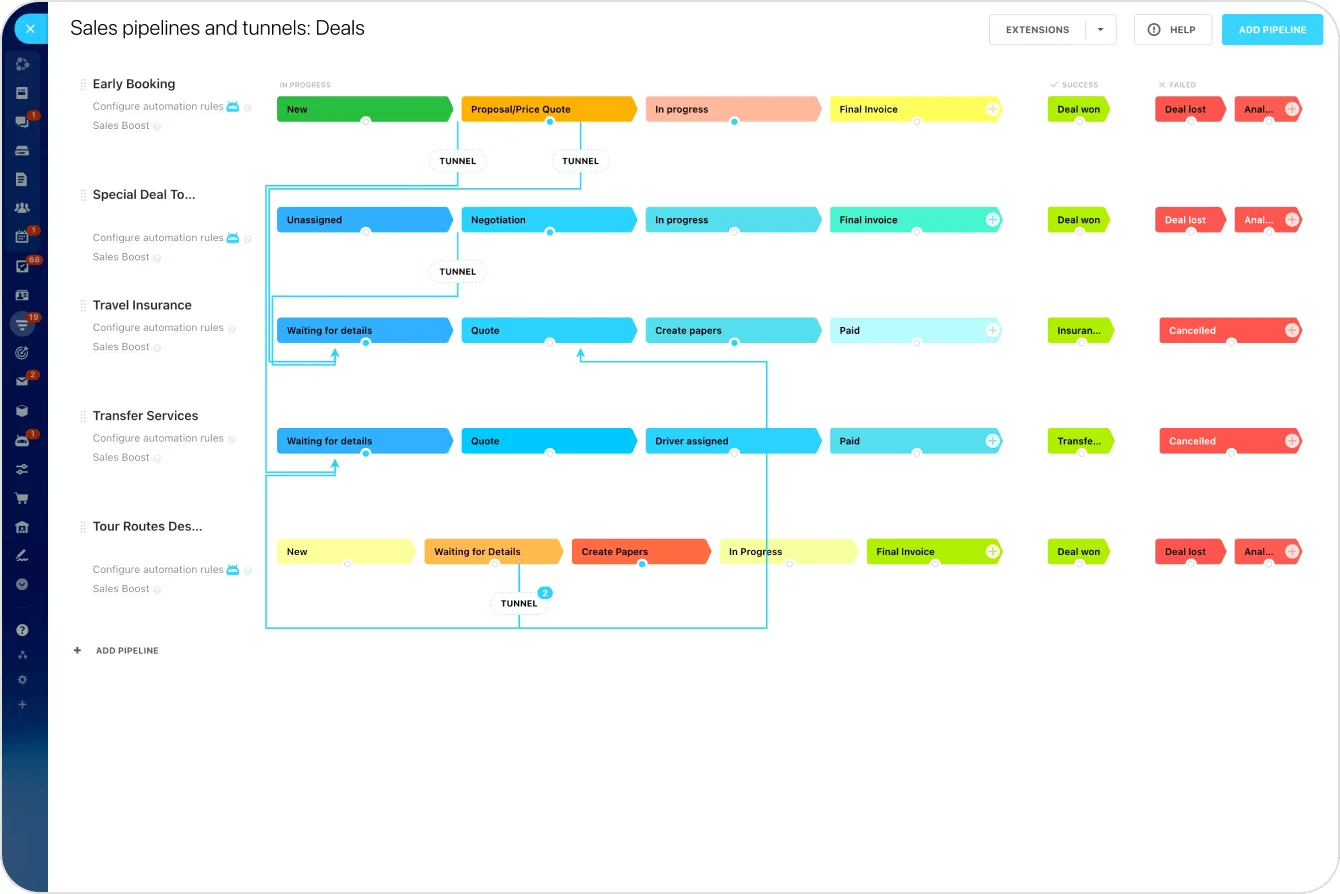
A centralized intake system ensures every request enters the same workflow. Dispatchers can:
- Review incoming work in one queue
- Prioritize urgent issues immediately
- Maintain a clear backlog of pending jobs
With Bitrix24 CRM, requests from multiple sources collect in one place and convert directly into tasks.
2. Structured task assignment
Technicians need more than a job title. Each assignment should include:
- Customer details and service location
- Issue description and priority level
- Required materials or equipment
- Expected completion time
- Any relevant history from previous visits
Standardized task templates ensure every work order contains the necessary information — so technicians spend less time asking clarifying questions and more time completing work.
3. Smart scheduling
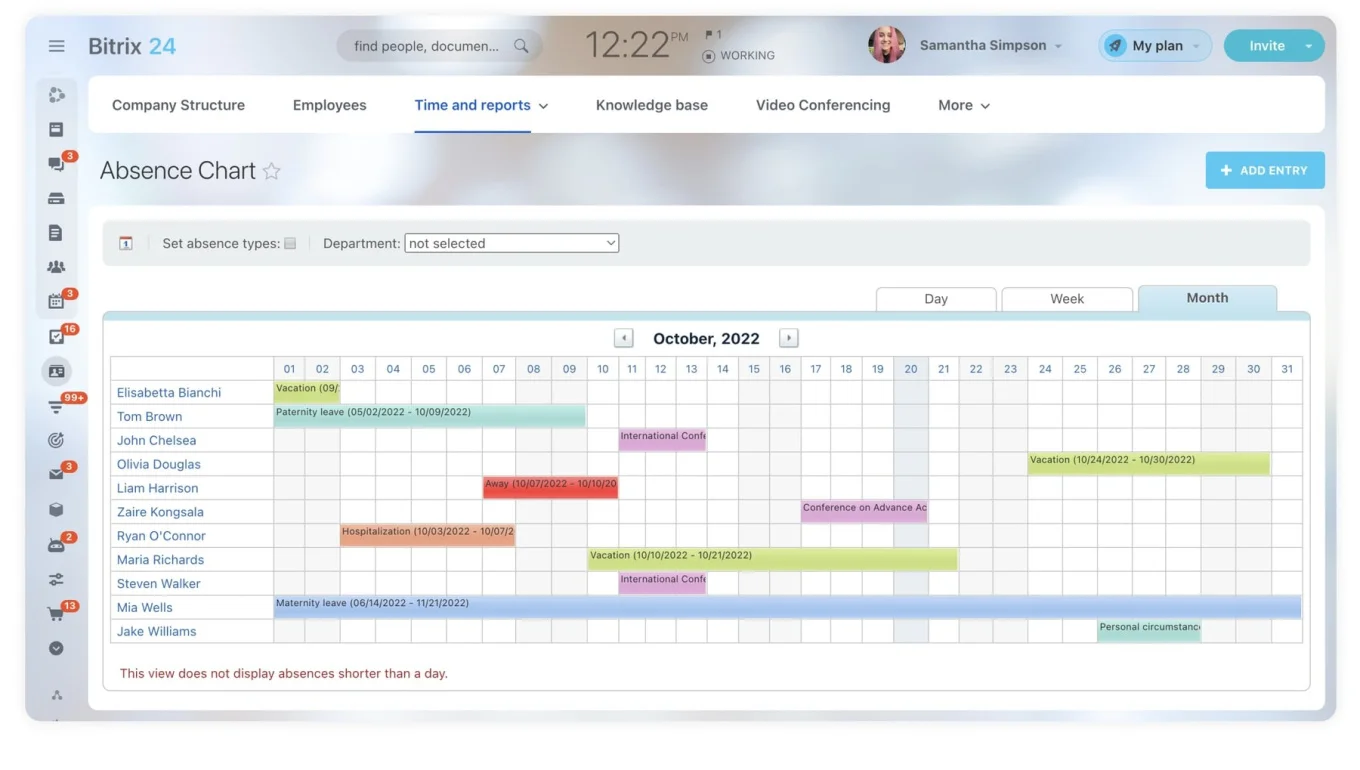
Scheduling is the most complex part of dispatch. Dispatchers must balance technician availability, job priorities, travel time, and existing workloads. Without clear visibility, double bookings quickly mount up.
According to field service management research compiled by FieldServiceSoftware.io:
- Companies implementing FSM software report productivity increases averaging 24% within the first year
- Travel time between service calls decreases by an average of 17% through optimized scheduling
Shared calendars and task timelines give dispatchers the visibility to coordinate workloads from one place.
4. Real-time communication
Even the best schedule changes during the day. Traffic delays, unexpected repairs, or urgent requests can disrupt plans. Dispatchers need to:
- Send updates tied to specific jobs
- Answer technician questions without switching apps
- Coordinate emergency rescheduling
In Bitrix24, dispatchers and technicians communicate directly within tasks using chat and comments, keeping conversations attached to the work they reference.
5. Clear job tracking and visibility
Dispatchers and managers need a real-time view of:
- Which jobs are scheduled, in progress, or completed
- Which technicians are working and where
- Which tasks are delayed or blocked
Without this, dispatchers rely on phone calls to check status — a manual overhead that scales poorly. With Bitrix24's mobile app, technicians update task statuses from the field, giving dispatchers a live operational view across all jobs.
When these pieces are in place, dispatch becomes predictable.
Requests don’t get lost, technicians aren’t guessing, and schedules don’t need constant fixing. You’re no longer relying on memory or manual coordination. In fact, the workflow does the heavy lifting.
Field Dispatch Workflow Kit: Scalable Routing and Task Templates
Enter your email address to get a comprehensive, step-by-step guide

Step by step: building the workflow
Most dispatch issues don’t come from one big failure; they build up across small gaps in the process.
This is what it looks like to close those gaps, step by step, so every job follows the same path from request to completion.
Step 1: Capture service requests in one system
All requests (phone, email, form, chat, internal) should enter the same system where they can be reviewed, prioritized, and assigned. This creates a consistent starting point for every job and eliminates the "lost request" problem.
Step 2: Convert requests into structured work orders
Each confirmed request becomes a work order with:
- Customer name and service address
- Issue description and priority level
- Expected timeframe
- Assigned technician
Task templates speed this up for recurring job types — a standard HVAC maintenance visit shouldn't require manual setup every time.
Step 3: Schedule based on availability and workload
Dispatchers use shared calendars and task timelines to see technician availability and existing assignments in real time. This distributes work evenly and prevents the conflicts that come from scheduling in separate systems.
Step 4: Assign jobs and notify technicians
When a job is assigned, the technician receives all relevant details before arriving on site. Bitrix24 sends task notifications directly through the mobile workspace, eliminating the need for individual calls or messages.
Step 5: Enable real-time updates from the field
Field work rarely goes exactly as planned. Technicians should be able to update progress directly:
- Job started
- Additional materials required
- Customer issue encountered
- Job completed
These updates keep the dispatch team informed and allow fast schedule adjustments when plans change.
Step 6: Track completion and monitor performance
Once a job is finished, the system records completion time, technician, service performed, and follow-up requirements. Over time, this data reveals:
- Average job completion times by type
- Technician productivity patterns
- Recurring service issues pointing to deeper problems
- Scheduling bottlenecks slowing operations
Bitrix24's analytics and reporting tools help managers identify these patterns and make data-driven decisions about staffing, routing, and resource allocation.
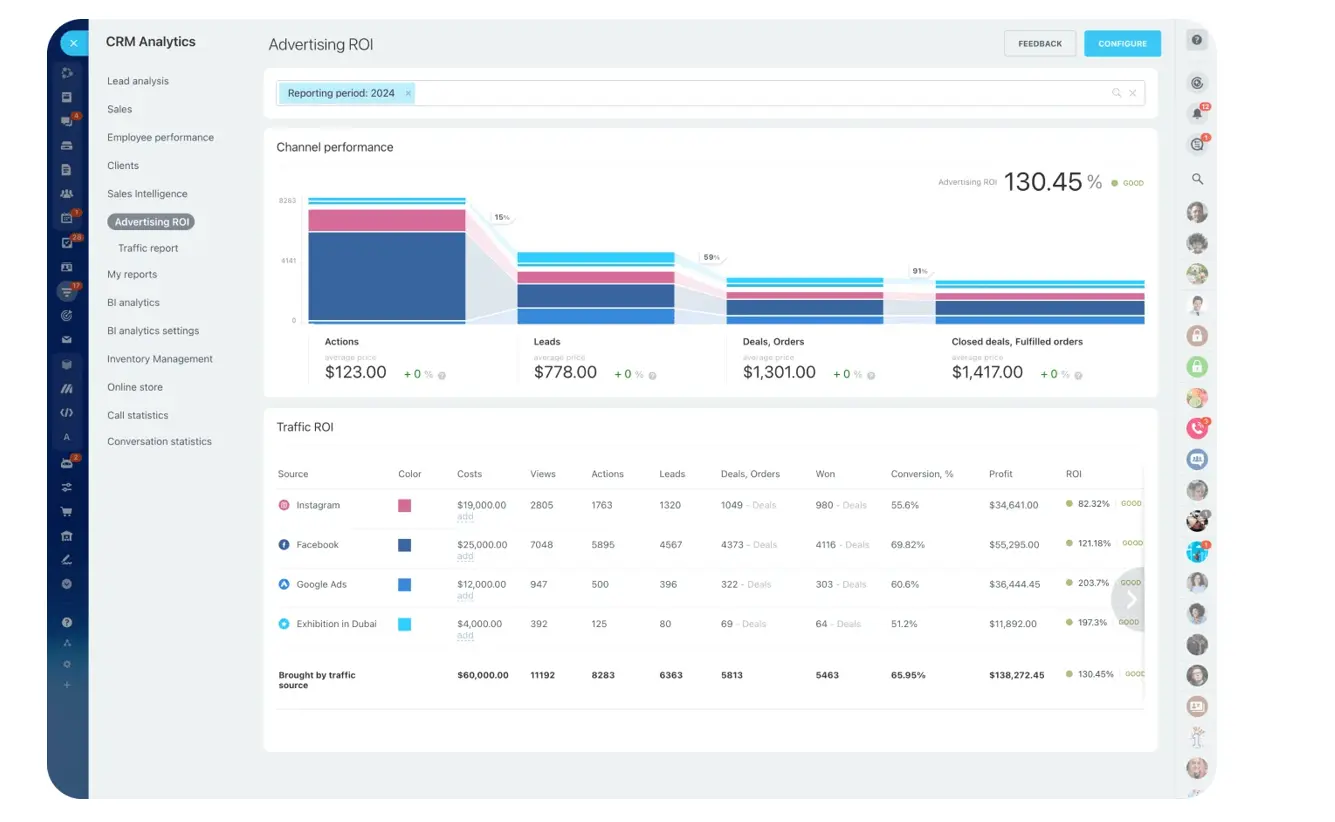
Pro tip: The same FieldServiceSoftware.io research found that automating administrative tasks reclaims approximately 6.3 hours per week per technician previously spent on documentation and reporting. Even automating just job creation and notifications frees significant capacity.
Technology that enables scalable dispatch
A well-designed workflow struggles if the team relies on disconnected tools.
Mobile access for field technicians
Technicians spend most of their time on the road or at job sites. They need:
- Immediate access to assignments and customer details
- Schedule updates pushed to their device
- Ability to upload notes, photos, and job documentation
- Real-time task status updates
Without mobile access, dispatchers spend significant time making phone calls just to check progress (overhead that scales poorly).
Workflow automation
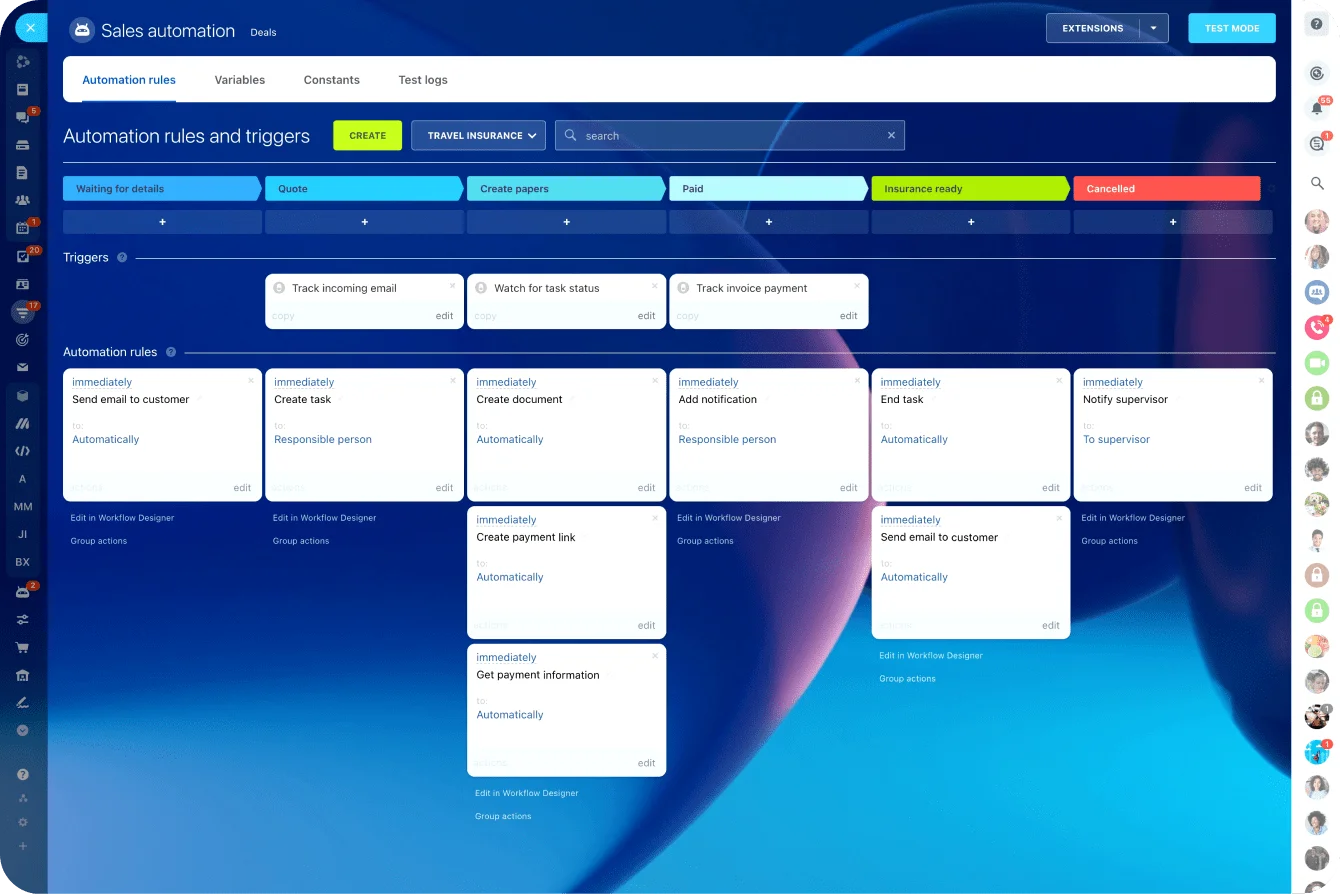
As operations grow, manual coordination becomes unsustainable. Automated workflows can:
- Create tasks when service requests arrive
- Notify technicians when jobs are assigned
- Trigger reminders for upcoming appointments
- Escalate overdue jobs to supervisors
These reduce administrative overhead and keep the dispatch process moving consistently. For organizations with more complex routing logic, robotic process automation can handle multi-step assignment rules based on technician skills, territory, or certification level.
Centralized communication
Communication breakdowns are one of the most common sources of dispatch delays. When teams rely on separate messaging apps, phone calls, and text threads, important information scatters:
- A schedule change communicated over text may never reach the right technician
- A customer update discussed in a group chat may not make it back to the work order
Bitrix24 integrates chat, task comments, and notifications within the same workspace, so conversations stay tied to the jobs they reference.

When this workflow may need adjustment
This approach assumes a baseline of consistent job types and schedulable technicians. It may need modification in certain situations:
- Highly unpredictable emergency work. If 80%+ of your jobs are same-day emergencies (e.g., plumbing, locksmith), a queue-and-schedule workflow adds unnecessary friction. Focus instead on real-time availability boards and instant assignment rather than structured scheduling.
- Solo operators or very small teams. A dispatcher managing two technicians doesn't need multi-step automation. Start with a shared calendar and standardized work order template — add automation only when manual coordination starts consuming disproportionate time.
- Technicians with highly specialized skills. When only one person can handle a specific job type, scheduling "optimization" is irrelevant. The constraint is capacity, not routing. In these cases, focus on workload visibility and realistic scheduling rather than assignment algorithms.
- Regions with unreliable mobile connectivity. If technicians regularly work in areas without cell service (rural utilities, underground infrastructure), real-time updates become impossible. Build the workflow to support offline task access with sync-on-reconnect, and don't rely on live status updates for critical scheduling decisions.
The structure holds, but the way you apply it should reflect how your work actually gets done.
If your constraints are speed, size, specialization, or connectivity, adjust the workflow around that, not the other way around.
Build dispatch systems that grow with your business
Reliable dispatch is what separates field service teams that scale from those that scramble.
Centralized intake, smart scheduling, clear assignment, and real-time tracking reduce conflicts, improve communication, and keep technicians productive. Whether you're managing 20 jobs per week or 200.
Start for free with Bitrix24 to connect scheduling, communication, and job tracking in one workspace.
Master your dispatch workflow
Leverage Bitrix24 to construct a tailored, scalable dispatch workflow. Prioritize scheduling and job tracking to boost efficiency and productivity.
Learn MoreFrequently asked questions
What is a field operations dispatch workflow?
A dispatch workflow is the structured process connecting incoming service requests with the technicians who complete the work. It defines how jobs are received, converted into work orders, scheduled, assigned, tracked, and closed. When standardized, every request follows the same path: reducing missed jobs, scheduling conflicts, and communication gaps.
How do I prevent technicians from being double-booked?
Double bookings happen when dispatchers lack visibility into existing assignments. Shared scheduling tools that show technician availability, current workloads, and upcoming jobs in real time are the most effective prevention. When everyone works from the same calendar, conflicts become visible before they cause problems.
What should a work order include?
At minimum: customer name and contact information, service address, issue description, priority level, expected completion timeframe, assigned technician, and required materials. Standardized templates ensure this information is captured consistently, so technicians arrive prepared and return visits drop.
How does mobile access improve dispatch operations?
Technicians can view assignments, receive updates, upload job documentation, and update task status from their phones. This eliminates the back-and-forth phone calls that slow dispatch coordination and gives dispatchers a real-time view of job progress across the entire team.
How do I handle urgent requests without disrupting the existing schedule?
Flag urgent requests with a priority tier so they bypass the standard queue. Dispatchers need real-time visibility into which technicians are closest, which jobs can be rescheduled with minimal impact, and who has current capacity. Automated notifications ensure the reassigned technician gets updated instructions instantly, so urgent jobs get covered through a structured process rather than a flurry of phone calls.
What's the first thing to automate in a dispatch workflow?
Start with job creation and technician notification. When a service request is confirmed, the system should automatically generate the work order and notify the assigned technician with all relevant details. This single automation eliminates the most common delay in manual dispatch (the gap between "request received" and "technician knows about it").