What Recruiting CRM Software Borrows From Sales Pipelines - and Why It Helps You Hire Faster

Most recruiting teams already know their process is broken. Open roles sit unfilled for weeks, top candidates ghost after the second interview, and the "talent pool" is really just a dusty spreadsheet no one opens.
What looks like a hiring slowdown is usually a lack of structure. The fix isn’t another job board subscription. It’s treating your hiring process the way sales teams treat their deals - with recruiting CRM software that tracks, nurtures, and moves candidates through structured stages.
Recruiting CRM software is a category of tools that applies customer relationship management principles - like pipeline stages, automated follow-ups, and contact scoring - to the hiring process. It's designed for staffing agencies, in-house talent teams, and HR departments that manage multiple open roles at once and need a system to keep candidates engaged from first contact through the offer stage. The expected outcome is straightforward: shorter time-to-fill, fewer dropped candidates, and a repeatable process that doesn't rely on a recruiter's memory.
This approach works best for organizations handling a steady volume of roles - think agencies placing candidates across clients, or mid-size companies hiring for multiple departments simultaneously. For a single annual hire, a spreadsheet might suffice. For anything beyond that, a proper system pays for itself.
Let’s take a closer look at the six core tactics recruiting CRM software borrows from the sales world - and where each one drives measurable results.
Pipeline Stages Give Your Hiring Process a Backbone
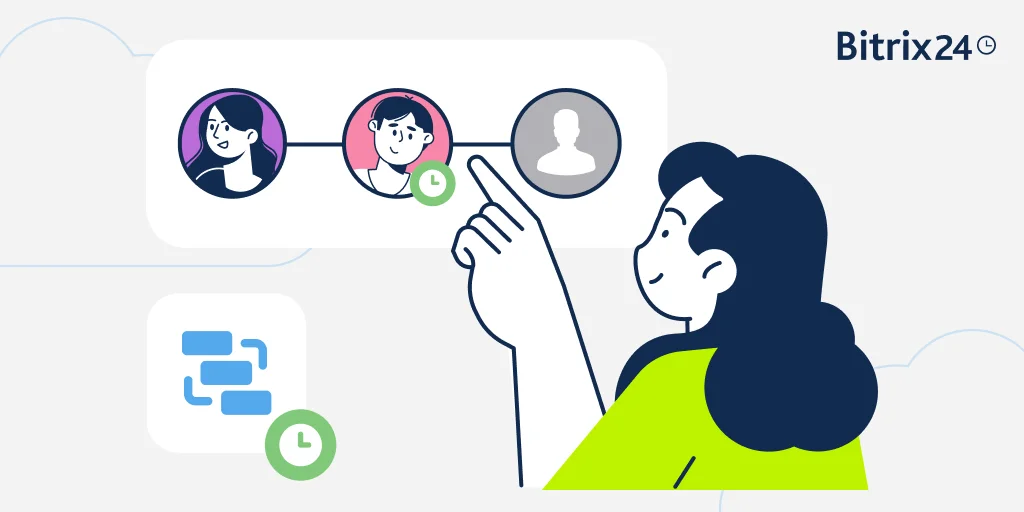
Sales teams don't just dump every lead into one pile and hope for the best. They move prospects through clearly defined stages: qualified, demo booked, proposal sent, closed. Recruiting CRM software does the same thing for candidates.
A typical recruitment pipeline might include stages like sourced, screening call scheduled, interview completed, offer extended, and hired. Each stage has clear entry and exit criteria, so no candidate falls through the cracks, and no recruiter wastes time wondering "where are we with this person?"
The real power here is visibility. When you log into your hiring funnel and see forty candidates stacked up at the "screening call" stage but only two at "interview completed," you know exactly where the bottleneck is. Maybe your screening process is too slow, or maybe too many unqualified candidates are entering the funnel. Either way, the data tells you where to focus.
Pipeline stages also create accountability. When a candidate has been sitting at "awaiting feedback" for a week, the system flags it. Compare this to the old way of doing things - where a promising applicant quietly disappears because three people assumed someone else was handling the next step.
For agencies managing candidate pools across multiple clients, pipeline stages let you track progress per role, per client, and per recruiter. That kind of granularity is what separates organized agencies from the ones constantly scrambling.
Candidate Journey Template Pack: CRM Workflows for Agencies
Enter your email address to get a comprehensive, step-by-step guide

Automated Candidate Nurturing Keeps People Warm Without Manual Effort
Here's a scenario recruiters know too well: you source a great candidate, have a strong initial conversation, and then... silence. The hiring manager takes two weeks to schedule an interview. By the time you circle back, the candidate has accepted another offer.
Candidate nurturing solves this by automating the touchpoints between major milestones. Think drip sequences - not the spammy kind, but targeted messages that keep the candidate informed and engaged. A quick update after their application is reviewed. A note about company culture a few days before their interview. A check-in if a decision is taking longer than expected.
This is where recruiting CRM software directly mirrors sales CRM logic. Sales teams figured out long ago that leads go cold without regular, relevant contact. The same is true for job candidates, especially in competitive markets where a skilled developer or experienced project manager has multiple offers on the table.
Automation doesn't mean impersonal. The best setups use merge fields to personalize messages with the candidate's name, the specific role, and the last action taken. The recruiter sets up the sequence once, and the system executes it automatically across dozens or hundreds of candidates simultaneously.
Resume Parsing Turns Applications Into Actionable Data
Manually reading every resume and typing candidate details into a contact card is a spectacular waste of recruiter time. Resume parsing automates this by extracting structured data - name, email, phone number, work history, skills, education - from uploaded documents and populating contact records automatically.
Good resume parsing handles multiple file formats (PDF, DOCX, plain text) and adapts to different resume layouts. It's not perfect - creative formatting or unconventional section headers can trip it up - but for the standard professional resume, it saves a recruiter several minutes per application. Multiply that across hundreds of applicants, and you're looking at hours returned to actual recruiting work every week.
The parsed data feeds directly into the recruiting CRM software's contact cards, which means you can immediately filter and search candidates by skill, location, years of experience, or any other extracted field. That searchability is what turns a pile of PDFs into a functional talent pipeline.
One caveat: resume parsing works best with structured, text-based resumes. Image-heavy or graphic design resumes often require manual review. Agencies that recruit for creative roles should plan for a hybrid approach.

Building a Talent Pool Means You're Not Starting From Zero Every Time
Most hiring processes are reactive. A role opens, recruiters scramble to source candidates, and the clock starts ticking. Talent pool management flips this model by maintaining a database of pre-qualified candidates who aren't actively in a hiring process but could be a fit for future roles.
A recruiting CRM makes this practical by tagging and categorizing past applicants, silver medalists (strong candidates who narrowly missed out), and people who expressed interest but didn't apply for a specific role. When a new position opens, the recruiter searches the pool first - and often finds a qualified candidate who's already familiar with the company.
This is where recruitment marketing overlaps with talent pool management. Sending periodic newsletters, sharing company updates, or inviting past candidates to events keeps the relationship alive without being pushy. When you reach out six months later about a new role, the conversation picks up where it left off instead of starting cold.
For agencies, talent pools organized by skill set, industry, and location become a competitive asset. A client calls with an urgent need for a senior data analyst? The agency that can present three qualified candidates within 48 hours - because they've been maintaining a warm pool - wins the business.
Candidate Scoring Helps You Prioritize Without Guessing
Not every applicant deserves the same level of attention, and pretending otherwise wastes resources. Candidate scoring applies a point-based system to rank applicants based on criteria that matter for the role: relevant experience, skills match, cultural fit indicators, and engagement level.
This concept comes straight from lead scoring in sales CRM systems. Just as a sales team assigns higher scores to prospects who visit the pricing page, download a case study, and reply to emails, recruiting CRM software can score candidates based on how closely their profile matches role requirements and how actively they've engaged with your outreach.
Scoring doesn't replace human judgment - it supplements it. When a recruiter has thirty new applicants for a role, scoring surfaces the top ten to review first. The remaining twenty aren't discarded; they're simply prioritized lower and reviewed if the top tier doesn't yield a hire.
A scoring model might weight technical skills at 40%, relevant industry experience at 30%, and engagement signals (such as email opens or link clicks) at 30%. These weights should be adjusted by role. An entry-level position may place greater emphasis on engagement, since experience is limited, while a senior engineering role would assign more weight to technical expertise.
How to implement HR software?
Enter your email to download a guide that will get you started with HR management software.
Multi-Channel Tracking Shows You the Full Candidate Picture
Candidates don't just come from one place. They find your job posting on LinkedIn, visit your careers page, respond to a recruiter's InMail, or get referred by a current employee. Without multi-channel tracking, you lose visibility into which sources produce quality hires and which just generate volume.
An applicant tracking CRM that supports multi-channel tracking logs every interaction - regardless of where it happened - against a single candidate record. The recruiter sees the full timeline: sourced on LinkedIn, responded to email, attended a virtual event, completed a phone screen, visited the careers page twice.
This data does two things. First, it helps recruiters personalize their approach. If a candidate engaged heavily with content about remote work flexibility, the recruiter knows to highlight that in the next conversation. Second, it informs recruitment marketing spend. If referrals produce candidates who move through the pipeline twice as fast as job board applicants, you know where to invest more.
Multi-channel tracking requires discipline, though. The system only works if recruiters consistently log interactions. Recruiting CRM software with built-in integrations for email, LinkedIn, and job boards reduces the manual effort, but adoption across the team still needs to be a priority.
CRM Sales Pipelines vs. Recruiting CRM Software
Now that we've covered each tactic individually, here's how the full picture lines up when you compare a sales CRM workflow to a recruiting CRM workflow side by side:
|
CRM Element |
Sales Pipeline |
Recruiting CRM Software |
|
Pipeline stages |
Lead qualified, Demo, Proposal, Closed won |
Sourced, Screening, Interview, Offer, Hired |
|
Contact scoring |
Lead score based on engagement and fit |
Candidate score based on skills match and responsiveness |
|
Automated nurturing |
Drip emails to warm leads toward purchase |
Drip messages to keep candidates engaged between steps |
|
Data parsing |
Business card scanners, form capture |
Resume parsing into candidate contact cards |
|
Pool management |
Lead lists segmented by industry or deal size |
Talent pools organized by skill set, role type, or location |
|
Multi-channel tracking |
Website visits, email opens, call logs |
LinkedIn activity, career page visits, referral sources |
|
Goal |
Close the deal |
Close the candidate |
The mechanics are nearly identical - the difference is what you're closing. That said, this approach isn't for everyone.
When Recruiting CRM Software Doesn't Fit
Not every hiring situation calls for a full CRM approach. Small businesses that hire one or two people a year may find the overhead of setting up pipeline stages, scoring models, and nurture sequences disproportionate to the benefit. The system pays off when you're managing volume and complexity.
Government and public sector hiring often operates under strict procedural requirements - predetermined evaluation criteria, mandated posting periods, and committee-based decisions. Recruitment automation can support parts of this process, but the rigid compliance framework limits how much you can customize.
Very early-stage startups where founders personally handle every hire may not need recruiting CRM software yet. When three people are making every hiring decision together, and the volume stays under ten hires per year, the tool can feel like unnecessary overhead. The moment hiring scales beyond that point, a structured system becomes critical to maintaining efficiency.
How Bitrix24 Connects Sales CRM Logic to Your Hiring Workflow
Bitrix24 gives you a unified platform where CRM pipeline management, HR tools, and task tracking operate together. You can set up custom pipeline stages for recruitment, automate candidate communications, and track every interaction in one place - without switching between separate recruiting and project management tools.
The CRM's contact cards work just as well for candidates as they do for sales leads. Upload a resume, create a candidate record, assign it to a recruitment pipeline stage, and trigger automation rules to handle follow-ups, reminders, and internal approvals. Your hiring team and your sales team can use the same system with different pipelines - which means less training, fewer tools to manage, and a unified view of every relationship your organization maintains.
Instead of managing recruitment in isolation, you apply the same structured pipeline logic that drives predictable sales results - visibility, automation, accountability, and measurable progression from first contact to final decision. For growing organizations handling ongoing hiring needs, that alignment creates consistency across teams and reduces operational friction.
Ready to apply sales pipeline thinking to your recruiting process? Sign up for Bitrix24 and start building your hiring pipeline today.
Transform Your Hiring Process
Leverage Bitrix24's unified platform to accelerate hiring, maintain candidate engagement, and optimize recruitment workflows. See measurable results today!
Try Bitrix24 NowFAQ
How can I automate rejection emails to keep candidates informed?
Automating rejection emails is straightforward in most recruiting CRM software platforms. You create email templates for each stage of your pipeline - one for post-screening rejections, another for post-interview, and so on. When a recruiter moves a candidate to the "rejected" stage, the system automatically triggers the corresponding template. The key is making sure templates are respectful and specific enough that candidates feel they received a genuine response, not a form letter. Personalization fields such as the candidate's name and role title help with this.
Can I parse resumes automatically into contact cards?
Parsing resumes automatically into contact cards is a core feature of recruiting CRM software. The system extracts structured data - name, contact details, work history, skills, education - from uploaded documents and populates a candidate record. Most platforms handle standard PDF and DOCX formats reliably. Resumes with heavy graphic elements or unusual formatting may require manual cleanup, but for the majority of professional resumes, the process is fully automatic.
How do I build a talent pool for future openings?
Building a talent pool for future openings starts with tagging and categorizing every candidate who enters your system - not just the ones you hire. Strong candidates who weren't selected for one role should be tagged by skill, industry, and seniority level. Set up periodic nurture sequences to keep the relationship active. When a new role opens, search your pool first before going to external sources. Over time, this approach reduces sourcing costs and speeds up time-to-fill for recurring role types.
How does recruiting CRM software differ from a standard ATS?
Recruiting CRM software differs from a standard applicant tracking system (ATS) in both scope and focus. An ATS is primarily a compliance and tracking tool - it manages applications after someone applies, handles job postings, and stores candidate records for legal reporting. A recruiting CRM adds the relationship management layer: proactive sourcing, candidate nurturing, engagement scoring, talent pool development, and multi-channel communication tracking. Think of the ATS as the back office and the CRM as the front office. Many modern platforms blend both functions, but it’s the CRM component that enables teams to engage passive candidates and build a pipeline before a role even opens.
Can I track candidate engagement across multiple channels?
Tracking candidate engagement across multiple channels is possible when your recruiting CRM software integrates with email, LinkedIn, your careers page, and other sourcing platforms. Each interaction - whether it's an opened email, a LinkedIn message reply, a careers page visit, or a referral submission - gets logged against the candidate's profile. This unified view lets recruiters see which channels produce the most engaged candidates and adjust their outreach strategy accordingly. The accuracy depends on how well the platform integrates with your specific tools, so check for native integrations before committing.
How do pipeline stages work for recruitment vs. sales?
Pipeline stages for recruitment follow the same logic as sales pipeline stages, but use different milestones. A sales pipeline might progress through lead qualified, demo scheduled, proposal sent, and deal closed. A recruitment pipeline typically moves through sourced, screening completed, interview scheduled, offer extended, and hired. Both use stages to create visibility into where each candidate or deal stands, identify bottlenecks, and forecast outcomes. The main difference is the "customer" - in sales, you're closing a deal; in recruitment, you're closing a candidate. The CRM mechanics behind both are nearly identical.